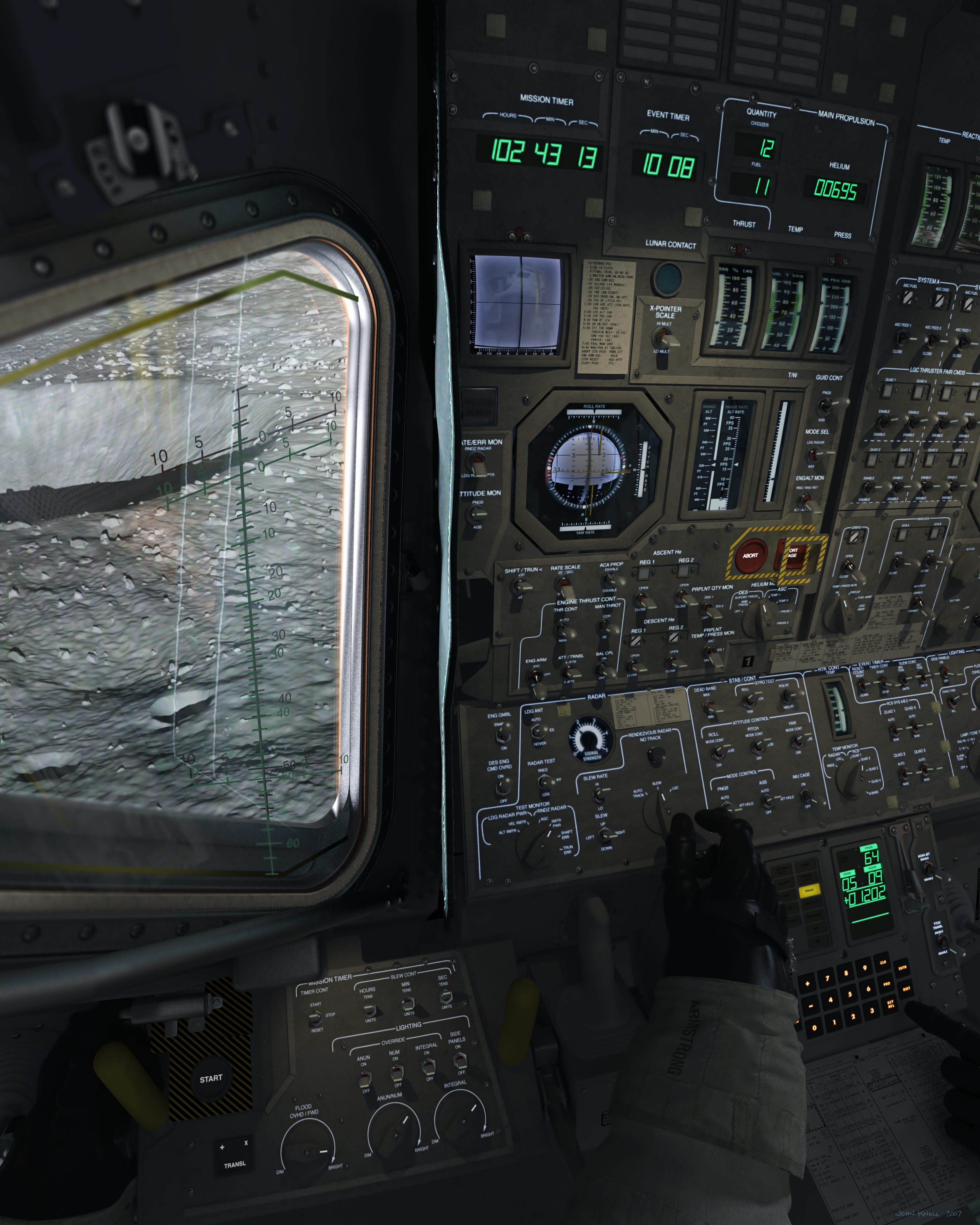
Every wanted to take an Apollo Spacecraft for a spin around Brighton Beach without having to read reams of documentation (NASSP) or deal with scrambled meshes (AMSO)? I know I have.
...and given the scarcity of realistic airless-body landers with UMMU support I decided to make my own.

View image in gallery
Now I know my projects have a tendancy to become vapor-ware (which is why I haven't this posted earlier) but this one is far enough along that I feel a developement thread is warranted. For those who've been following my numerous threads on the SDK forum, this is what all the fuss has been about
Spider is based on NASA's Extended Stay Lunar Module, aka the "Lunar Taxi" which incorporated Lessons Learned from the first production run of LMs and would have provided the manned portion of the Apollo Aplications Project's dual launch lunar missions.
The Idea of this project is to balance a historically accurate performance envelope with accessibility and ease of play.
Planned Features for initial release include...
Possibilities for future developement
At this moment the only items remaining on the initial release checklist are the VC and debugging the Landing Autopilot.

View image in gallery
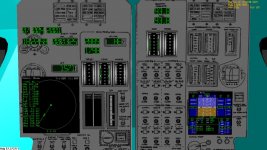
current state of the VC main panel (all items not drawn in pencil are up and running in the sim).
As always I'm looking for feedback, suggestions, concerns, and offers of assistance are greatly appreciated. :tiphat:
I'd also like to throw a major shout-out and tip of the hat to Moach, Jedia, Glider, Wishbone, and others who have graciously allowed me to exploit their knowledge and thier code samples.
Thank you all and !
!
---------- Post added at 11:20 PM ---------- Previous post was at 09:53 PM ----------
UPDATED: 11/01/2012
Download the latest version here...
Added parsing of vessel config file allowing thrust and DV to be adjusted by end user.
Placeholders for the CMD and LMP Ground-speed/Slip indicators have been added as well as a 2nd ADI for the commander's position. MFD has been relocated to panel 4.
At the moment the two ADIs are slaved to eachother but support for independant operation is in work.
Sound and Switching control logic has also been debugged.
Download latest files here
[ame="http://www.orbithangar.com/searchid.php?ID=5846"]Spider Lunar Lander *Beta v2.3*[/ame]
New in version 2:
Hotfix 1: Broken link was causing CTD on stage seperation (descent stage vessel wasn't loading properly) now fixed.
Hotfix 2: In the process of fixing #1 I accidently deleted the LEM's touchdown points :facepalm: it's fixed now.
Interim Update version 2.3:
Known issues (AKA why you see "Beta" in the title)
Planned Features
Source Code/Interim versions can be downloaded from my sourceforge repository here...
http://sourceforge.net/projects/spiderlem/?source=directory
Most recent commit was on 11/01/2012.
...and given the scarcity of realistic airless-body landers with UMMU support I decided to make my own.
View image in gallery
Now I know my projects have a tendancy to become vapor-ware (which is why I haven't this posted earlier) but this one is far enough along that I feel a developement thread is warranted. For those who've been following my numerous threads on the SDK forum, this is what all the fuss has been about
Spider is based on NASA's Extended Stay Lunar Module, aka the "Lunar Taxi" which incorporated Lessons Learned from the first production run of LMs and would have provided the manned portion of the Apollo Aplications Project's dual launch lunar missions.
The Idea of this project is to balance a historically accurate performance envelope with accessibility and ease of play.
Planned Features for initial release include...
- Two .DLLs one with UMMU Support, another without.
- Lighting and Particle Effects.
- Virtual cockpit with working gauges and controls.
- Landing and Ascent autopilots.
Possibilities for future developement
- Electrical and Eviromental Subsystems modeling.
- UMMU/UCCGO cargo and consumables.
- Other lunar module derivatives.
At this moment the only items remaining on the initial release checklist are the VC and debugging the Landing Autopilot.
View image in gallery
current state of the VC main panel (all items not drawn in pencil are up and running in the sim).
As always I'm looking for feedback, suggestions, concerns, and offers of assistance are greatly appreciated. :tiphat:
I'd also like to throw a major shout-out and tip of the hat to Moach, Jedia, Glider, Wishbone, and others who have graciously allowed me to exploit their knowledge and thier code samples.
Thank you all and
!---------- Post added at 11:20 PM ---------- Previous post was at 09:53 PM ----------
UPDATED: 11/01/2012
Download the latest version here...
Added parsing of vessel config file allowing thrust and DV to be adjusted by end user.
Placeholders for the CMD and LMP Ground-speed/Slip indicators have been added as well as a 2nd ADI for the commander's position. MFD has been relocated to panel 4.
At the moment the two ADIs are slaved to eachother but support for independant operation is in work.
Sound and Switching control logic has also been debugged.
Download latest files here
[ame="http://www.orbithangar.com/searchid.php?ID=5846"]Spider Lunar Lander *Beta v2.3*[/ame]
New in version 2:
- Lower and side control panels added
- Cockpit displays overhauled
- ADI ball and associated Attitude reference programs added
- Switches on panels 3, 4, & 5 now have in game effects
- Support for orbiter-sound added
- Thruster and propellant management code rewritten
- VC switch control logic rewritten
- Framework for future implimentation of Life-support and consumables added
- New exterior meshes
- New textures
Hotfix 1: Broken link was causing CTD on stage seperation (descent stage vessel wasn't loading properly) now fixed.
Hotfix 2: In the process of fixing #1 I accidently deleted the LEM's touchdown points :facepalm: it's fixed now.
Interim Update version 2.3:
- Added parsing of vessel config file allowing thrust and DV to be adjusted by end user.
- Placeholders for the CMD and LMP Ground-speed/Slip indicators (X-Pointers) added.
- 2nd ADI for the commander's position added.
- MFD relocated to panel 4.
Known issues (AKA why you see "Beta" in the title)
- Autopilots are unstable
- Landing Gear animation is glitched
- Yaw Rate needle is non functional
Planned Features
- ECS and thermal modeling
- Consumables and Life Support Management
- UMMU support
- An autopilot that wont get you killed
Source Code/Interim versions can be downloaded from my sourceforge repository here...
http://sourceforge.net/projects/spiderlem/?source=directory
Most recent commit was on 11/01/2012.
Last edited: