OHM Topographic Map MFD v.0.7

OrbitHangar

Addon Comments
Joined
Apr 9, 2008
Messages
3,832
Reaction score
18
Points
0

Author: enjo

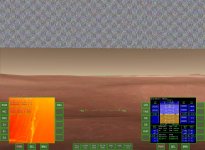
Displays a topographic map in grayscale and RGB.
Load the provided scenario files for some interesting places where Topo Map MFD is really useful.

Warning: This MFD is experimental and works only for Orbiter2016 and Jarmonik's DX9 2.1 client

Update: Uses cache for faster refreshes of elevation data.

Requires:
Microsoft Visual C++ 2005 Service Pack 1 Redistributable

Copyright 2015 by "Topper" - Original author: concept, calculations
Copyright 2015-8 by Szymon Ender "Enjo" (http://www.enderspace.de) - Co-developer: optimizations, putting it together
Many thanks to Jarmonik for helping in a smooth integration with his client!

Released under the terms of the LGPL v3:
http://www.gnu.org/licenses/lgpl.txt


DOWNLOAD
 
Just released for Orbiter 2016. Something changed in the Orbiter core's blitting functions for better, which allowed for resurrection of this nice toy :)
 
That looks very interesting. I was looking for a way to locate points of interest on Mars a bit easier. I'll check it out. Thanks for the effort.
 
Hi Enjo.
Orbiter 171203, XP. It does load. And MFD is visible. There is a small square in the centre of the MFD. The buttons don't seem to influence things. The framerate drops through the floor, so something going on. Turning off the MFD elevates the framerate by a factor of 4.

I hope others have more success.


---------------------------------- edit these turned up in orbiter.log
000047.970: >>> ERROR: DDraw error DDERR_SURFACEBUSY
000047.970: >>> [OrbiterGraphics::clbkBlt | .\OGraphics.cpp | 1669]
000047.970: ---------------------------------------------------------------
000048.072: ---------------------------------------------------------------
000048.072: >>> ERROR: DDraw error DDERR_SURFACEBUSY
000048.072: >>> [OrbiterGraphics::clbkBlt | .\OGraphics.cpp | 1669]
000048.072: ---------------------------------------------------------------
000048.173: ---------------------------------------------------------------
000048.173: >>> ERROR: DDraw error DDERR_SURFACEBUSY
000048.173: >>> [OrbiterGraphics::clbkBlt | .\OGraphics.cpp | 1669]
 
Last edited:
Hi LeePalmer,

Try under Orbiter 2016 first. The graphics routines change too quick for the MFD to be compatible across different versions.

The frame drop isn't much of a surprise, because there are a lot of calculations made to fill every pixel of the MFD. The larger MFD scale you use, the more work the module has to do (squarely: width * height).
 
Yes indeed. Pictures Included. Excellent Sir. Nothing in log.

Approx. 30 frames a sec with 1 line.

Apologies for not trying that first.
 

Attachments

  • CurrentState-32f.jpg
    CurrentState-32f.jpg
    299.7 KB · Views: 29
Last edited:
Thanks for your feedback :thumbup:

---------- Post added 08-04-18 at 01:56 PM ---------- Previous post was 07-04-18 at 05:57 PM ----------

Please try the latest version to get more FPS. The new version uses cache for faster elevation data retrieval, but I admit that I'm not a math genious, so it could be done better. Right now you may notice some artifacts here and there.
 
Hello Enjo,
nice to see this MFD still working faster :tiphat:

Maybe an Idea how to increase fps rate by losing resolution:
You could merge 3*3 or 6*6,..., pixels together (using just one api call for the "center pixel") , so you need less api calls to get the altitude points of the landscape... I guess, sometimes it's more important to have a larger map overview than having a high resolution map?... Just an Idea, I don't know if it the map will look good after doing so...
 
Last edited:
Hi Topper,

Thanks for the compliment.
Yes, definitely. I was thinking about it, but before I made the cache solution, the resolution solution would be quite en escapism. I wanted to make a technical blow first, and then I can add something on top of it, that doesn't really reduce the O(n) computational complexity, because it's still O((width/3)*(height/3)) . Maybe in next iteration. I will be having some more time in the next week.
 
Last edited:
I've done some experiments on topic and I must say, that the current bottleneck is not gathering the data anymore, but blitting itself. Therefore I won't make it any faster by blitting the same pixels, only by interlacing, but everybody can imagine that it would look poorly.
 
Back
Top