Problem Windows 7 - Orbiter 2010P1 issues

orbekler

Member
Joined
Nov 25, 2010
Messages
340
Reaction score
0
Points
16
It's quite a lot of time that I'm trying to figure out the reason why Win 7 doesn't like Orbiter.

I don't know if it's a useful info, but this is what I found:

1) Orbiter doesn't like Win graphics effects/themes like transparency, aero and so on, so better to disable them from compatibility menu;

2) there is definitely an issue with high res textures for planets.
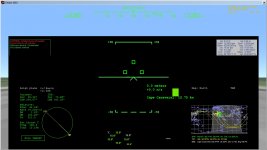
If installed (Earth lev 14, Moon, etc.), Orbiter simply won't display properly (see attached pic).
If disabled or deleted (Textures2), PC will freeze completely (WOW, I thought that freezes were just things of the past with the last updated Win 7!), and only an hard reset or unplug will release it.

Then, a new clean installation is required to make it work back again (without hi-res planet textures).

These problems occur WITH or WITHOUT D3D9Client enabled.

It's so exasperating that I decided to use Orbiter just in my old XP system.
orbiter bug.jpg
 
Did you rule out your (eventual) gfx card/driver issues?? ATI/NVIDIA???
It just sounds a bit strange that "These problems occur WITH or WITHOUT D3D9Client enabled".

I remember to have read another thread here on OF that excluded big problems between 7 and Orbiter, giving some tips too.

I'm still on XP, but sooner or later I'll have to make the "big" jump to Win7 (presumably when Win10 will be out...), since I keep hearing good things about it.

Edit:
:ninja:'ed by Orb!
 
Last edited:
I don't have any trouble with Win7 and Orbiter, though admittedly I seem to avoid most trouble by default: I don't like Aero and stuff anyways, so it's constantly disabled, I'm running as Administrator by default, and I don't use high-res textures...
 
Did you try to run Orbiter as Administrator?

Some informations about using Obiter on post-XP Windows versions is in "Orbiter on Vista and Win7 (actual data + from the horse's mouth)" article.

I'm not discussing performances, when Orbiter works (in Win 7), it's pretty fast (average of 160 fps). It's the non-working part that upsets me.
I also tried to run Orbiter as Admin.

Did you rule out your (eventual) gfx card/driver issues?? ATI/NVIDIA???
It just sounds a bit strange that "These problems occur WITH or WITHOUT D3D9Client enabled".

I remember to have read another thread here on OF that excluded big problems between 7 and Orbiter, giving some tips too.

I'm still on XP, but sooner or later I'll have to make the "big" jump to Win7 (presumably when Win10 will be out...), since I keep hearing good things about it.

Edit:
:ninja:'ed by Orb!

Bit strange, but yes, it does. Orbiter freezes the whole system (talking about mine, of course), even with D3D Client enabled (so it's not related to this). I leave Nvidia settings controlled by applications.

Just to have Orbiter working, I would gladly format and reinstall XP, but I can't, cause drivers are just for Win 7 (x64).
I'm not saying that Win 7 is better or worse than other Os (once you're accustomed with it, it's not that bad), just that in my PC Orbiter does not work properly.
All other games and graphics applications I tried worked like a breeze.

I don't have any trouble with Win7 and Orbiter, though admittedly I seem to avoid most trouble by default: I don't like Aero and stuff anyways, so it's constantly disabled, I'm running as Administrator by default, and I don't use high-res textures...

In my old systems I was caring about performance, so I too disabled all graphics stuff and themes, but with this new one there is no much difference, so I leave default settings.

Launching Orbiter, however, all themes and stuff are automatically disabled (actually Windows itself warned me that with Orbiter it was necessary to do that).
 
What's the graphics card there?

Where is Orbiter installed?

Does it freeze after you delete only the texture files and not Textures2 folder?
 
Nvidia 410M 1G

D:\orbiter (partition of main HDD,) or you meant PC?

I first delete Textures2 folder, then i recover it from the original Orbiter patch zip. No way.
I'll try to delete Textures folder and recover it too.
 
Last edited:
Did you try reinstalling (or updating) graphics drivers? What version is currently installed?

It's strange that Orbiter freezes after files have been deleted. High resolution texture packages add files only to Textures2 folder (*_tile.bin, *_tile.tex, *_tile_lmask.tex). Deleting just the _tile.bin files should disable high resolution textures and prevent Orbiter from loading them.
 
Sounds more like issues with your computer rather than Windows 7. I am running Orbiter on Windows 7 Utlimate 64Bit without the slightest problem. In fact, I can run at maximum resolution, maxiumum colour depth with high res textures and still get impressive framerates. If you are having to disable things such as the Aero interface, it's more than likely a resource issue. How much grahpics memory do you have? What type of graphics card do you have? Is it a dedicated graphics card with it's own dedicated memory or is it an on-board adapter?
 
Hmm so strange, I've no problems on Windows 7. I would try:
-installing new, official graphic drivers
-running as admin
-Enabling Windows XP compatibility
-checking Video tab settings

:tiphat:
 
Running Orbiter2010P1, Built in graphics, with Aero (which auto-disables its self when I start a scenario), at 1680x1050, on Win7, as an admin. GPU has very little to do with it, as DirectX7 isn't GPU Accelerated in Win7, but its an ATI Radeon 3800 HD, on an intel Core 2 Q6600 Quad Core @ 2.40 GHz. No problems to report.
 
Windows 7 appears to have no problems on my end either; Orbiter runs just fine on it.

I would suggest however that you verify Orbiter is utilising your device properly. Make sure "Always Enumerate Devices" is ticked and, if you see an entry with "T&L HAL" in there, select that one.
 
Did you try reinstalling (or updating) graphics drivers? What version is currently installed?

It's strange that Orbiter freezes after files have been deleted. High resolution texture packages add files only to Textures2 folder (*_tile.bin, *_tile.tex, *_tile_lmask.tex). Deleting just the _tile.bin files should disable high resolution textures and prevent Orbiter from loading them.

Current version is 280.26, the latest.
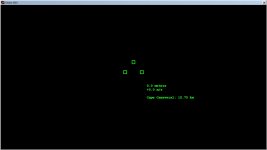
Just to be sure, I deleted both Textures and Textures2 folders, I recovered them from original install zip files, but I could start again Orbiter just unchecking all modules. Then I checked back them again, and it started, but this is what I got:

orbscreen.jpg

Hmm so strange, I've no problems on Windows 7. I would try:
-installing new, official graphic drivers
-running as admin
-Enabling Windows XP compatibility
-checking Video tab settings

:tiphat:

I did already all attempts, no avail.

Running Orbiter2010P1, Built in graphics, with Aero (which auto-disables its self when I start a scenario), at 1680x1050, on Win7, as an admin. GPU has very little to do with it, as DirectX7 isn't GPU Accelerated in Win7, but its an ATI Radeon 3800 HD, on an intel Core 2 Q6600 Quad Core @ 2.40 GHz. No problems to report.

I have...

Windows 7 appears to have no problems on my end either; Orbiter runs just fine on it.

I would suggest however that you verify Orbiter is utilising your device properly. Make sure "Always Enumerate Devices" is ticked and, if you see an entry with "T&L HAL" in there, select that one.

It's already selected by default.
--------------------------------------------------------------------

Before giving up, I'll try to see if any of installed addon combined with hi-res textures is causing the problem.
 
Current version is 280.26, the latest.
Not exactly the latest drivers, but probably the latest stable, as mine are 285.38.
Just to be sure, I deleted both Textures and Textures2 folders, I recovered them from original install zip files, but I could start again Orbiter just unchecking all modules. Then I checked back them again, and it started, but this is what I got:

View attachment 8595
I think this is normal for add-on vessels which textures were deleted but not restored. :shrug: Is it the same for the stock Delta Glider?
 
Current version is 280.26, the latest.
Just to be sure, I deleted both Textures and Textures2 folders, I recovered them from original install zip files, but I could start again Orbiter just unchecking all modules. Then I checked back them again, and it started, but this is what I got:

View attachment 8595

AFAIK, the 2D panels are bundled in with the DLL, so You may want to try re-downloading the XR1/2/5, whatever it is you have there.
 
Not exactly the latest drivers, but probably the latest stable, as mine are 285.38.
I think this is normal for add-on vessels which textures were deleted but not restored. :shrug: Is it the same for the stock Delta Glider?

I'm going to try the stock DG and see. Drivers for 410M are indeed the last (you don't have the same card, right?):
http://www.nvidia.com/object/notebook-win7-winvista-64bit-280.26-whql-driver.html

AFAIK, the 2D panels are bundled in with the DLL, so You may want to try re-downloading the XR1/2/5, whatever it is you have there.

Oh no... again and again... But I'll do... again... :facepalm:
 
No, I don't have the same graphics card, and I was talking about beta drivers, which are the latest, i.e. these:
http://www.nvidia.com/object/notebook-win7-winvista-64bit-285.38-beta-driver.html

Very well, I'll give a try. If necessary I'll downgrade with original stock Sony drivers.
It's interesting that note 2 says:
The following Sony VAIO notebooks are supported: Sony VAIO F Series with NVIDIA GeForce 310M, GeForce GT 330M, GeForce GT 425M, GeForce GT 520M or GeForce GT 540M. Other Sony VAIO notebooks are not supported at this time (please contact Sony for driver support).
Still, even the latest stable release (that's installed in my Vaio E) says the same, but except for Orbiter, it works perfectly. :blink:

Why don't you just keep the latest XR versions on your HD instead?

I do: i have an "orbiter install" folder with all install zips.
Only, it will be the 30th time that I clean install orbiter in my new windows 7 system. Pretty unnerving.
With my old XP system, I just installed Orbiter once (it was about november 2010), and still I use that, without any problem.

---------- Post added at 10:30 ---------- Previous post was at 09:30 ----------

@orb:
maybe it's too early to speak, but it seems that for 3 times Orbiter worked fine with 285.38 drivers.
I hope I'm in the right road, I'll let you know if it's a stable behaviour.
In the meanwhile, thank you for the suggestion.
 
Back
Top