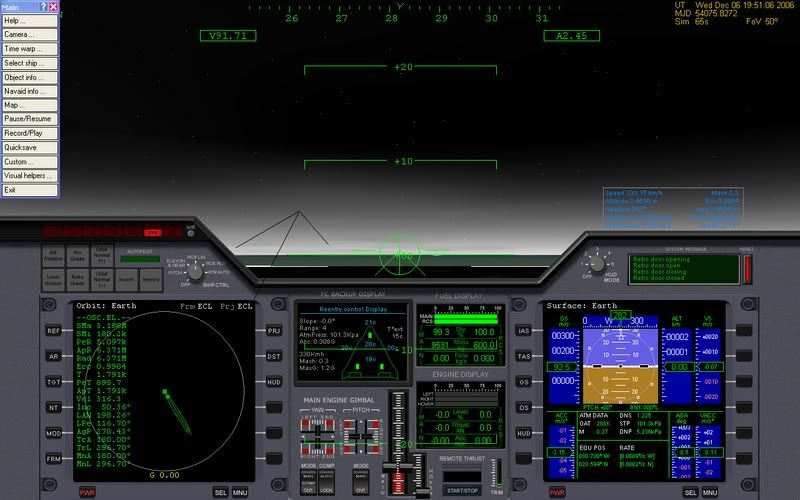
Atmosphere rendering is black

jrobert

New member
Joined
Apr 3, 2008
Messages
4
Reaction score
0
Points
0
Website
www.3dsoftworks.net
This is not night, the atmosphere is black
smilie10.gif
! any suggestions how to fix this
blatm.jpg
 
Have you recently installed any atmosphere enhancement addon? The atmosphere of a body in Orbiter is determined by it's respective .cfg file, unless this has been changed and prompted the display to appear like this, then it must be a rendering issue will will most likely lay with your graphics.

 
I believe this is caused by msvcp71.dll and msvcr71.dll not being present on your system. You need to find these somewhere and place them into your Orbiter directory.
 
Have you recently installed any atmosphere enhancement addon? The atmosphere of a body in Orbiter is determined by it's respective .cfg file, unless this has been changed and prompted the display to appear like this, then it must be a rendering issue will will most likely lay with your graphics.

I have no atmosphere enhancements. This is the base installation with the hi-res package installed. I used an image from another forum to illustrate my problem.

I believe this is caused by msvcp71.dll and msvcr71.dll not being present on your system. You need to find these somewhere and place them into your Orbiter directory.

I've ran a search for msvcp71.dll and msvcr71.dll. I already have them (A LOT OF THEM) strewn about my HD. I already once tried copying them to my Windows/System32 directory but that did not solve the problem.
 
Put it in your Main Orbiter directory.
 
Back
Top