
You are using an out of date browser. It may not display this or other websites correctly.
You should upgrade or use an alternative browser.
You should upgrade or use an alternative browser.
General Question how to release payload
- Thread starter Cody Luke
- Start date
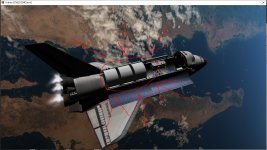

It has been a long time since I really worked with Orbiter, but for simple addons/ships it's usually the "J" key if my memory serves correctly. Also try "K" as an alternative.

To release the satellites or the cases?
If that is the shuttle I have been working on. then Press shift and space bar that open a window select payload and then you get options to spin and release.
Oh. So depending on the version pylon or not. If not pylon then the doors are sc3. So focus on them and press K
If that is the shuttle I have been working on. then Press shift and space bar that open a window select payload and then you get options to spin and release.
Oh. So depending on the version pylon or not. If not pylon then the doors are sc3. So focus on them and press K
Last edited:
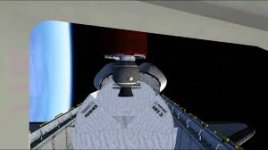
So you focus on the spacecraft3 ASE and press K that should open the doors.
Oh it might be these:
Code:
SBS-3-ASE:STS_PAYLOADS\ASE
  STATUS Orbiting Earth
  ATTACHED 0:3,STS-5
END
SBS-ASE-DOOR:spacecraft\spacecraft3
  STATUS Orbiting Earth
  ATTACHED 0:0,SBS-3-ASE
ENDSo do you see if listed in the scn editor or F3
Weird. When I get home I will take a look.
---------- Post added at 05:57 PM ---------- Previous post was at 11:14 AM ----------
 and press K
---------- Post added at 05:57 PM ---------- Previous post was at 11:14 AM ----------
Weird. Can you post the scn?

pappy2
Active member
- Joined
- May 3, 2012
- Messages
- 410
- Reaction score
- 43
- Points
- 43
STS_Payloads_version2.01 STSPayloads2010R0 ShuttleFleetV4.8R2 on oribiter 2010
So try this
Launch of the MORELOS satellite:
"F3" to select "STS-51G". (Shuttle.)
"F3" to select "PALAPA-ASE-DOOR2". (The sun shield of the satellite.)
"K" = Sunshade opening.
"F3" to select "STS-51G". (Shuttle.)
"F1" to switch to internal view.
MFD Right:
SEL> GPC MFD> OPS> 2> Entry.
"CTRL + F6" = Rotation of the satellite. ("CTRL + F7" for ARABSAT and TELSTAR.)
When the rotation speed reaches 50 rpm:
"CTRL + F6" = Satellite drop. ("CTRL + F7" for ARABSAT and TELSTAR.)
"F3" to select "MORELOS A" (Where ARABSAT and TELSTAR.)
(To control and control the satellite.)
So try this
Launch of the MORELOS satellite:
"F3" to select "STS-51G". (Shuttle.)
"F3" to select "PALAPA-ASE-DOOR2". (The sun shield of the satellite.)
"K" = Sunshade opening.
"F3" to select "STS-51G". (Shuttle.)
"F1" to switch to internal view.
MFD Right:
SEL> GPC MFD> OPS> 2> Entry.
"CTRL + F6" = Rotation of the satellite. ("CTRL + F7" for ARABSAT and TELSTAR.)
When the rotation speed reaches 50 rpm:
"CTRL + F6" = Satellite drop. ("CTRL + F7" for ARABSAT and TELSTAR.)
"F3" to select "MORELOS A" (Where ARABSAT and TELSTAR.)
(To control and control the satellite.)
i forgot that it was sts 5 i was on with SBS 3
2010 sts 5 Here is a screenshot. focus of SBS ase door and press k

are in running in regular graphics?
are in running in regular graphics?
2010 sts 5 Here is a screenshot. focus of SBS ase door and press k
are in running in regular graphics?
I see the SBS 3 but not SBS ASE DOOR, graphics are in normal Directx 7
Last edited:
Can you post the scn?
Similar threads

- Replies
- 11
- Views
- 3K


- Replies
- 8
- Views
- 3K


