Ariane 6 european rocket

jacquesmomo

Addon Developer
Addon Developer
Joined
Jun 14, 2008
Messages
811
Reaction score
860
Points
108
Location
FRANCE
Website
francophone.dansteph.com
Hi

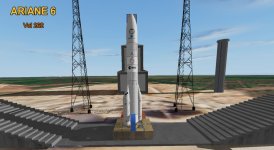
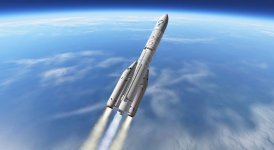
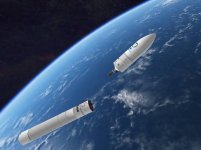
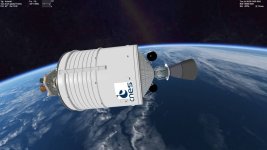
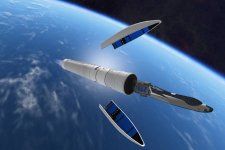
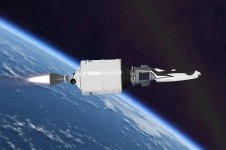
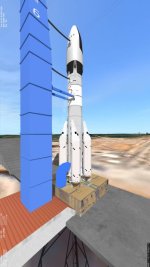
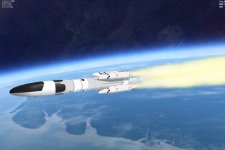
Just to announce the release of my new Ariane 6 rocket 🇪🇺🇫🇷

For the moment it is not on OH because I have not yet done the translation into English.... :(

But if you test it, you can tell me what you think. 😉
If there are corrections to be made, I will take your remarks into account.

This rocket is here:

01.jpg

04.jpg

09.jpg

10.jpg

Merry Christmas to everyone
 
Last edited:
Hi, thanks for making the Ariane 6 addon!
I am sure this will be a great addition to Orbiter launcher family.
---
At first I had a CTD a second after launch. Surroundings are:
- Kourou base is not installed (I understand this is optional only)

  • Multistage2015_forOrbiter2016 is installed
  • VinkaSpacecraft4Pack is installed

It seems to look for cfg file for "Kourou\invisible"
There is a file "Kourou\Ariane6_Invisible.cfg". I copied and renamed it to "Kourou\invisible", then it worked.
--
The [P] autopilot does not seem to work for me. I had to fly manually, which is bit tricky.
Is there a special procedure to activate the autopilot?

1025.jpg
 
Thank you for the missing file I just fix that.
For autipilot it start automaticly with the two first scénarios (10 sec and 5 mn)
So if you press the P key May be this key is actived/disactived a second time with the scénario ?
Did you create the "link" as said at the end of the doc ?
And do you have Dan's Orbitersound installed ?
Sorry for that...

Today, 09:55:00 pm
Thank you Francisdrake for reporting this issue...
This is a big mistake from me : I renamed my files in my "orbiter-Test", but I forgot to put the new ini file in the zip archive... :rolleyes:

To fix it by yourself, here's how to do it:

1) edit the ...\Config\Kourou_Rockets\Ariane6\Ariane6_262.ini file (with notepad)
2) look for these two sections :
[BOOSTER_1] ;Déluge
[BOOSTER_2] ;Givre (ice)
3) and remplace "Module=Kourou\Invisible" with "Module=Kourou\Ariane6_Invisible"

And, about the autopilot :
there is a command inthe 2 scenarios :
CSG - KOUROU\(1) Rockets (Fusées)\Ariane 6 Historic Flights\ v262 1- Automatic (T-5mn)
CSG - KOUROU\(1) Rockets (Fusées)\Ariane 6 Historic Flights\ v262 2- Automatic (T-10s)
the command is "SENDVESSELKEY T:+0.1 Key:OAPI_KEY_P"
at 15 sec in the 1st scn
at 5 sec in the 2nd scn
This command is sent by Orbitersound.
(if you have not this module, just press the P key, else do nothing)

With the CSG - KOUROU\(1) Rockets (Fusées)\Ariane 6\v262 1- Ready for manual flight scenario,
you don't have autopilote, even if you press the P key (only sounds) In this scn there is NO autopilot.
(I need to explain this better in the docs and scenarios)

And last note :
I wish this rocket would work without my CSG-kourou add-on. I hope it does now....

Tell me if it works for you.
And... all my apologies...

link still here (french version, english one in progress) :
Ariane6 rocket
 
Last edited:
Ah, the mission in the Ariane folder is "Ready for manual flight" ...
The autopilot missions are in the Historic Flights folder! :rolleyes:
Is working.
-----
Very nice 3D model!
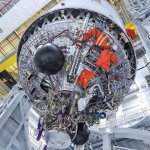
Just a small observation: Could it be that a sliver or gold texture is missing for the two helium tanks at the bottom of the second stage?

1029.jpg
 
I can also only find photographs with black tanks right until stacking. I don't think they are different in flight.
 
You are right. The photos show a carbon-fibre composite glossy black.
I had seen some renderings before, where they looked like silver, but these were probably exaggerated reflections.

Maybe also simply an extrapolation from the Ariane 5, where similar tanks were silver.
 
Color from 3D renderings often have a lot of artistic license. Real photographs like the one posted above are the best possible source.

Interesting haystack of wires and hoses!
 
@ Hi Francisdrake

I am very happy to see that my rocket seems to work well now.... 😉
Congratulations for your modification... :hailprobe:

Now I am translating the doc and the scn in english to upload an English version of this rocket on OH .

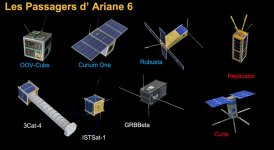
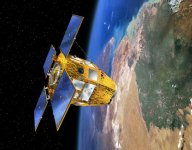
Then I will make the next payload ( CSO-3 satellite) for the next flight (flight 263) planned for next January.

Happy holidays to every body 🎇

CSO_Cnes-D-Ducros.jpg
Image from internet
 
Last edited:
Yes, it works very well, thanks for this great addon! (y)

A question:
Why is it called Ariane 262, and not just Ariane 62?
Is this a flight number?

B.t.w, will you make the Ariane 64 version as well?
I think the second set of booster-meshes shall be mirrored, or so.
(I am not too familiar with the Spacecraft4 syntax, and how to place the boosters.)
 
Yes, each Ariane flight (or mission) is named 'Vol xyz', abreviated V-xyz. As said above, it is the litteral equivalent of the english 'Flight'.

Note that from Vol (flight) 200, they changed the abreviation from 'V-xyz' to 'VA-xyz'. Meaning, I guess, 'Vol Ariane xyz' (Ariane Flight xyz).

So yeah, VA-262 only means 'Vol Ariane #262' ('Ariane Flight #262'), and has nothing to do with the rocket configuration.
 
Yes, it works very well, thanks for this great addon! (y)

Thank you !!

A question:
Why is it called Ariane 262, and not just Ariane 62?
Is this a flight number?

N_Molson replied to your question.
62 is just a hasard.
Next flight will be 263

B.t.w, will you make the Ariane 64 version as well?
I think the second set of booster-meshes shall be mirrored, or so.
(I am not too familiar with the Spacecraft4 syntax, and how to place the boosters.)

It depends of the next flight.... ;)

To ad 2 more booster, it is easy :
  • Change N=2 for N=4 (section [ BOOSTER ] but the last one (in the ini file)
  • copy (but you have to rotate 90 degres, not mirror) the two boosters meshes
  • name these new meshes _3.mesh and *_4.msh ( is the name of *_1 and 2 meshes)
  • adjust X and Y coordonnees in the ini file (if 0,0,Z there will be in the center of the 1st stage) fot these 2 new boosters

best is to make a new ini file, then just change name in the scn file. (a copy of a scn)

That's all.

Then,up to you for the Thrust values... :alien:

Francisdrake you give me an idea :
l'll ad an empty 62 and 64 Ariane 6 for the english version to come.
 
Last edited:
To add 2 more booster, it is easy ...
Thank you for the tips! I will give it a try. ;)

In the meantime, please meet Susie:
1051.jpg 1054a.jpg
I tried this as a simple cfg-file vessel, but it seems too heavy to reach orbit, even on an Ariane 64.
(In the screenshots two boosters are still rotated in the wrong direction. Will have to fix that.)

Although Ariane 64 is said to lift 21.5 ton to LEO, even when reducing the mass to 20 ton I cannot reach orbit.
Will probably leave it there, until more data on this configuration become available.
 
First of all, thank you for your interest in this rocket. :hailprobe:

There are some details I need to improve on my rocket and so, when my English version is ready, I will add a version 6.4 of the rocket.
I will also add additional information on how to easily change the power parameters of the rocket, and how to change (or add) a payload.

Francisdrake@: As you see in your image, these 2 boosters must be rotated.
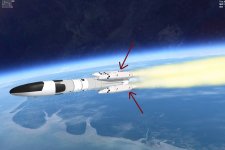
1054b.jpg

But I'm sorry, I'm not at home otherwise I would have attached here the 2 extra boosters meshes files.
I'm using my son's computer, and I don't have here the program to do that. :confused:
You'll have to wait a bit, I'm going home in a few days.

About the weight of the rocket and the power of the engines, I could not put the real values of the rocket: it does not work.
So, the values written in the ini file do not correspond to the real values. Sorry for that....

And so, in order for you to have a rocket powerful enough to go into orbit with the payloadload you have
installed, you can modify (and test) the following values:
(The file is here : ...\Config\Kourou_Rockets\Ariane6\Ariane6_262.ini)

[BOOSTER_3] ; 2 Boosters (ESSR PC120C)
N=2 ;change with N=4
MeshName=Kourou_Rockets\Ariane6\Ariane6_262_Booster
off=(5.300,0.000,23.000)
angle=-45
Height=25.32
Diameter=5.16
EmptyMass=25000 ;change this value
FuelMass=111000
Thrust=3500000 ;modifies (increase ?) this value
Burndelay=0
BurnTime=137
Eng_1=(0,0,-19)
Eng_diameter=3.5
Eng_tex=Kourou_Rockets\Exaust\Exaustmomo_03
Eng_pstream1=booster
Eng_pstream2=diffuse
Speed=(3,0,4)
Rot_speed=(0,-0.1,0)
Expbolts_pos=(0,0,1)
Expbolts_pstream=Expbolts
Expbolts_anticipation=0.8

You can also mdify this sections:

[STAGE_1] ; Etage n°1 (LLPM H150)
Meshname="Kourou_Rockets\Ariane6\Ariane6_262_stage1"
(...)
EmptyMass=25000
FuelMass=150000
Thrust=1350000

(...)

[STAGE_2] ; Etage n°2 (ULPM H30)
Meshname="Kourou_Rockets\Ariane6\Ariane6_262_stage2"
(...)
EmptyMass=2600
FuelMass=25000
Thrust=48000
(...)

You can also change the weight of your payload, this will not change the characteristics of your vessel once it is jettisoned.

[PAYLOAD_1] ; your payload
Meshname="Kourou_Rockets\Satellites\<your vessel name>"
Off=(0.00,0.00,53.055) ;can be modified
Rotation=(90.000,0.000,225.000) ;can be modified
Height=4.000 ;can be modified
Diameter=2.000 ;can be modified
Mass=10.000 ;can be modified
Module=<your vessel path and cfg file name>
Name=<your vessel name> ;(can be different with your cfg file)
Speed=(0.000,0.000,0.200)
Rot_speed=(0.000,0.000,0.000)
Render=0
Live=0

Please rename your new ini files (e.g. Ariane_test.ini)
and in the scn file remplace in the section :
Ariane6:Kourou_Rockets\Ariane6\Ariane6_262
(...)
CONFIG_FILE Config\<path>\Ariane6_262.ini
with
CONFIG_FILE Config\<path>\Ariane6_test.ini


If you have any other suggestions, tell me .
E.g. : Do you want me to put the source files of the textures (photoshop.psd files) in the zip ?

 
Last edited:
Hi, thank you for your support!

The booster meshes are no problem. I can rotate them myself, if I find time.
(New Years preparation is taking its time ... ;) )

I will have a look, if I can find data on the thrust, weight and ISP values of the Ariane 6,
and make a test version, as you suggested.
___
I think the original texture files are not necessary, they blow-up the zip-file size.
If somebody needs them, you could send them per email, or put them as download in a separate location.
 
Back
Top