
So could one use this to set a course to fly to moon? I am thinking the New Glenn mk1 and mk2,.....
I just what to see if the mk1 can do it.
Already answered in post #14 of this very thread, with a detailed explanation.

So could one use this to set a course to fly to moon? I am thinking the New Glenn mk1 and mk2,.....
I just what to see if the mk1 can do it.


@Buck Rogers — thank you, genuinely.This looks seriously impressive!
Quick lunchbreak test, O16/24, Win10, default DG
The Doc looks good, sounds like you've tried to cover any possible loopholes/loose ends- very comprehensive.
Installation ok...
BUT I'm not getting past the start!
"Open any MFD, press SHIFT and the MFD's select key, then press T." - This is a little ambiguous?
If I start the MFD I get a CTD, log attached.
If I open the left MFD, press SEL, and left-shift hold + "T" it opens the DG atmo autopilot?
Holding the left-shift and the MFD's select key just cycles through SEL options?
Edit: Tried the above with 2 other vessels, no luck.
Not sure where the error is?
Module TrajectoryOptimizer.dll [Build 260723, API 160828]
TrajectoryOptimizer: version 2.5.0-beta1 (built Jul 23 2026), MFD mode registered on key T.
============================ ERROR: ===========================
Failed loading module Modules\Plugin\TrajectoryOptimizer.dll (code 1114)


Sorry for my off-topic, but what is the "DG atmo autopilot"? How to use it? I didn't know DG has the default autopilt that can be controled with key buttons.(And with the module half-loaded, the "T" key fell through to the DeltaGlider — hence the atmo autopilot.)
Is it the "Lua MFD" that is displayed as the "Termainal MFD" (I'm familiar with this)?:Sorry for my off-topic, but what is the "DG atmo autopilot"? How to use it? I didn't know DG has the default autopilt that can be controled with key buttons.
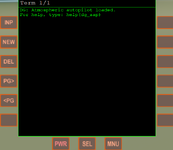
Good news! Wasn't sure if I was just "being stupid" (generally No1 on the options listThat log line was the entire diagnosis, and without your lunch-break test this would have gone straight out to everyone unnoticed.
Exactly what a beta is for.
What went wrong: the plugin is built with Visual Studio 2022 and was relying on the machine already having the Microsoft Visual C++ 2015–2022 (x86) runtime.
Yours didn't have a matching one, so Windows aborted the load before the MFD could start — that's the "code 1114" (DLL initialization failed) in your log.
Nothing wrong with your install; my packaging left a dependency out. (And with the module half-loaded, the "T" key fell through to the DeltaGlider — hence the atmo autopilot.)
 ).
).
Check Orbiter2024/Config/MFD/Attitude.cfg, a lua autopilot that can be activated, might be useful? Otherwise I don't know of a universal AP that does all that.By the way, does anyone know any autopilot add-ons (MFD) with pitch hold function (using control surfaces)? So you can set, for example, pitch 30 degrees and a vessel holds it. And it allows setting various angles during the flight. And it can use RCS thrusters for flying in the upper layers of the atmosphere.

 Still getting the same error message! (did also de-activate before re-installing).
It runs on my laptop with Orbiter 2024 and Windows 10 (but I haven't experimented further yet (other functions)):@misha.physics Can you confirm it runs your end? Might be isolated (my system).
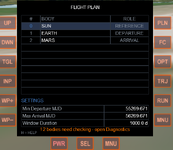
Had a quick test and the MFD works fine for me even without the additional MSVCP140.dll VCRUNTIME140.dll.
@dgatsoulis Looks like it's my end, maybe another missing dependency? I do have an outdated dotnetfx (couldn't update), maybe the problem?It runs on my laptop with Orbiter 2024 and Windows 10
Thanks for testing BrianJ !Hi @dgatsoulis
many thanks for this!
Had a quick test and the MFD works fine for me even without the additional MSVCP140.dll VCRUNTIME140.dll.
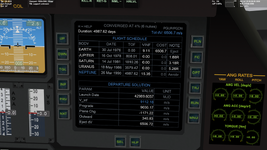
I ran the Earth-Mars initial screen and it gave me a selection of solutions
Using default Orbiter2016 and also with D3D9 GC 4.26.
Windows8.1 with Visual Studio2010 Express compiler installed, ancient PC with Intel chip.
It runs on my laptop with Orbiter 2024 and Windows 10 (but I haven't experimented further yet (other functions)):
View attachment 50754
Also, I didn't copy those two DLL files, since they're already presented in my Orbiter directory.
@dgatsoulis Looks like it's my end, maybe another missing dependency? I do have an outdated dotnetfx (couldn't update), maybe the problem?
No need to go down a rabbit-hole just for me.
As I've mentioned before in this thread, this is a mission planning tool and not a dedicated "flight" MFD. Its purpose is to answer the following question:I'd like to try this MFD, but I don't have much experience in interplanetary flights yet (although I'm familiar with Orbiter since the 2006 version). I only know how to fly from Eeath to Moon and back, and it seems like I once flew to Mars. So I'm not sure I can understand how to use this MFD for various flighs. Is the documentation attached with the MFD enough to understand it? Like checklists/examples (I seen the only one - from Earth to Mars). Could you write in the future more basic examples of using this MFD (after release) for flying: Earth <-> Venus, Earth <-> Mars, Venus <->Saturn, Jupiter <-> Europa, etc?
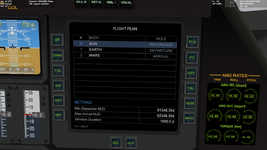
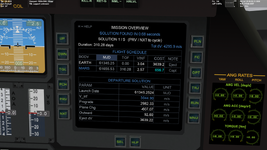
Thanks, I'm already watching his "Orbiter 2010 - Absolute Beginner Guide" in order for some time and I like it. I didn't know about his "Orbiter 2010 - Fly With Me" playlist. I'll watch it after the previous playlist. I take a look at the manual you mentioned as well.I recommend David Courtney's tutorials and "fly with me" videos on YouTube
Very quick feedback: Orb24 (original dlls)install the x86 (32-bit) runtime — https://aka.ms/vs/17/release/vc_redist.x86.exe

This is completely normal. Main Menu->Ephemeris Diagnostics->ACC (button top right). The HLP button on that page explains what you are seeing.1 button press later- "! 2 bodies need checking-open diagnostics".I have a lot installed.* will check it out later.
"32 bodies: 27 modules, 5 cfg, 2 to check"- Uranus and Neptune!?- Orb24
*I have a lot installed (in Orb16- will also check that later).
The inline help is more detailed than the Doc (is WIP- my bad). Yes all well explained- is normal behaviour. Might be worth adding to the startup procedure (Doc) if it will be on every first initilisation.This is completely normal. Main Menu->Ephemeris Diagnostics->ACC (button top right). The HLP button on that page explains what you are seeing.
(Uranus and Neptune keep a tiny barycenter velocity residual). The setting will be saved and this is the only time you have to do this.
 Tested Earth-Venus-Jupiter.
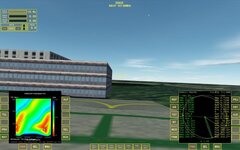
 Also a good de-bugging tool- one old module "Epimetheus" has a Dv difference of 2021370321! Won't be flying there!

