Align Planes in Shuttle Ultra

Poscik

Addon Developer
Addon Developer
Joined
Mar 28, 2008
Messages
512
Reaction score
3
Points
18
Location
Sulejówek
Hi! I have some problems with Align Planes in this shuttle.
When I'm rotating, shuttle translates. When I'm translating, shuttle rotates.
Is there any way to eliminate this "behaviour" of shuttle? Can I make plane alignment with CRT MFD? I have fuel for OMS and RMS.
 
Use GNC OPS 202 for that. You can calculate the parameters for the burn manually with the data from align MFD, but don't forget to convert or calculate the burn data in feet per second.

One day you will also have GNC SPEC34 available to verify your calculations.
 
GNC? What's that? I didn't hear about it. Is that in CRT?
 
Yes. The CRT MFD of the last release has only support for the GNC (Guidance, Navigation, Control) software functions, the development version supports already SM(System management) functions.

OPS 202 is something different for GNC and SM, that's why I try to get used to say which OPS I mean. ;)
 
The newest version of Shuttle Ultra is on SVN, isn't it? If it is, I must download it and try :)
 
The newest version of Shuttle Ultra is on SVN, isn't it? If it is, I must download it and try :)

Only the sources, there are no new modules around for testing unless you can compile them yourself.
 
The newest version of Shuttle Ultra is on SVN, isn't it? If it is, I must download it and try :)
Yes, but the CRT screen that Urwumpe speaks of is not implemented at this moment.
 
I downloaded new Space Shuttle Ultra from SVN, but when I'm pushing F8 key, orbiter showing me Error Report. Whats wrong? And I tried to compile new atlantis, but on VC2005 I can't. Must I have VC2008 to compile this source?
 
When I'm rotating, shuttle translates. When I'm translating, shuttle rotates. Is there any way to eliminate this "behaviour" of shuttle?
It sounds like you've run out of RCS fuel in the forward tank. When you try to rotate, are any thruster in the front of the shuttle firing?
 
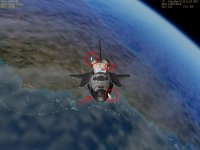
I observed that I have problem with one RCS. I attached screenshot.
I have one another problem with this shuttle from svn. When I'm pushing F1 I see this green cockpit. When I try to go to normal cockpit pishing F8 - orbiter shows me error report. What's wrong?
 

Attachments

  • rcs.JPG
    rcs.JPG
    72.9 KB · Views: 15
The RCS looks like we have one thruster too much inside the definition. For roll, only the aft thrusters should get usually used.

The cockpit sounds like you have not the right modules. The file names for the SSU meshes and textures changed, because we did a change of scale, which would make the cockpit incompatible to Shuttle Fleet, which also used the same VC mesh.
 
The RCS looks like we have one thruster too much inside the definition.
In Shuttle Ultra from Orbithangar I have the same behaviour when rotating or translating.
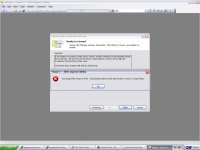
About the cockpit: I only downloaded files form SVN, then I replaced all SSU files. Nothing else. I tried to compile source but I have error which is showed on attached screen.
 

Attachments

  • vc2005error.JPG
    vc2005error.JPG
    79.9 KB · Views: 7
OK, maybe we need a VC2005 Express compatible solution. Anybody else having problems like that?
 
The cockpit sounds like you have not the right modules. The file names for the SSU meshes and textures changed, because we did a change of scale, which would make the cockpit incompatible to Shuttle Fleet, which also used the same VC mesh.

I doesn't using Shuttle Fleet. I can't open VC in Shuttle Ultra :sorry: When I'm pushing F8 - orbiter show error report. In log file there are no errors.
 
I doesn't using Shuttle Fleet. I can't open VC in Shuttle Ultra :sorry: When I'm pushing F8 - orbiter show error report. In log file there are no errors.

Yes, you repeat yourself. And shall I repeat myself? When we rescaled the meshes, it was a fair solution to put meshes and textures into the subfolder SSU, so add-ons which reuse the default Atlantis textures or meshes are not damaged by our add-on.

When you copied the meshes into the Atlantis folder, you replaced the meshes with versions, which are not compatible to the old modules. As you still use the old modules, you will not be able to run SSU until you replace the DLLs with newer versions. :dry:
 
Ok. Now I understand :) I downloaded dev-modules from sourceforge, but It still doesn't working. I think, that better for me will be waiting for official release of SSU.
 
Yes, unless you keep on having problems with compiling the modules. A new set of dev modules is currently not on my scope, until all MDU problems are fixed again.
 
Back
Top