Project Buck Rogers Thunder Fighter

Buck Rogers

Major Spacecadet
Joined
Feb 26, 2013
Messages
1,205
Reaction score
1,595
Points
128
0420.jpg0417.jpg0418.jpg0421.jpg0423.jpg0425.jpg0426.jpg
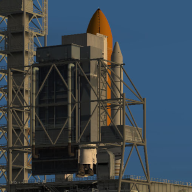
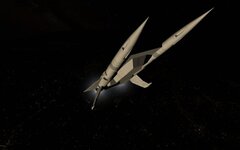
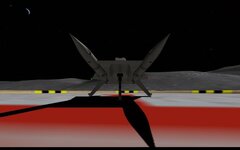
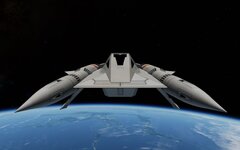
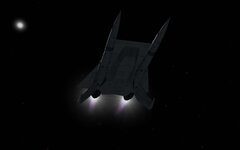
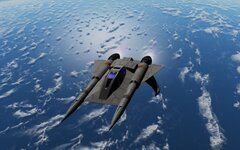
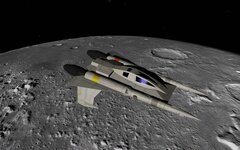
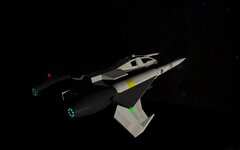
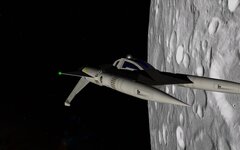
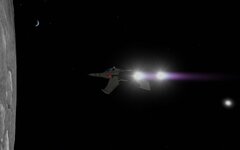
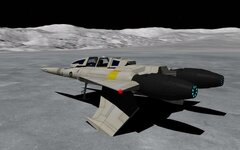
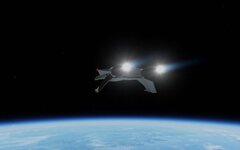
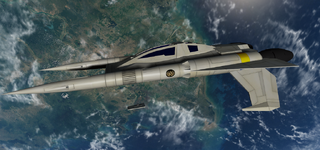
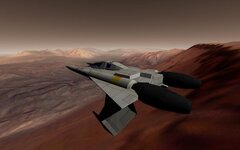
Over 10 years on the forum and my namessake is still not in the Orbiter skies. So here is the Thunder Fighter.

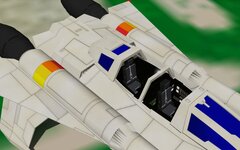
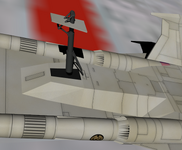
External model finished (blender "graduation"). Orbiter import fully functional.

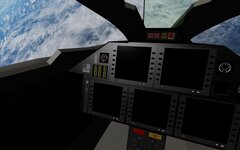
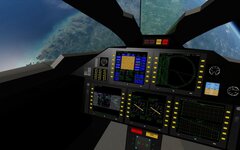
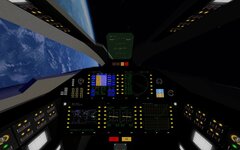
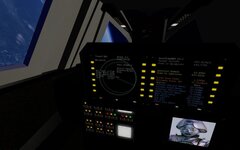
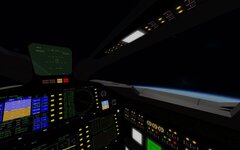
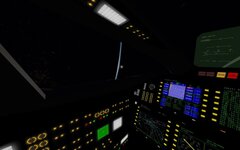
Working on the cockpit
 
Will it be based on the Vessel Builder module or its own *.dll module?
 
Vessel Builder
thankfully I don't think I need a .dll for this one

This is the version without VC (VC is at about 30% completion, but stormy seas ahead, it might be a while before I have it finished)
So if anyone wants to take it for a spin...

Requires Vesselbuilder

shft+G = lower gear
ctrl+shft+G = raise gear

shft+K = open canopy
ctrl+shft+K = close canopy

alt+B = beacons
 

Attachments

Last edited:
Actually, someone has already released a Thunder fighter add-on, although I'm not sure how well it will function in the current version of Orbiter. (Then again, I use Orbiter 2010.)
 
Bummer:(
do so dislike reinventing the wheel! Must be something seriously up with my search fu:confused:
But there's something nice about doing something completely from scratch, and this is for 2016(+) and will have more features.

Progress is slow, but a little update:
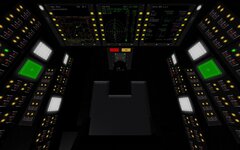
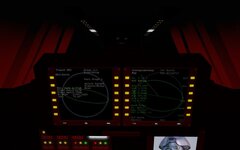
I've decided to go Orbiter user extra friendly, after analysing/researching cockpits I came to the conclusion that you can't have enough, and big enough, MFDs
0448.jpg
and there's the back seat...
 
Buck Rogers ThunderFighter 0.9 beta
0473.jpg
Pretty much reached what I can do without coding, would have liked more working instruments, maybe another day I'll code a .dll for it.
Cocpit has fully functional HUD and 5 MFDs, and another 2 in the back, the rest is bling bling.

Would be great if someone could give it a quick run through before release:)


Thunder Fighter
Add-On for Orbiter 2016 (v.160828)

Credits:
Buck Rogers
VesselBuilder: Fred18
Martin Schweiger & Orbiter Forum members

REQUIREMENTS
"VesselBuilder for Orbiter2016" add-on

Optional:
D3d9 Client(tested with R4.4-r1306)

INSTALLATION
Extract all files in the orbiter2016 folder to the root of your Orbiter program directory, preserving the directory structure. This should NOT overwrite anything in the standard Orbiter package.


SPACECRAFT SPECS and CONTROLS

Thunderfighter
Crew: 2
Dimensions
Length: 13.35 meters
Width: 7.5 meters
Height: 3.3 meters


[F8] = Virtual Cockpit
[CTRL]+[arrow up/down] = Change Seat

(default VesselBuilder keys)
[SHIFT] + [G] = Deploy Landing Gear
[CTRL]+[SHIFT] + [G] = Retract Landing Gear
[SHIFT] + [K] = Open Canopy
[CTRL]+[SHIFT] + [K] = Close Canopy
[ALT]+ = Toggle All Beacons

Has a virtual docking/mooring port for atach./EVA
0472.jpg
0471.jpg
0469.jpg
0468.jpg
 

Attachments

Last edited:
Thanks.
[ALT]+ = Toggle All Beacons
[ALT]+B = Toggle All Beacons

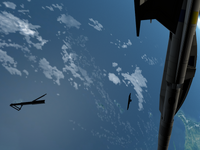
The gear animation seems to not work correctly for me (see the attachment).

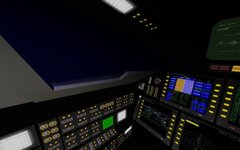
Cabin lighting is highly desirable, because it's very dark inside.
 

Attachments

  • b.png
    b.png
    723 KB · Views: 7
thanks for the feedback:)
[ALT]+B = Toggle All Beacons
I spent 15 minutes trying to edit the post, that's not the text I entered, for some reason! it sets it bold and deletes parts!!, and when I change it and save it reverts back to before!!! I have no idea why, and gave up. The original text is in the doc file and is correct. (this seems to happen everytime I try to copy/paste txt)
The gear animation seems to not work correctly for me (see the attachment).
Can't find a reason for that to happen. Do you have the older version installed? (there's only one msh and one .cfg and I can't find any errors?). Does the moon .scn work? (with the gear extended at start)
Cabin lighting is highly desirable, because it's very dark inside.
There are no external lights so maybe I can put one inside, DG style cabin lights would need coding though.
 
Pls delete the old test.scn (the buckrogers.cfg can be deleted too). The new .scn files should all work.
 
Looking good so far, but do you plan to leave any new posts on the B5 vessels thread any time soon?
 
Pls delete the old test.scn (the buckrogers.cfg can be deleted too). The new .scn files should all work.
I deleted those two files, but the gear animation problem remains. It works correctly only with the Moon scenario. It happens with OpenOrbiter (I tried an almost fresh installation with VesselBuilder and your addon) too. Maybe that's just some of my settings, I don't know. The behaviour is the same as on my picture above.
 
Looking good so far, but do you plan to leave any new posts on the B5 vessels thread any time soon?
Plan is to finish current projects, take a breather and look which projects to continue (still haven't looked at the 3d of the station yet for example).
Will post in the B5 thread when I get there.
the gear animation problem remains
Hmm, that is was the wrong(old) .cfg or .msh seemed plausable, there are only the two elements, and works fine this end
Installed into OpenOrbiter from the zip above and the animations are working.
Can't explain why your settings would do that, maybe an addon conflict?
On the moon.scn, I take it the animation works both ways? From a picture it's hard to tell, are the parts invisible, being ignored, or moving elsewhere (all sound like wrong .msh/.cfg)?
I'm a little stumped, kinda strange that it half works. Maybe someone else can confirm wether it's your setup or mine.
 
On the moon.scn, I take it the animation works both ways?
First yes, but after several attempts - no. It turned out that even in this case the animation didn't work correctly (see the 1st picture). I just thought that's right.
Can't explain why your settings would do that, maybe an addon conflict?
It seems, I've just found that setting. I activated "Enable absolute animation handling" in the D3D9 graphic settings (it was non-active), and now the gear animation works completely correct with all scenarios.

I'm sorry for confusing you.
 

Attachments

  • b4.png
    b4.png
    453.2 KB · Views: 5
  • b3.png
    b3.png
    537.4 KB · Views: 5
It seems, I've just found that setting. I activated "Enable absolute animation handling"
This is an important catch- It's easy to forget all the "little" settings changes. I naively thought this didn't impact "simple" animations, I will put it in the install instructions.
Thank you again for the testing:)

I'm am now curious how exactly "Enable absolute animation handling" functions, if it has any drawbacks, or should/ can be on by default?
 
Tested in dx7- animations don't work:(
Interestingly the HUD visible in extern is gone- so it's a dx9 issue.
 
Plan is to finish current projects, take a breather and look which projects to continue (still haven't looked at the 3d of the station yet for example).
Will post in the B5 thread when I get there.
How long do you expect to be away? I really hope it's not for another 18 months, because I really would like to see those B5 vessels done sooner rather than later. Speaking of which, I noticed that the Centauri base and Narn jumpgate are also in need of the kinds of mesh updates I described on the B5 vessels thread. Here's an updated upload of the SC4 config files for the vessels needing mesh updates, as well as the SC4 config files for the Shadow vessels.
 

Attachments

Back
Top