General Question confused about a few addons not working for me

Sparky

New member
Joined
Aug 10, 2014
Messages
21
Reaction score
0
Points
0
Location
Fort Smith
Okay so I downloaded a few addons that I wanted a few Star Trek ones and Battlestar Galatica, I did the normal thing and just put it into my Orbiter folder. The addons are not showing up on scenarios or in the scenario editor. I looked at them and they are file types I've not seen before, the are rar files. Is there anything specific I need to do with these for them to work?
 
RAR files are compressed archive files. Winzip, Winrar, or 7-zip decompressors should be able to handle them. Uncompress into the relevant Orbiter directories.

Cheers
 
rar is analogous to a zip file. You need to get 7zip or WINrar to unpack them. Until you do, they aren't going to be much use to you.

Edit::ninja:
 
I've tried just about all the suggestions posted here in regards to getting ASMO to work for me and I still have nothing. So far the only add on I've gotten to stick were the new textures, and I'm still scratching my head as to why.

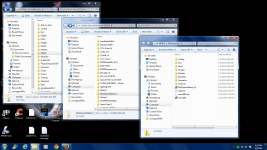
I use 7zip, I keep file paths straight, I do test install and look at the log and it says everything's fine......when I know it's not. Now I've just given up. I'm just stuck with what it is now.
 
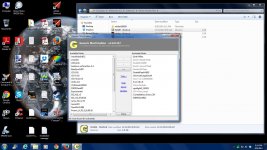
I've found the Jonessoft Mod Enabler to be really valuable for managing add-ons.
 
Just drop it into your Orbiter directory, the run it. The first time you do so it'll create a folder titled "Mods" (it will ask you for a name, but defaults to mods). Put all your add-ons into the mods folder, when you run JSGME, you can select what add-ons to load/unload into/from your Orbiter.

It makes for a nice, tidy installation, and makes troubleshooting pretty easy. If a new add-on "breaks" Orbiter, use JGSGME to yank out the one causing the trouble and you should be back in business.
 

Attachments

  • screengrab.jpg
    screengrab.jpg
    166 KB · Views: 13
  • screen.png
    screen.png
    348.6 KB · Views: 11
Wait!!


What's this!?!!

OK, I did it wrong. I loaded each of the individual folders in the mod generator instead of the whole folder, fixed that and it LOADED!! FINALLY!!

THANK YOU ALL!!!
 
Last edited:
Another satisfied customer!

(smiles politely and goes back to polishing the glasses at the bar)
 
Back
Top