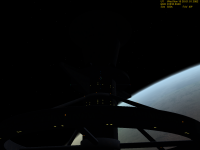
Project ICOVD Windmill Class Interplanetary Ramjet Development Thread

In the mesh folder there are more files than necessary. I think you forgot delete them
Because of that the zip has double size than the last release.
trokkes

Oops... looks like I copied some old, OLD blender files to the distribution tree by mistake when I was copying the mesh over.

I put up a new distro file. The incompatibility with the AttitudeMFD hold mode is also fixed in this one.

For folks who already downloaded yesterday's version, I put up a dll-only zip file also. Those extra files shouldn't hurt anything except by taking up a little space on one's hard drive. (And the user may safely delete anything that ends with .blend or .blend1 from your Meshes directory... At least if it starts with "ICOVD1", "TunnelAttach" or "ussrsalabama" *#%!... Should've "exported" rather than just drug the files over.)
 
The 0.2 zip files had the textures in Textures/ICOVD1/*.dds. But now in the 0.3 they now appear to be directly in Textures/*.dds. This seems to be a step backwards (or a mistake).
 
The 0.2 zip files had the textures in Textures/ICOVD1/*.dds. But now in the 0.3 they now appear to be directly in Textures/*.dds. This seems to be a step backwards (or a mistake).

yep, it's a mistake:censored:.
the textures have to be in Textures/ICOVD1.
Move them there.

Sorry for the inconvenience. Tomorrow ursus upload another update, i suppose. This will be the good one :rofl:. Promise.

Trokkes
 
The 0.2 zip files had the textures in Textures/ICOVD1/*.dds. But now in the 0.3 they now appear to be directly in Textures/*.dds. This seems to be a step backwards (or a mistake).

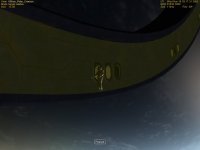
Ah ha! I was just about to complain about broken textures. After fixing that, it's all better now. And the visible docking ports are a vast improvement. All we need now is to have them lit, like on the ISS.:)
 
The 0.2 zip files had the textures in Textures/ICOVD1/*.dds. But now in the 0.3 they now appear to be directly in Textures/*.dds. This seems to be a step backwards (or a mistake).

Aack! ICOVDWindmill_0.3beta090226a.zip is now up. Just put those files in their place, so if you moved the files yourself, there's no need to D/L it again.
 
I've defined some marker beacons in the dll and updated the "working release" (patch090327 goes on top of beta090226a or whichever version of 0.3 you already have). Now if we can figure out how to tweak the textures to make the windows emissive...Oh, yeah... and the reactors will now stop if they run out of fuel.


attachment.php


Hmmm... maybe I did a little too good of job of getting the dark side of the ship.
 

Attachments

  • markerbeacons.png
    markerbeacons.png
    50.3 KB · Views: 246
Last edited:
I just tried this out - It's pretty amazing. I really like seeing a ship that matches the various "spaceplanes" in terms of internal detail. It looks great, too. I especially like all the little windows and the welded look of the hull.
 
Now if we can figure out how to tweak the textures to make the windows emissive...

If I were doing it, I'd make the current texture transparent where the windows are, and put an emissive mesh behind them, (Well, I guess I sort of did do it.) unless someone has a better idea.
 

Attachments

  • LumBackIllus.jpg
    LumBackIllus.jpg
    55.5 KB · Views: 35
  • LitWindows.jpg
    LitWindows.jpg
    51.8 KB · Views: 37
  • LitWindows-DarkSide.png
    LitWindows-DarkSide.png
    260.4 KB · Views: 32
Here I go, talkin to myself again...

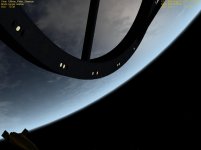
I went ahead and lit the windows on the central habitat. I think I'll go ahead and put the updated mesh and textures in the repository. If Trokkes has any other work he wants to do on the mesh, he can either import the mesh into his editor or re-do the little tweaks I performed. It's actually pretty simple.

I keep wonderin' if I ought to flip the "up" direction on the "fun docks" so the docking craft's instrument panel doesn't get in the way of the view. I really ought to put some clearance markers around the edge of the bow plate, too.
 

Attachments

  • ApproachLit.png
    ApproachLit.png
    311.6 KB · Views: 28
Ausome man, this project looks great. I just tried it and it really feals nice in the world of deltagliders and other orbiter craft.

Keep up the good work!!!
 
New Update on SourceForge

I've put the latest build up (0.3a). Since the mesh and textures have changed, the full package needs to be downloaded.

(BTW... I need to search and find out if Orbiter does anything with mipmaps. I went ahead and let the GIMP dds plug-in generate them, and they really seemed to increase the size of the texture files I'd modified.)

I've put a column of autothrottle buttons on the helm panel. I also added a panel button (a red X below the throttle display) to turn off the autothrottle and cut the throttle in one step (and overrode the asterisk key on the number pad to do the same). The autothrottle "OFF" button still leaves the throttle at whatever setting it was on when the autothrottle was turned off.

I've also added warning strobes near each of the reactors that flash whenever the reactor is active (starting up or operational). We don't want anybody near those things when they're running.
 
Hi,
I downloaded the new beta 0.3a. And when I want to unpack the archive it says:
Archive broken
ICOVD1.dll failed

And in orbiter I see no mesh and no cockpit.
It seems that the dll is damaged.:(
 
Hmmm... I checked the archive with a clean copy of Orbiter before I released it, and just checked a copy I downloaded from the SF distro system. I've got no problems here (with both 7-Zip and WinXP's built-in ZIP handler). Corrupted download? Anyone else having a problem with the file? (ICOVDWindmill_0.3a_beta090414.zip)
 
... and let the GIMP dds plug-in generate them,...

Slightly off-topic: Where can I find this plug-in? I was searching for one for a while now, as I currently need to take the route over the Nvidia DDS tools.
 
http://nifelheim.dyndns.org/~cocidius/dds/
Looks like the version I have installed is quite outdated. I might as well upgrade it since I bothered looking to see where the heck I'd gotten it.


Cool... (Looks like my copy of that's outdated, too... I guess when a program's reliable, one doesn't keep looking for updates.)

Yeah, just like my version of Gimp... I had been at 2.2 here, despite thinking I upgraded at least to 2.4... :lol:
 
I've been suspecting a certain bug for a while. I finally got around to confirming it yesterday evening.

Neither the Windmill's custom autopilots nor Attitude MFD are firing the rear RCS thrusters for pitch moments.

After busting my brain, tearing apart code and staying up way too late trying to figure out why the heck the rear thrusters weren't firing, I finally had to force myself to hang it up and go to bed. I figured it out today, though.

Both the Windmill autopilot and Attitude MFD will set the thruster levels for a roll moment and some time after the pitch force is set. If no roll moment is needed, the thruster levels for the roll thrusters are set to zero. Since the rear thrusters are +/-Y "overloaded" for both roll and pitch (the front ones hypothetically are too, but in actuality, they use different thrusters as defined in the code), the roll code cancels out the setting for those thrusters that was just made by the pitch code. Most Orbiter vessels have separate roll and pitch thrusters, so this isn't a problem for them.

I can think of about four or so solutions for this problem (in addition to just leaving it alone and having under-powered autopilots that impart a bit of translational thrust as well as rotional thrust). Actually, the first two are fixes to the autopilot code, which wouldn't help with third-party autopilots such as Attitude MFD, so I'll go ahead and axe those... (Unless I wanted to overwrite SetAttitudeRotLevel and SetThrusterGroupLevel for additive effects rather than... Naah-- I think the methods defined in the VESSEL class would get called by third party applications anyway, since they're not virtual methods.)

3. Replace all of the thrusters with pairs of logical thrusters that add up the forces from each of the "hypothetical" thrusters. (I keep wanting to say "real" thrusters, but there aren't any real thrusters... It's all a computer simulation.) the overlapping exaust textures probably wouldn't be too noticeable, but it'd take a bit of fancy code to redefine the logical thrusters each time one of the hypothetical thrusters is armed or disarmed.

4. Add more logical thrusters for pitch moments.

Oh...
5. Use just the front thrusters for rolling-- though that'd look a bit unrealistic, as it'd put extra stress on the truss.

Hmm... I think #4 might be the best option. Any opinions?

 
Back
Top