General Question Joystick question

Boomer

New member
Joined
Jan 28, 2010
Messages
11
Reaction score
0
Points
0
Is there any way to re-map the translational controls on the 3D joystick?

The way they have it for Orbiter is really strange - Up & Down is pull and push, Twist is left & right, and you have to use buttons for forward and backwards :-(
 
You might want to take a look at Joy2Key and FBW (Fly By Wire).
 
Thanks for the reply, but that's not my question.

I can already program my buttons - I want to reprogram the Joystick Axis's
 
OK, trying Fly-By-Wire, but....

Alright, here's my problem. I downloaded the .zip file and extracted it, and it went into it's own little folder in my Orbiter folder like this....
*
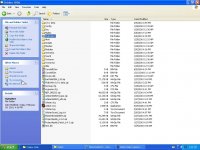
Snapshot 23.jpg

This installed folder contains 3 more, and some loose files, one of which is SDL.dll and a short text file which explains nothing.


After reading the install instructions on the site I downloaded it from, I found that it didn't install the way it had described. So I went into the "0.9.1 beta" folder it put in my main Orbiter folder, and manually moved each file and directory into the descriptive list shown at the bottom of the page here.....
*
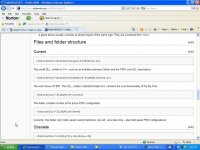
Snapshot 35.jpg


So now I think I've got everyhting arranged as asked for by the install site;
*
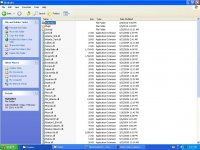
Snapshot 30.jpg

"Modules" folder contains "flybywire" folder, which contains flybywirecore.dll, and "Plugins" folder contains flybywire.dll


But now when I try to start Orbiter after loading the module as directed, I get this message;
*
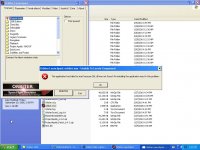
Snapshot 32.jpg


followed immediately by this one;
*
Snapshot 33.jpg


OK, where do I put this SDL file????? It's contained in the "0.9.1 beta" directory, but not mentioned anywhere in the installation instructions....
Thanks, Dave

 
...

Just unzip it to your Orbiter directory.

When you originally unzipped it, everything that went into that "FlyByWire" directory should be in your Orbiter directory.

Go into that folder, ctrl-a to select everything, ctrl-c to copy, then go back up to your Orbiter root directory, ctrl-v to paste. Click yes to overwrite/merge.
 
Finally got Fly-By-Wire operating

Wow! Finally got around to working on the Fly-By-Wire again, and it appears to do what I'd hoped for. I copied the SDL file into the root of the Orbiter directory and that appears to have done the trick.

Only thing is, my joystick is still responding to the old axis functions as well as the new ones I've programmed into the Fly-By-Wire (ex- TWIST is now doing both left-right and up-down, PUSH/PULL is doing both up-down and forward-back. I can't get it to stop doing the old functions as well as the new ones.

I have a Logitech Extreme 3D Pro joystick. I've played around with the profiler trying to dissable the old axis responses, but I think I'm missing something....

Any help?
thanks, Dave
 
In the Orbiter launchpad, what have you selected under the 'Joystick' tab? Try setting that to '<Disabled>', if you haven't done so already.
 
I set the Joystick tab to Dissabled. After doing that, I found the Linear controls to operate perfectly just the way I wanted them to, but I had no rotational control. In rotation mode, the linear actions continued.

So I went into Fly-By-Wire configure, and set the rotation controls. Now whenever I undock, the RCS thrusters fire continuously putting the capsule into an aweful multi-axis spin. I've played with all the deadband settings to no avail. It just keeps doing it no matter what I've tried.

I'm out of ideas.

Dave
 
I set the Joystick tab to Dissabled. After doing that, I found the Linear controls to operate perfectly just the way I wanted them to, but I had no rotational control. In rotation mode, the linear actions continued.

So I went into Fly-By-Wire configure, and set the rotation controls. Now whenever I undock, the RCS thrusters fire continuously putting the capsule into an aweful multi-axis spin. I've played with all the deadband settings to no avail. It just keeps doing it no matter what I've tried.

I'm out of ideas.

Dave
Unfortunately, FBW isn't that great for setting RCS thrusters, since it will ignore the translation/rotation setting and have it so that whatever thrusters you set *always* fires when you use that axis.
 
Unfortunately, FBW isn't that great for setting RCS thrusters, since it will ignore the translation/rotation setting and have it so that whatever thrusters you set *always* fires when you use that axis.

.
Great....then of what use is Fly-By-Wire??????

I just wasted my time with this set-up....
.
 
.
Great....then of what use is Fly-By-Wire??????

I just wasted my time with this set-up....
.

No you (probably) didn't. I have an X-52 joystick, and I use FlyByWire to map out the aileron, elevator, rudder, main, retro and hover engines. Everything else I just leave as it is. For the Rotational RCS, that seems to work fine with the joystick anyway, and for translational I just use the numberpad on my keyboard.

Hope this helps :tiphat:
 
Back
Top