Bug NASSP with VAGC does not allow THC via Numpad

kuddel

Donator
Donator
Joined
Apr 1, 2008
Messages
2,164
Reaction score
658
Points
113
Hi NASSP Team,

the current CVS-Version of NASSP (Version "2012-01-14") seems to have an issue with translational RCS in 'Virtual AGC Mode'.

In 'Quickstart Mode', the toggle between translation/rotation works fine (via Numpad "/"), but only rotation works when you fly in 'Virtual AGC Mode'.
I've tried several settings in the Launch Pads Vessel-Config Dialog, but with no success.
I could get the THC to work via Joystick(s), that seems to be O.K., but an only-keyboad-and-numpad setup failed to access the THC.

Can any of the developers (tschachim?) maybe confirm this? Or point me to the correct Config-setting that I've missed?

And... yes I know that I have to activate the RCS System... ;)

This issue brought up by spacman in this thread.

Regards and thanks in advance,
Kuddel
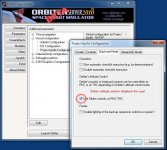
 
In the current build I use, I can get the rotation/translation toggle (numpad "/") to work. Do you have RHC/THC mode disabled in the configuration?
 
Do you have RHC/THC mode disabled in the configuration?
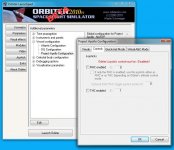
Do you mean the vessel configuration? Like in the attached image?
I did try it with and without beeing enabled, both settings doesn't change the issue.
 

Attachments

  • NASSPVesselSetup.jpg
    NASSPVesselSetup.jpg
    100 KB · Views: 21
Do you mean the vessel configuration? Like in the attached image?
I did try it with and without beeing enabled, both settings doesn't change the issue.

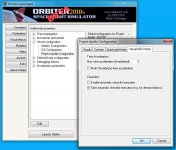
That's for Quickstart mode. Show me Controls or Virtual AGC Mode tabs.
 
That's for Quickstart mode. Show me Controls or Virtual AGC Mode tabs.
I can, but those settings should not change that. But if they do, please tell me the reason, why.
I am currently not on my "orbiter machine", but I'm pretty sure, that I've tried changing those setings on the "Controls" tab as well.
 

Attachments

  • NASSPVesselSetupControl.jpg
    NASSPVesselSetupControl.jpg
    68.6 KB · Views: 11
  • NASSPVesselSetupVAGC.jpg
    NASSPVesselSetupVAGC.jpg
    67.6 KB · Views: 12
Well, with that given configuration, you shouldn't have any problems using the controls, as unless you specifically specified it, Orbiter's default flight controls should work. So I'm now a touch confused...
 
Well, with that given configuration, you shouldn't have any problems using the controls, as unless you specifically specified it, Orbiter's default flight controls should work. So I'm now a touch confused...
You too? I think this is really a bug in the current Version.
It's a bit hard to setup a 'minimal' Scenario-File for this to reproduce, but I hope I can fix one in the next few hours (days? ;) )

eddievhfan1984, can you reproduce the issue on your side?
I just wanted to be sure the the problem is not between keyboard and chair on my side :lol:

----- EDIT -----
Oh my god! The problem really was where I thought it was :embarrassed:
If I had read this article here before, I should have seen that I have to rotate the 'virtual' THC clockwise...
THC_switch_location.jpg
 
Last edited:
That's only to engage SCS control of the engine gimbals and ATT hold in certain modes. But yeah, you have to turn on the translation controller power before you can use it.
 
That's only to engage SCS control of the engine gimbals and ATT hold in certain modes. But yeah, you have to turn on the translation controller power before you can use it.
That's what I thought as well, but I can't get the translation to work without rotating that thing marked . The switch marked [A] was PWR'd (up) all the time!
Maybe I should write down my checklist (tomorrow) and we will see what is confusing me...
/Kuddel
 
Back
Top