Question New to HW acceleration: which one should I choose?

JonnyBGoode

Sky Marshal
Addon Developer
Joined
Oct 24, 2009
Messages
686
Reaction score
35
Points
28
Location
Bakersfield, CA
I need some advice. Until now, I've been running the stock Orbiter. I wanted to try the graphic clients that are being developed here... but I'm very green with this sort of thing, and I don't know which one I should choose. Or which one is more stable? d3d9? d3d11? OpenGL?

I am running Windows 10 Home Edition (Anniversary Upgrade), 64 bit. I have a 2.83 GHz Intel Core2 Quad CPU, 8Gb RAM, and DirectX 12. My graphics card is an AMD Radeon HD 6670. Not sure what other information you might need...
 
Last edited:
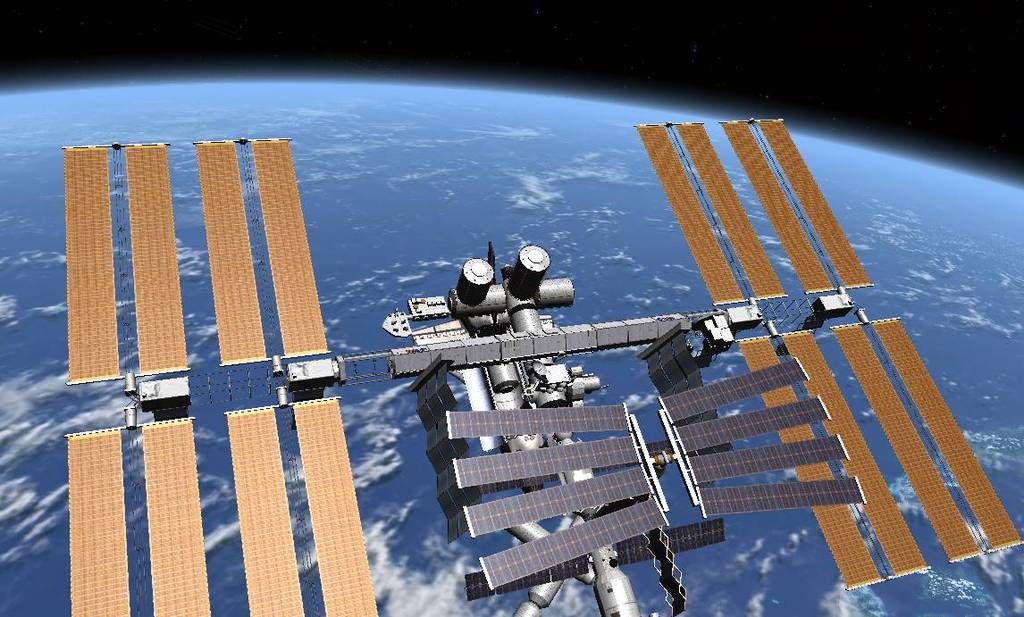
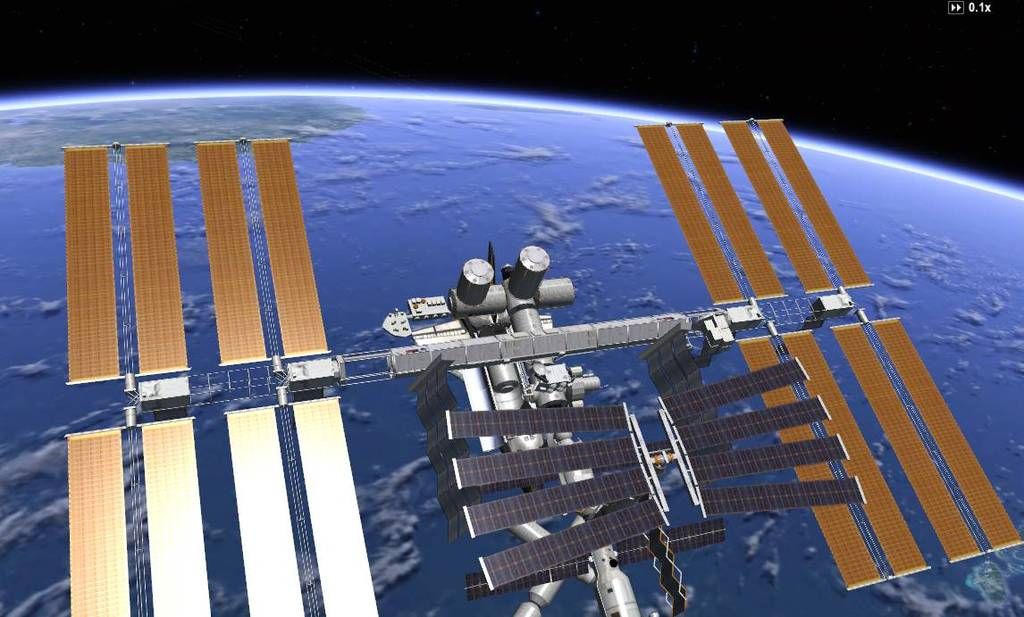
I just installed and tried the d3d9 client. I actually think the stock Orbiter looks more realistic. The colors are more like real life in the stock version, imho, and the atmospheres behave oddly.

Stock:
0001_zpspejxus9o.jpg


d3d9:
0000_zpsthwapea4.jpg


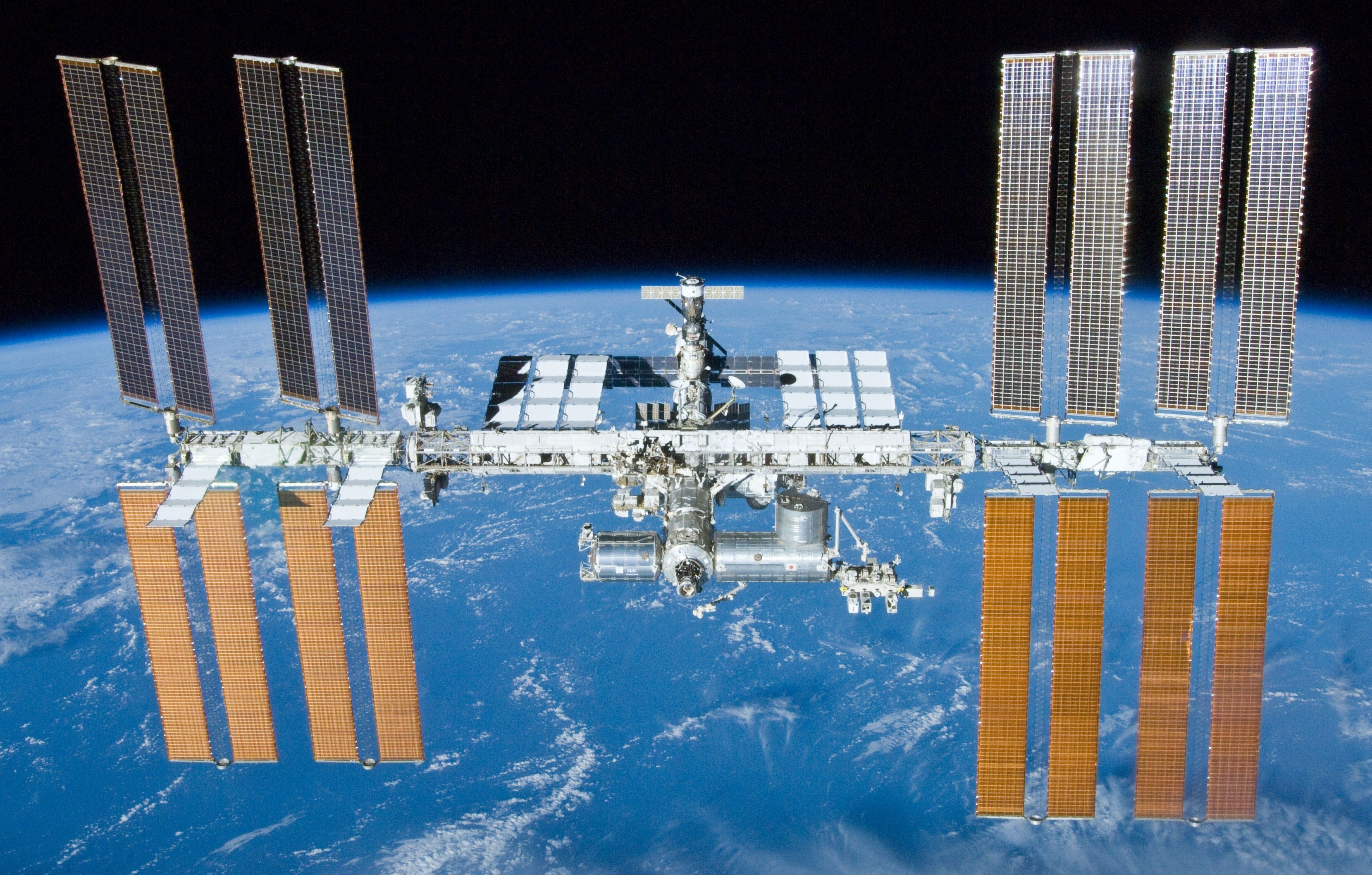
Real life image:
International_Space_Station_after_undocking_of_STS-132.jpg


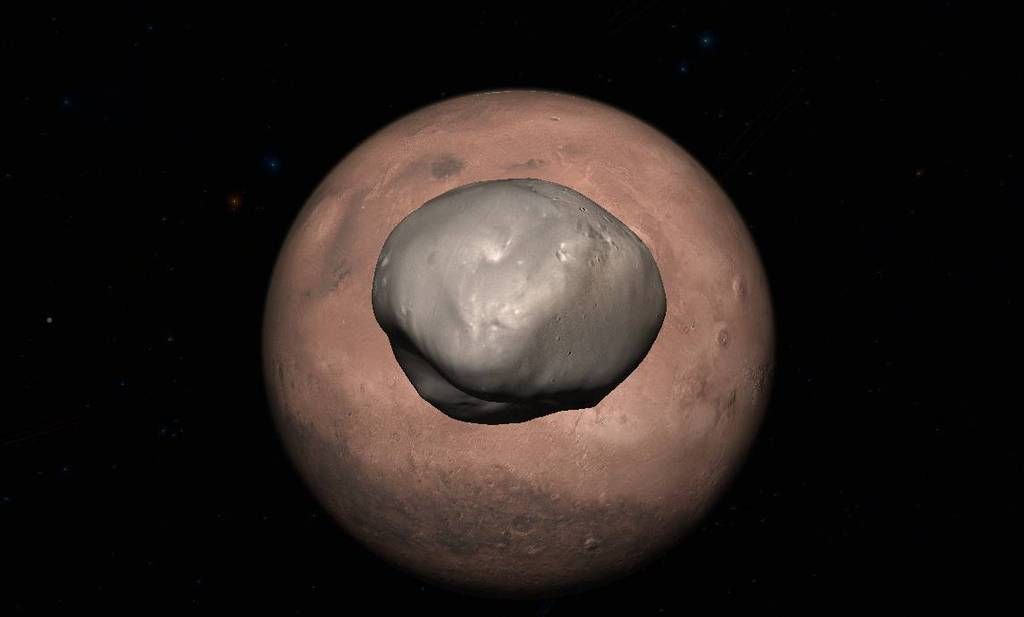
Also, d3d9 does strange things to the atmosphere.

Stock:
0002_zpskugvtw7u.jpg


d3d9:
0003_zps87lgwjfn.jpg


Is there something I'm doing wrong, or is this how it's supposed to look?
 
That's how it looks yes.
Depends a bit in your hardware, but those atmospheric effects on distant views are "normal".
The clients are optimized for lower orbit and surface views.
 
I just installed and tried the d3d9 client. I actually think the stock Orbiter looks more realistic. The colors are more like real life in the stock version, imho, and the atmospheres behave oddly.

On the plus side, D3D9Client is more configurable. Perhaps there are settings that enable you to get the looks you want? :shrug:

BTW: the title is a tiny bit misleading. Stock Orbiter also uses hardware acceleration, it is just an older interfacing technique: DirectX7 . I don't think you're used to RGB emulation mode (which would be non-hardware-accelerated AFAIK).
 
Last edited:
Adding to what Face mentioned, the D3D9 client supports better materials.
The updated shuttle textures (you need to get that add-on) will look much better than on the inline client.

Anyway, you can run whatever version you wish, depending on what/where you are flying :hmm:
 
What I really like about D3D9 is the light emitted by planets and it's reflected on your spaceships. No more deep black shadows while in Earths orbit.

The one thing I miss is that spacecraft will reflect shadows on its own body.
 
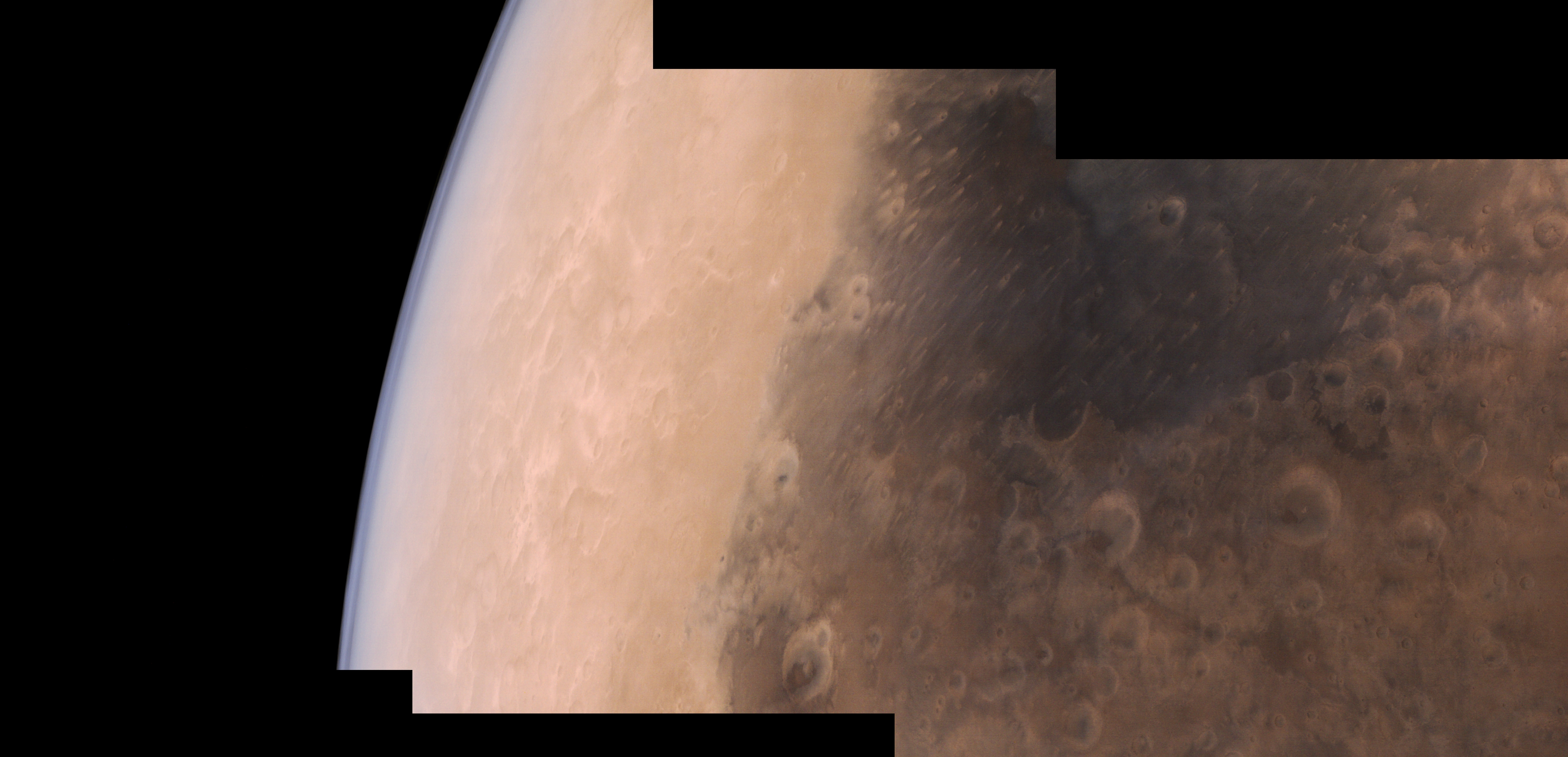
If you look at photos taken from a surface of Mars you may notice that the sky is pretty bright due to sun light scattering in the atmosphere. The same amount of scattered light should be present in a view when viewing the surface from the space. Could it be that orbital photos are taken with shorter exposure time thus making the atmosphere to look less dense.

But anyway the ring around the Mars and Earth has been reduced now...
 
What I really like about D3D9 is the light emitted by planets and it's reflected on your spaceships. No more deep black shadows while in Earths orbit.

I don't know how the renderer works, but surfaces not facing either Earth or Sun would still be pitch black in low Earth orbit.

Earth is just a second (rather large) light source, but the light is directional. In rendering speech, an irradiance map for ambient light could be the tool of choice to capture this light component.

The same amount of scattered light should be present in a view when viewing the surface from the space.

Roughly the same amount yes - but the directionality is different. If you're on the surface, things are illuminated by light reflected from the surface (i.e. from below) as well as by light scattered in the atmosphere (i.e. from above), so an omnidirectional ambient light is not a bad approximation.

If you're in space, both light scattered in the atmosphere and light reflected from the surface comes from 'below' - so an omnidirectional ambient light is not really good.

(There's also the complication that part of light scattering in the atmosphere is Mie scattering into forward direction - this component goes from atmosphere to the surface, but not really back into space).
 
Plain Orbiter vs Orbiter-ng:


OLD screens

attachment.php


attachment.php


Newer screens from Jarmonik's site:

Micro.jpg


My lunar screenshot:

ssUvIWi.png
 
Last edited:
This is the development thread:
http://orbiter-forum.com/showthread.php?t=18431

- Download D3D9Client 2016 Edition R1 from https://d3d9client.codeplex.com/
- Download MicroTexture Pack for D3D9Client from http://users.kymp.net/p501474a/Orbiter/Orbiter.html
- Unzip them into your main Orbiter2016 folder
- Launch orbiter_ng.exe
- Activate D3D9 module
- (read some threads)
- Enjoy

Thanks!
Oh and one more question, those textures on the Hubble. They look as if it has elevation. How can I achieve this?
 
Bump or normal map. Read d3d9 client docs.
 
Some add-ons have extra texture files prepared for the d3d9 client.

So you don't have to do anything, other than using the add-ons and the d3d9 client.

I want to make them myself. ;) The upper stage of the SLS 1B has a rough finish, would be cool if I could use this effect.
Orange_tank_SLS_evolution_-_Post_CDR.jpg
 
I just installed and tried the d3d9 client. I actually think the stock Orbiter looks more realistic. The colors are more like real life in the stock version, imho, and the atmospheres behave oddly.

Also, d3d9 does strange things to the atmosphere.

Stock:
0002_zpskugvtw7u.jpg


d3d9:
0003_zps87lgwjfn.jpg


Is there something I'm doing wrong, or is this how it's supposed to look?

For comparsion, real image from MOM (SRO / ISSDC / Justin Cowart)

20161006_29512601624_4e323c7554_o.jpg


---------- Post added at 05:01 PM ---------- Previous post was at 04:58 PM ----------

Newer screens from Jarmonik's site:

Micro.jpg

WOW! I haven't seen yet.

It would be nice to add some footprints and rover trails around the base :)
 
Back
Top