
General Question Orbiter supported texture maps

Stoat

New member
Joined
Feb 3, 2011
Messages
59
Reaction score
0
Points
0
Location
Gateshead
I want to build my own space ships and I thought I'd ask some idiot questions, to help me get my ducks lined up. The main one is about textures. What does orbiter support in the way of bump, normal, specular, alpha etc? Do these have to be baked? Can it handle displacement maps, if only!

Actually I'm not bad at 3d but I'm still a lousy pilot, as I say I'm a complete novice with the app.
 

Attachments

  • room5.jpg
    room5.jpg
    313.9 KB · Views: 57
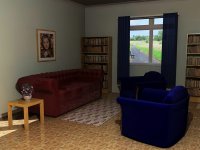
Wow !!..nice render !....afaik the ogla : open gl graphics client might support bump and specular maps.
 
I want to build my own space ships and I thought I'd ask some idiot questions, to help me get my ducks lined up. The main one is about textures. What does orbiter support in the way of bump, normal, specular, alpha etc? Do these have to be baked? Can it handle displacement maps, if only!

Actually I'm not bad at 3d but I'm still a lousy pilot, as I say I'm a complete novice with the app.

I'm not sure if this is the correct answer you're looking for, but Orbiter uses .dds files for textures.. Most add-ons are made in programs like Anim8or so they are 'mapped' to a mesh with programs like UV mapper
 
Last edited:
Nice render, Stoat!

As IronRain says, Orbiter uses .dds for textures, I'm afraid I don't know about the other texture types. I've always used 3dsMax for Orbiter add-ons.

A good reference and superb add-on maker is Dan Steph.

He has a nice article here about texturing.
http://www.dansteph.com/publie/tutorial/Texturing.html

Also. I'd recommend downloading UCGO if you haven't already.
http://orbiter.dansteph.com/index.php?disp=d

It has good documentation, and examples in the SDK for making vessels and cargo. Even if you don't use it directly, the information is excellent.

N.
 
Thanks guys, it looks as though I'm going to have to learn how to read, as well as pilot a spaceship and zero g cookery:blink:
 
Zero G cookery is really fun, just have lots of duct tape and plastic bags handy :D

As for piloting its easy. Start with aircraft takeoffs and landings in one of the spaceplanes, then go higher and faster gradually. Eventually you will go so fast you will not fall back down :D Real space programs started suborbital too :D

Another great way to learn to pilot is launch a Shuttle on autopilot. You'll get the meaning of getting out of the dense lower atmosphere then accelerate horizontally to orbital velocity and finally orbital insertion.

It takes less than 2 weeks to start flying yourself manually. Personally I learnt everything in multiplayer because its fun having someone else guide the flight from an observer position or just call out ascent headings, pitch and power settings. Its like following blindly and learning while flying seat of the pants at mach 20 :D
 
Last edited:
I want to build my own space ships and I thought I'd ask some idiot questions, to help me get my ducks lined up. The main one is about textures. What does orbiter support in the way of bump, normal, specular, alpha etc? Do these have to be baked? Can it handle displacement maps, if only!

No, Orbiter is supporting only a diffuse textures. Specular reflections and transparency are controlled through materials. It is on a request list that Martin would add support for normal maps, specular maps and emission maps so that external graphics clients could provide the actual support for them. The inline engine is unlikely ever going to provide such support. It is very much up to Martin's decision.
 
..\Orbiter\Doc\OrbiterConfig.pdf:

You should store the textures either in DXT1 compressed format (opaque textures or textures with binary transparency), or in DXT5 compressed format (for textures with continuous transparency).
 
AFAIK default Orbiter Render Engine is based on DirectX 7.
 
Back
Top