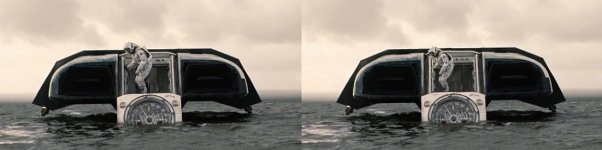
Question Ranger (and other ships) from Interstellar?

Ok. On the lander. I can rotate the chair and display and hud in the x direction. But where the chair is the hud would cut thru the hull. I can move the seat back but it wouldn't really match the film. The whole would need to be pushed back the door to allow rotation of the hud,.....

Any ideas?


landerhudissue_zpsmya5wchn.jpg
 
Perhaps the problem is that you are rotating the whole chair.

If I understood correctly, on that scene I posted the chair didn't rotated, but the support mechanism "stretched".

Something like this :
Propose%2Bfor%2BChain%2BRotating%2Bon%2BRanger.png
 
Yes. That is in the Ranger. There the seat tilts back. But to do that my chair/hud mesh would need to be redone. Not a big deal.

Ow, man... I messed up. You wrote "lander", but somehow I had read "ranger". Sorry, please ignore my post. :facepalm:

(too much coffe?)


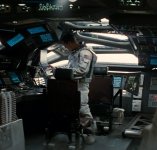
But in the lander this clip has the chair rotating in the x axis. I assume it rotates a full 180. So I can make a smaller hud
http://1.bp.blogspot.com/-6SLlW58kMEE/VLaZV-4MsBI/AAAAAAAAAWs/zeDcfza-G_E/s1600/seets.gif

I have two propositions for a fast way out of the problem:

1) Turn off or "unmesh" the HUD while rotating. Declares that the HUD retracted for chair rotating.

2) Ignore the problem. Declares that this is a holographic projection HUD. :)
 
Here are some shots of the Lander. I watched the movie again and redid the HUD.
I think I may add a structure that holds the chairs from behind. I need to texture the aft section.
landerdust_zpszeq6vhe8.jpg


landerside_zpsgieiijl2.jpg


landerhudb_zpswdgrjvw2.jpg


landerhuda_zpsowmfdwfr.jpg

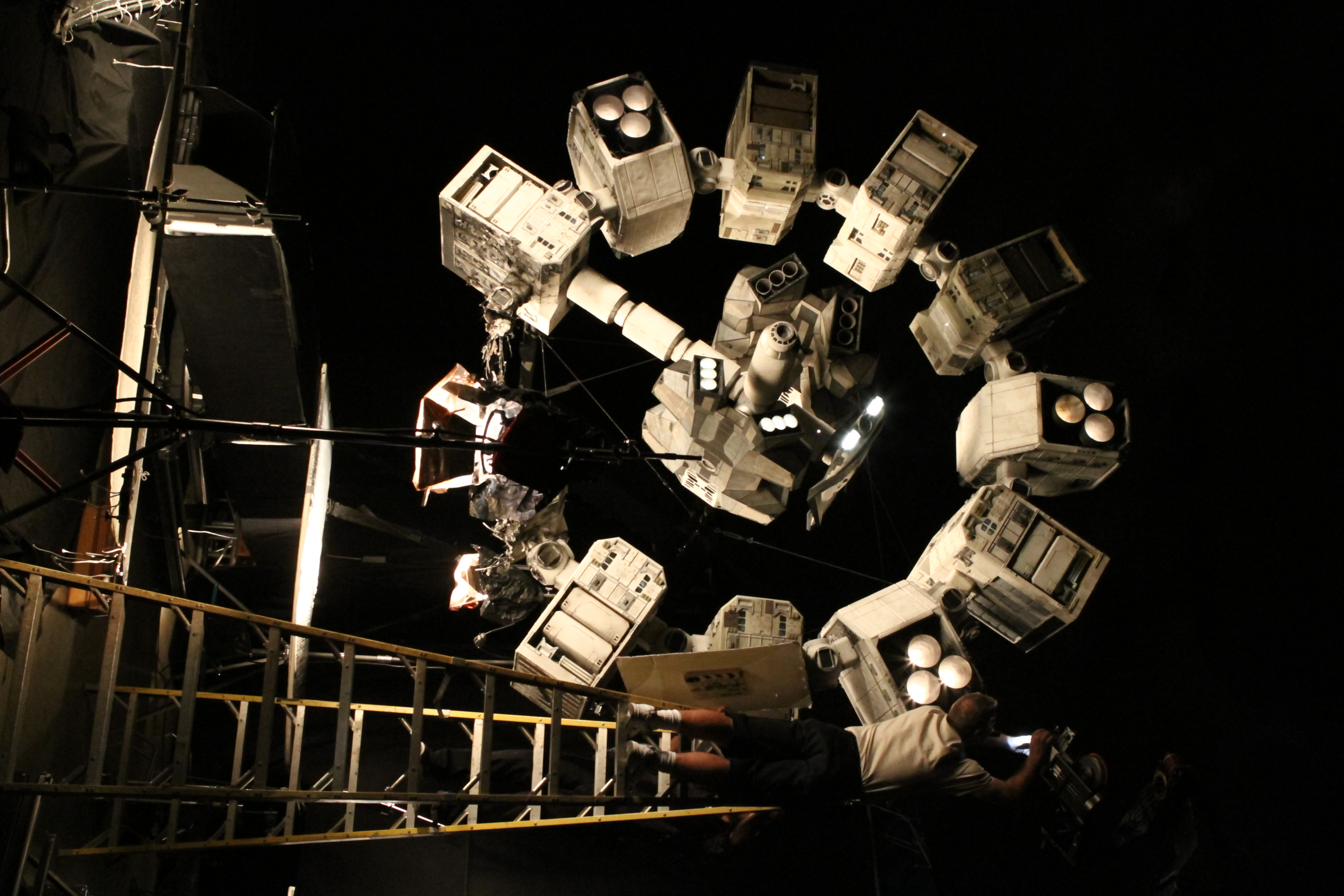
Here they are with the Endurance.
ENDURANCE1_zpsgi2ipxdc.jpg

I got the model from Space Engine. I may remodel it though
 
Last edited:
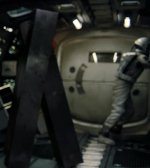
Been reworking the Ranger. The rear hatch is in 2 parts to allow a person to stand up,....

The chair and console rotate 90 degrees aft in the z direction.

NEWRANGERREAR_zpsrourvzfs.jpg


NEWRANGERINTER_zpsxw44b14s.jpg
 
Ok. I need a little help with animation parent on the Ranger Gear

We made a new gear. I can get it right but it hits the hull So I need to do it differently.

So the gear needs to rise up the parent arm. Then at the foot do some x,y,z rotations and then at the knee rotate up

rangergearrotation_zpsthjljqtf.jpg


I can not get the final part to take the foot with it.
ranjgergearissue_zpseqsvuxoq.jpg

Code:
static UINT FRONTGEAR1Grp[1] = { 45 };//mainarm
	GEAR_anim[0] = new MGROUP_TRANSLATE(5, FRONTGEAR1Grp
		, 1,
		_V(.2, 0.46, -1.38));
	parent1 = AddAnimationComponent(anim_GEAR, 0, .5, GEAR_anim[0]);//main arm
		static UINT FRONTGEAR3Grp[1] = { 48 };//joint1
	GEAR_anim[1] = new MGROUP_ROTATE(5, FRONTGEAR3Grp
		, 1,
		_V(-3.803, -.941, .02), _V(0, 0, 1), (float)(-10 * RAD));
	parent = AddAnimationComponent(anim_GEAR, .5, .6, GEAR_anim[1], parent1);
	static UINT FRONTGEAR4Grp[1] = {25 };//joint1
	GEAR_anim[2] = new MGROUP_ROTATE(5, FRONTGEAR4Grp
		, 1,
		_V(-3.803, -.941, .02), _V(0, 1, 0), (float)(15 * RAD));
	parent = AddAnimationComponent(anim_GEAR, .6, .7, GEAR_anim[2], parent1);

	static UINT FRONTGEAR5Grp[1] = { 24 };//joint1
	GEAR_anim[3] = new MGROUP_ROTATE(5, FRONTGEAR5Grp
		, 1,
		_V(-3.803, - .941, .02), _V(-1, 0, 0), (float)(-54 * RAD));
	parent = AddAnimationComponent(anim_GEAR, .7, .8, GEAR_anim[3], parent1);

	static UINT FRONTGEAR2Grp[1] = { 50 };//joint2 KNEE
	GEAR_anim[4] = new MGROUP_ROTATE(5, FRONTGEAR2Grp
		, 1,
		_V(-3.803, -.486, .023), _V(1, 0, 0), (float)(-73 * RAD));
	parent = AddAnimationComponent(anim_GEAR, .8, 1, GEAR_anim[4], parent1);//knee

 
I was thinking the same thing. Has to be some movie magic going on there. In the stills from the movie that show them coming out of the airlock hatch on the planet, the mock-up they're climbing into and out of is not a full-size representation of the craft, and I believe this is why he used the term 'miniature.' Even so, the difference in scale is negligible in this context, and there would still not be the amount of interior volume depicted in the film.

Hello
I just joined the forum and what you guys do here is very interesting.
As for the scale of the ranger, I was reading the Cinefex (visual effects magazine) article and found out that the so called full size ranger was in fact ⅞ scale and is slightly smaller that what it should be.

Attached image is the Miller planet shot when Dr. Brand gets off the ship. Left side is as appeared on the movie and the right side is scale corrected one - person is 87.5% size to match the ship and the difference is not unnoticeable.

The movie works fine as is but I always suspected that the ship looked a bit small from outside and now I know why. And I think even at 100% scale the interior wouldn't be as spacious as the movie set was. When I get the Moebius 1/72 scale model I'll post my finding, assuming the model size is correct.

Thank you.
 

Attachments

  • scale.jpg
    scale.jpg
    93 KB · Views: 18
  • Screen Shot 2015-08-24 at 9.08.46 AM.JPG
    Screen Shot 2015-08-24 at 9.08.46 AM.JPG
    68.7 KB · Views: 22
  • Screen Shot 2015-08-24 at 9.10.15 AM.JPG
    Screen Shot 2015-08-24 at 9.10.15 AM.JPG
    35.7 KB · Views: 21
Got the ranger gear to work.:thumbup:

Been reworking lander interior:
NEWLANDERFRONT_zpsqep8hom4.jpg
 
That's looking really awesome, great work!
 
Ok. Here is a scale issue. First I need to remind myself it is a film.

So based off this drawing the ring of the endurance is 64 meters in diameter. So If I place a ring there for scale. There becomes an issue. If I make the ring to fit our scale then the ring is 37 meters not 64. So just rescale but then the ranger and lander need rescaled.
This Enduance ring matches to the ranger but makes the ring 37 meters
ENDURANCESCALE2_zps1cgaikcw.jpg


So This is the .obj rescaled to make the ring 64 meters. These are the .obj from space Engine

ENDURANCE3_zpsu9tn3i31.jpg


Now If I take that lander and compare to what I have.
LANDERSIZES_zps354sp66k.jpg


And this is what you get from the official site.
ENDURANCE4_zpsrulygfqj.jpg


The ranger is 15 meters in the z direction. If I rescale it would be 25.5 meters.
 
Last edited:
I found this:
IMG_4348_LARGE.jpg


So, as it appears, Lander is not that bigger than Ranger as I though.

---------- Post added at 01:08 PM ---------- Previous post was at 01:00 PM ----------

By the way, this image implies there's a docking point under Ranger. Probably, not usable for transfers (cargo and/or passengers), it' something as a attachment point.

I should had realized this earlier - in the Scene in which Cooper detaches his Ranger and falls into Gargantua ("We agreed Amelia. 90%."), he and Brand looked each other by raising their heads. The only position in which Ranger could allow that is, obviously, the position shown in the image above - with Ranger attached on a belly attachment point.

---------- Post added at 01:23 PM ---------- Previous post was at 01:08 PM ----------

More nice views from Lander and Ranger docked on Endurance.
 
I will add that point. I wonder if the scale for both is too small. If the ring is 64 meters in diameter. Then I can rescale to fit the drawings.

Then rescale the modules so they will fit in the lander. Or maybe if the lander is rescaled they will fit better.
 
Last edited:
The ranger is 15 meters in the z direction. If I rescale it would be 25.5 meters.

While this fits with my earlier belief that the Rangers used in the planetside practical shots with the actors were slightly scaled down, thus the term 'miniature,' scale is moot in my opinion here, it still looks awesome as it is. Whatever you need do to do to make it and Endurance look right together, go for it. :thumbup:
 
One issue is if you have an exterior mesh and an interior to match the set. you can't look into the windows from the outside.
 
been resizing the ranger and lander. Added the rond dock hatch as you would need it if you landed on a surface with gear up:
RANGERLANDER2_zps64qomlsw.jpg


RANGERLANDER_zpsyob9ec1k.jpg


---------- Post added at 02:39 PM ---------- Previous post was at 11:55 AM ----------

Cockpit of the lander:
landercockpit_zpsqxq0pxn1.jpg


When looking at images from the film. The ranger has brown chairs, lander blue. Lander has windows above and below.

Also the cockpit has airlocks for the 2 main side doors.
landercockpit2_zpsueionjvr.jpg
 
On the lander. I am having an issue. Basically I have an attachment point/robotic arm set up. The chairs rotate in the X direction. The animation rotates the correct direction. The attachment point (eye of camera) moves. BUT it does NOT rotate.

landerangle_zpskt0hxknl.jpg


Code:
	static UINT CHAIRGrp[2] = { 73,64};
	static MGROUP_ROTATE CHAIR(0, CHAIRGrp, 2, _V(-.888, 3.195, 4.982801), _V(0, 0, 1), (float)(360 * RAD));

	static UINT CHAIR1Grp[2] = { 74,65 };
	static MGROUP_ROTATE CHAIR1(0, CHAIR1Grp, 2, _V(.888, 3.195, 4.982801), _V(0, 0, 1), (float)(360 * RAD));


	static UINT CHAIRVCGrp[4] = { 0,1,2 };
	static MGROUP_ROTATE CHAIRVC(1, CHAIRVCGrp, 3, _V(-.888, 3.195, 4.982801), _V(0, 0, 1), (float)(360 * RAD));
	CHAIR_anim[0] = new MGROUP_ROTATE(LOCALVERTEXLIST, MAKEGROUPARRAY(arm0_tip), 3,	_V(-.888, 3.195, 4.982801), _V(0, 0, 1), (float)(360 * RAD)); // -447 .. +447
	anim_CHAIR = CreateAnimation(0.0);
	hAC_arm0 = AddAnimationComponent(anim_CHAIR, 0, 1, CHAIR_anim[0]);
	
	
	AddAnimationComponent(anim_CHAIR, 0, 1, &CHAIR);
	AddAnimationComponent(anim_CHAIR, 0, 1, &CHAIRVC);
	AddAnimationComponent(anim_CHAIR, 0, 1, &CHAIR1);

Code:
	//CAMERA ROTATION
	CAM_pos.x = (arm0_tip[0].x);
	CAM_pos.z = (arm0_tip[0].z);
	CAM_pos.y = (arm0_tip[0].y);


	xp0 = arm0_tip[1] - arm0_tip[0]; normalise(xp0);
	xr0 = arm0_tip[2] - arm0_tip[0]; normalise(xr0);
	SetAttachmentParams(rod, arm0_tip[0], xp0, xr0);

	if (oapiGetFocusObject() == this->GetHandle()) {


		if (CAM == 0)
		{
			SetCameraDefaultDirection((xp0, 0, xr0));

			SetCameraOffset((CAM_pos));
			oapiCameraSetCockpitDir(0, 0);
		}
	}
 
OK. I am confused. So here the chair is upside down. Shouldn't the view be upside down also?

landerupsidedown_zpscbhhxib5.jpg
 
On the lander, I am at a lost. The camera is set to follow the animation it does:thumbup:
but the rotation is off.

As I understand it. when the lander is landed +y is up z forward and -x left.

As the lander rotates 90 degrees now +y is the the right and x up and z forward.
As the lander rotates 180 degrees now +y is the the down and x right and z forward.

The dash animates fine but I think the camera should follow the dash so in the eyes of the camera the top of the dash is always the top even though you are upside down?
 
I would need to make a drawing now to understand this. :(
 
Back
Top