OHM SeasonalTexture Orbiter Launcher

OrbitHangar

Addon Comments
Joined
Apr 9, 2008
Messages
3,832
Reaction score
18
Points
0

Author: solarliner

Here's a alternate launcher that is design to work with Felix's BMNG or whatever monthly textures package. See readme for more details.

v1.1
- Added command line arguments
- Fixed wrong copy destination file (which made this tool kinda useless)
- Added the "Start paused" checkbox
- UI now resizable.

11/11: Added the actual readme file (how stupid am I? :facepalm:)
v1.0: Initial release

DOWNLOAD
 
Nice idea, but i guess it could be faster if you copy all the texture files to texture folder and
instead of copying the files just change their names.

At first it could sound a bit complicated, but is really easy to do

Xaooo...
 
I see what the idea, but it would mess up the Texture folder which is kinda already a bit messed up; and it would require the user to rename all the textures one by one.

And it does not take soo long to load ... I guess I can optimize things a bit by not reloading textures if you use the same month several times ...
 
Instead of copying all of the desired month's textures into the Textures folder, why don't you just create symlinks?

Symlinks are easy and fast, and would use (effectively) no disk space.

Basically, symlink the month's textures into the Textures folder, and remove these symlinks when Orbiter is closed.
 
Symbolic links, why not.
Don't they only work on NTFS?

J'ai cru comprendre, mais de très loin, concernant l'implémentation de spacecraft je crois dans le client D3D9, que les symbolics links ne s'adressaient pas exclusivement au format NFTS mais autant à la FAT 32. Orb, et d'autres en ont parlé souvent et bien sûr Jarmonik.
 
Last edited:
They work on other file systems as well, such as the EXT file systems.

Not sure if FAT32 supports them though.
 
Added as a to do for the next update ;)
Which will also include command line argument: scenario direct launch, month override. I forgot to add the "start paused" to fully mimic the Launchpad UI.

But sorry nope, not this Tuesday :lol:
 
OK,I am getting ready to give this a try,but a couple of questions,and yes I have read the manual, will it automatically create the 12 month folders,and do I need to copy the default textures,and earth.cfg first for a backup?Thanks
 
Possible bug -- can anyone replicate?

Problem: This launcher seems to ignore the 'using client' setting and always default to external graphics client. Am I doing something wrong I hadn't thought of or is this bona-fide?

What I know so far:
Options -- ticked Inline Client (D3D7), saved configuration in that screen. Runtime 'artifact' persists.
 
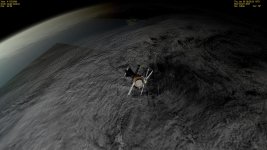
OK, are the textures suppose to look blocky?,or am I doing something wrong?
 

Attachments

  • 13.11.24 11-59-00 X-15D2AM.jpg
    13.11.24 11-59-00 X-15D2AM.jpg
    164.4 KB · Views: 43
How do you revert back to orbiters default textures,I made a copy of the default textures,and deleted the files for your Seasonal texture changer,and I am still getting blocky textures,is there something else I need to delete also?
 
Hum hum ...
the launcher does not make backups, so if you have not, look into your orbiter 2010 zip file and extract Textures\earth_* files into the Textures folder. That's all the launcher changes.
 
Hum hum ...
the launcher does not make backups, so if you have not, look into your orbiter 2010 zip file and extract Textures\earth_* files into the Textures folder. That's all the launcher changes.
Hello Solarliner,what files do I need to replace in the Textures folder all the files like Earth_0_E0088_N0064?

---------- Post added at 02:09 PM ---------- Previous post was at 02:02 PM ----------

Also is this only the textures folder,or do I need to do this with the textures2 folder too?

---------- Post added at 02:55 PM ---------- Previous post was at 02:09 PM ----------

Well it looks like I am going to have to reinstall orbiter,so if I try your seasonal textures changer again do I need to make a backup of the textures,and textures2 folder to be safe for a backup correct?
 
Last edited:
Oh, I forgot about the hi-res local textures.
No, only the earh_lmask and the 5 others. And no, only on the Textures folder.
 
Back
Top