OHM Space-X launchers and Dragon spacecraft version 0.

Regarding CTD errors.
As Adam wrote, errors will be prevented if you create a new "Space_X_rockets" folder with the same files that exist in "Space-X_launchers" folder.
( You may also change all links to "Space_X_rockets" folder near "Module=" lines into link for "Space-X_launchers" folder)

I have created a new folder in /config called "Space_X_rockets" and copied everything from "Space-X_launchers" into it. But I still get CTDs with first stage jett on the 1e and 9 class. I have multistage2.dll package fully installed, too. I also get a CTD when separating the satellite from the second stage of the 9h.
 
I've attached few images of Dragon, Dragon interior and F9 with Dragon at LC40.Note that the interior is so simple because I don't have exact information about it so far.(the cargo variant isn't converted from 3dsmax yet)

pete.dakota,
I've tried to install my first 0.5 version on fresh Orbiter and create "Space_X_rockets" folder with the same files as in "Space-X_launchers".There was no CTD in my case.
Can you write the last lines of your orbiter.log ?
 
Last edited:
Thats a really nice model glider will it be released this weekend?
 
Hello,

I have a problem with this add-on
when the staging should happen, nothing happens. not a CTD but neither staging. it does nothing, just falls back to earth and crash.. any solutions?
 
I've played with both versions, Glider's and MajorTom's (both addons can co-exists in the same Orbiter forum). Based on http://www.nasa.gov/centers/kennedy/images/content/435539main_F9StaticFire7.jpg I would say that MajorTom's rocket model is more accurate, but it also needed to be adjusted. The launching flares from glider's is better IMHO though I cannot say which one is more accurate. Both addons takes me to orbit by autopilot, however, I have no idea how to deploy the solar panels (documentation is minimal at best, but I'm sure this will improve in time). After the second stage is jettisoned, I just circle around Earth, which is not bad, but I sense that I should open the solar panels :)

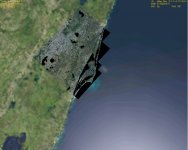
On Glider's addon, I liked to addition of detailed launching pads (MajorTom's one launches from the middle of nowhere, no pad whatsoever), but there is a problem with some tiles, as you can see in the attached picture (black spots where it should be water). I know that this is LC40 and LC41 addon fault, but maybe it can be fixed.

Are these projects alive? Are you guys still working (together) on delivering us one single addon?
 

Attachments

  • F9_Launch.jpg
    F9_Launch.jpg
    110.7 KB · Views: 40
Mine does that too. As a solution I cut and pasted the crap out of it and now I've got my original tile like it was, with the launch complexes where they need to be.

IIRC [K] deploys the solar array, and [G] rotates them. If you use [G] first it'll look really wonky.
 
Any Chance this addon will see an update after the Press conference and info release of the new Falcon-heavy?

Specificaly:

1. Strap-on F9 Cores that separate
2. Propellant x-feed to leave the center core with full or nearly full tanks at stage-separation.
3. an updated thrust & payload capacity to match the released specs?
4. compatibility with other mods to say, create a mars mission with the dragon and a CEV / lander of some sort?

Thanks! and btw great mod!
 
I've made some amateur meshes of the FX, FXH, and FXX but have no experience making the rest of the add-on. I can put them up if someone could finish the rest of the stuff.

By amateur I mean visually pleasing, mostly accurate(60-70%), but not designed for this sim. http://www.orbiter-forum.com/attachment.php?attachmentid=7087&d=1301792448 See my original post here:http://www.orbiter-forum.com/showthread.php?p=255497&postcount=21

PS I have an updated image with more visual improvements, the decals are corrected for FX, FXH, and FXX. they don't say F9 like these,
 
Last edited:
amazing add on but i cant figure out how to sep the nose cap from the dragon capsule does anyone know what key to use
 
ctrl+J when dragon selected, if I remember correctly.

Best,

D
 
Ah, kl.

I couldn't remember correctly.

Glad all is sorted now :thumbup:

Best,

D
 
Removed...wrong thread.
Moderators, sorry for the trouble. Can you delete this post please.
Screamer7
 
Last edited:
Back
Top