Anything in the D3D9 log about the ADI_MEDS.msh loading?Debug breaks at line 807 in MDU_OrbitPFD_Display.cpp.

Anything in the D3D9 log about the ADI_MEDS.msh loading?Debug breaks at line 807 in MDU_OrbitPFD_Display.cpp.
Anything in the D3D9 log about the ADI_MEDS.msh loading?
exture SSU\ADI_MEDS.dds Loaded. Handle=0xDB42C08, (512x512), MipMaps=10, Format=0x31545844
(618: 21.8s 00.22ms)(0x26D0) Texture 0xDB42C08 (SSU\ADI_MEDS.dds) added in repository
(619: 21.8s 05.28ms)(0x26D0) Texture 0xDB42C08 (SSU\ADI_MEDS.dds) found from repository. ReferenceCount=2
(620: 21.8s 05.32ms)(0x26D0) Texture 0xDB42C08 (SSU\ADI_MEDS.dds) found from repository. ReferenceCount=3
(621: 21.8s 05.11ms)(0x26D0) Texture 0xDB42C08 (SSU\ADI_MEDS.dds) found from repository. ReferenceCount=4
(622: 21.8s 04.97ms)(0x26D0) Texture 0xDB42C08 (SSU\ADI_MEDS.dds) found from repository. ReferenceCount=5
(623: 21.8s 04.94ms)(0x26D0) Texture 0xDB42C08 (SSU\ADI_MEDS.dds) found from repository. ReferenceCount=6
(624: 21.8s 04.96ms)(0x26D0) Texture 0xDB42C08 (SSU\ADI_MEDS.dds) found from repository. ReferenceCount=7
(625: 21.8s 05.13ms)(0x26D0) Texture 0xDB42C08 (SSU\ADI_MEDS.dds) found from repository. ReferenceCount=8
(626: 21.8s 05.09ms)(0x26D0) Texture 0xDB42C08 (SSU\ADI_MEDS.dds) found from repository. ReferenceCount=9
(627: 21.8s 06.43ms)(0x26D0) Texture 0xDB42C08 (SSU\ADI_MEDS.dds) found from repository. ReferenceCount=10
(628: 21.8s 05.01ms)(0x26D0) Texture 0xDB42C08 (SSU\ADI_MEDS.dds) found from repository. ReferenceCount=11Current state. If you want me to test another scenario, just name it. I just tested Space Shuttle Ultra\Testing scenarios\Atlantis in orbit.scn with the same result.That indicates it is loading well...
In which scenarios are you getting the CTDs?

Current state. If you want me to test another scenario, just name it.
No joy any scenario. 23.10 is the latest D3D9Client version for the beta right?One of the on-orbit scenarios, maybe the STS-1 or the one in the test folder.
No joy any scenario. 23.10 is the latest D3D9Client version for the beta right?
That was it. I missed installing it. Now everything works. And I can also confirm the minimum impact the new Orbit PFD has on the frame rate:Here it shows 23.11...

>gcAPI.lib(gcAPI.obj) : error LNK2038: mismatch detected for '_MSC_VER': value '1900' doesn't match value '1600' in ASE_IUS.obj
14>     Creating library Release\Atlantis\SpaceShuttleUltra.lib and object Release\Atlantis\SpaceShuttleUltra.exp
14>LINK : warning LNK4098: defaultlib 'LIBCMT' conflicts with use of other libs; use /NODEFAULTLIB:library
14>gcAPI.lib(gcAPI.obj) : error LNK2019: unresolved external symbol __ftoui3 referenced in function "unsigned long __cdecl gcColor(union oapi::FVECTOR4 const *)" (?gcColor@@YAKPBTFVECTOR4@oapi@@@Z)Once again, thanks for the save. When I properly installed 23.11 version of D3D9Client, the debug version of gcAPI lib got installed as well as overwriting the regular version causing the errors.
I'll increase the texture size from 512 to 1024 or 2048 to get it to look sharper. Performance question: is there any gain breaking the texture into 2 parts? Each part would use up most of the texture area, instead of having 50% of the texture being unused. Basically, are 2 squares better than 1 rectangle?
Yes, I totally forgot about that. :facepalm:Texture doesn't need to be square, although, using powers of 2 may give a better performance. Therefore, 2048x1024 is perfectly OK.
I used that so that it didn't darken the "edges" of the ball. I want to make it as flat as possible, so it looks as it is being drawn and not rendered.I noticed an option oapi::Sketchpad2::CULL_NONE being used. That doesn't really work with a sphere. Because, the depth buffer is not yet in use, the back facing triangles must be culled.
I used that so that it didn't darken the "edges" of the ball. I want to make it as flat as possible, so it looks as it is being drawn and not rendered.
Quick question Jarmonik: if I use SetWorldTransform2D() to rotate the surface, I should use SetWorldTransform() (without arguments) to "un-rotate", right? I works, but I just want to be sure this is the way to do it.


Got the text to look a bit better by shaving a pixel in each dimension of each character, but I think this is good as it's going to get...
 .
.
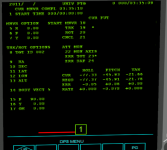
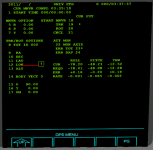
One possible solution to this is to increase the MFD size to 512x512. I did a quick and dirty conversion and it looks much better (don't pay attention to the keyboard line and IDP number as I didn't convert that).
Any idea of how much performance would the bigger MFDs cost? This is important because IMO we should only support one resolution (otherwise there will be many display versions to maintain, as some things won't lend themselves to easy scaling), and so we should be careful not to ask our users to own a super-computer to run SSU (not yet anyway :lol
Also, if this is to happen, I'm not really in the mood to convert all the displays and play with the fonts again and still end up with the displays not looking like the real thing....