SSU Development thread (4.0 to 5.0) [DEVELOPMENT HALTED DUE TIME REQUIREMENTS!]

Status
Not open for further replies.
I updated the old oapiCreateSurface() to oapiCreateSurfaceEx() (used in the D3D9 A/E PFD tapes), and used the OAPISURFACE_RENDERTARGET and OAPISURFACE_SKETCHPAD settings. It works, but this maybe should be looked at by a "graphics expert", to see if there are better settings.
 
... and for our next trick: :hailprobe:
attachment.php

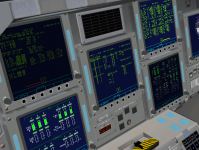
The brightness is controlled by the right knob (duh!) and clicking there cycles by 3 values: low (40%), medium (80%, default) and bright (100%).

I just spent a horrible day "standardizing", by hand, the materials used in the vc meshes and giving them meaningful names. Now it should be easier to change the settings for switches or levers without changing the talkbacks or something else. I'll leave any needed changes to the materials for somebody else... just don't forget to change it on all vc meshes so we don't end up with a setting per panel. :facepalm:

In other news, I've been looking at the DG vc light show, and for the panel lighting we'll need to have the panel labels in a separate texture and mesh, so we can play with the material in there. As for the internal floodlights it should be +/- easy to do, but we'll need to play with the vc materials (easier now) to have a darker vc without the lights. Adding variable brightness to the annunciator lights will probably work by separating the light background (and leaving it in the panel texture) and the current light mesh group would have just the text/bar that lights up. For PBIs it gets a bit tricky as those things move, so we would have to animate 2 mesh groups per PBI...
 

Attachments

  • bright.PNG
    bright.PNG
    333.2 KB · Views: 574
This is far from complete (if it ever gets there), but I had to share this image
attachment.php

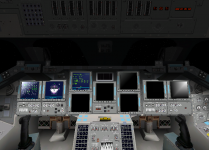
Only the 4 glareshield lights are (+/-) done and I darkened the vc without any care :lol:. I looks good and right and +/- scary in the night side, but... even with just 4 extra lights we appear to be hitting some limit, and when looking thru the aft windows some of the PLB lights aren't showing :facepalm:.
Also, in D3D9 the spotlights seem to be points with the light going in all directions instead of a directed light beam... I'll post about this in the D3D9 thread.
 

Attachments

  • vclights.PNG
    vclights.PNG
    362.7 KB · Views: 561
I believe that D3D7 has a hardcoded limit of lights. D3D9Client doesn't, it can be set in the D3D9Client.cfg file. I have tested it as high as 40 with no ill effects pr severe FPS drops on my GTX970. This is just another reason why DX7 should be abandoned as support for it will be dropped by MS soonest or later now that Windows 7 is on its way out and Windows 10 is being pushed very hard and AFAIK, there's no new licenses being issued by MS for Windows 7.
 
Last edited:
I believe that D3D7 has a hardcoded limit of lights. D3D9Client doesn't, it can be set in the D3D9Client.cfg file. I have tested it as high as 40 with no ill effects pr severe FPS drops on my GTX970.

1) From all light emitters specified in the Orbiter the client picks 24 most effective lights for the scene.

2) From the 24 scene lights the client picks 8 most effective lights for every mesh.

If we could reduce the 8 lights per mesh down to 4 lights per mesh, we could switch from vertex lights to pixel lights.
 
The flight deck can have a maximum of 11 lights on...
I also noticed that in MOGE, with the vc lights on (with the cockpit visibility attribute), when in external view the PLB lights don't show... it seems to be just using the cockpit attribute to show the light, when IMO it could assume those lights don't exist when in external view and have better results.

Another issue I'm seeing is during the daytime, with the lights off it looks too dark as the Sun is only one light source...

---------- Post added at 12:29 PM ---------- Previous post was at 10:28 AM ----------

I just posted a bug report about the vc lights and external view issue above.

Another thing that I'm about out of options, except post a bug report, is the vc click areas not responding. One scenario where that issue shows up regularly is the Testing Scenarios\Atlantis in orbit.scn scenario, where panel F4 doesn't work. The oapiVCSetAreaClickmode_Quadrilateral() call is made, the cg offset is the same as in the other panels, but clbkVCMouseEvent() is never called when clicking on that panel. Both with the debug and the release config, MOGE or D3D9, it doesn't work in that scenario, while other scenarios work just fine. :shrug: Any ideas before I bother the top man?

---------- Post added at 04:23 PM ---------- Previous post was at 12:29 PM ----------

A quick count says we have 255 lights in the vc, each one will need its own material if we are going to do the "light show" in the vc. :beathead:
So right now I think the best course of action is to branch for the vc mesh upgrade (whenever that comes) and in there "upgrade" the current "UV-lights", add the floodlights, panel label lights, etc. That way each panel can be worked separately, which I think will make the number of materials more manageable (maybe the max would be 45-50 on panel F7 due to the C/W matrix (and also R12U), but the rest would be much much less). The same goes for the panel label groups and textures.
Meanwhile I can separate some more panels "by hand" and at least the code side of things moves along, and then the new stuff arrives, only the coordinates will need correction (in addition to the light stuff).
 

A quick count says we have 255 lights in the vc, each one will need its own material if we are going to do the "light show" in the vc. :beathead:

Maybe we should cut back a bit on realism in that dimension and wait for a better graphics engine, so we can delegate this task to a shader...
 
Maybe we should cut back a bit on realism in that dimension and wait for a better graphics engine, so we can delegate this task to a shader...

We'll need that to put the floodlights in the vc because that requires us to darken the vc, PBIs included, and that would make the light part not visible unless the PBI was being iluminated by a light source.
Yes, we could do just 2 groups (button surface and light) and just switch the texture on the light side, but I don't think adding a material per light and in return get brightness control in the lights isn't a bad tradeoff... but I'm no expert :shifty:
 
but I'm no expert :shifty:

Well, practically, more materials cut into the rendering performance. Even if the materials are essentially the same, the engine does not know it. It is just a small loss per material, but 255 is a lot.

I would suggest reducing the amount of materials there and look for another feature to improve immersion. But that is just my opinion there.
 
GLS, I'm a bit confused when you're talking about lights. By lights, do you mean actual local light sources (these are limited) or actual "lights" on panels/PBIs? I checked with the SCOM section 2.15, and there's only 11 actual lights on the flight deck. 7 fluorescent lights and 4 incandescent lights.
 
Well, practically, more materials cut into the rendering performance. Even if the materials are essentially the same, the engine does not know it. It is just a small loss per material, but 255 is a lot.

I would suggest reducing the amount of materials there and look for another feature to improve immersion. But that is just my opinion there.

It's not really a matter of opinion, it's one material per light or not. :shrug: But like I said, we can always not do the brightness control in the announciator lights, and then one material works. Anyway, there's a lot of road to go before we get to that bridge...
 
1) From all light emitters specified in the Orbiter the client picks 24 most effective lights for the scene.

2) From the 24 scene lights the client picks 8 most effective lights for every mesh.

If we could reduce the 8 lights per mesh down to 4 lights per mesh, we could switch from vertex lights to pixel lights.
The PLB itself has 6 fluorescent floodlights mounted lengthwise in a 3x2 configuration. The RMS has one incandescent light mounted on top of the End Effector camera. There's two lights mounted on the FWD (Xo572) bulkhead, one is incandescent and one is fluorescent. And depending on if the External Airlock is flying or not, there's 2 incandescent lights mounted to the External Airlock truss cradle.
 
A small piece of forward PLBY could be added to the external airlock mesh, that could have the shadow baked on the texture.
 
Speaking of PLB and A/L....
I also enabled the TAA in the STS-107 mission file, so the 107payloads mesh needs to be trimmed to remove the TAA from there. Also this could be a good time to correct the positions of the TAA, A/L and bulkhead hatch, as they don't match at the moment. Diagrams put the center of the hatches at Zo 357.9.
 
GLS, I'm a bit confused when you're talking about lights. By lights, do you mean actual local light sources (these are limited) or actual "lights" on panels/PBIs? I checked with the SCOM section 2.15, and there's only 11 actual lights on the flight deck. 7 fluorescent lights and 4 incandescent lights.

(sorry for the delay, I only saw this post now :facepalm:)
We'll only need to create (Orbiter) light sources for the floodlights, that are 13 in total, but the maximum number that can be on is only 11. Of the 2 pairs of lights on panels O6 and O8, only 1 of them can be on per panel.
The annunciator lights (PBIs and lights like the C/W matrix) will need a mesh group for the light element (we have that, only the PBIs will need a second group added to separate the light from the button).

The panel label lights need to have a separate mesh, just above the panel, with its texture containing the labels that light up. Lighting the talkbacks is the only thing I'm not sure how to do...

For both the annunciator and panel label lights, just that setup will allow on/off light control. Adding a material per light group would allow brightness control to be added.

To have the floodlights working in the vc we would need to have the annunciator and panel label lights working as described above (with or without brightness control) or otherwise those lights would only be visible when the floodlights are on. Basically, the floodlights would be the last link in the chain.
 
The panel label lights need to have a separate mesh, just above the panel, with its texture containing the labels that light up.

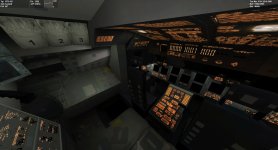
That is one way of doing it and it would allow to have the labels at higher resolution than the rest of the panel. Felix24 was working an alternative way to do the same thing by a use of emissive textures. But that would not work with the D3D7.
 

Attachments

  • Lights.jpg
    Lights.jpg
    334.9 KB · Views: 478
DaveS, I think the radiators look a bit too dark blue now in MOGE, and in D3D9 they probably reflect too well... they look like mirrors.
 
DaveS, I think the radiators look a bit too dark blue now in MOGE, and in D3D9 they probably reflect too well... they look like mirrors.
The radiator panels are actually pretty much blue when they're reflecting space. Here's a photo that shows it pretty well: https://spaceflight.nasa.gov/gallery/images/station/crew-2/hires/iss002-707-048.jpg

And as far as the amount of reflection the radiators does, I think this photo shows it: https://spaceflight.nasa.gov/gallery/images/shuttle/sts-114/hires/s114e6469.jpg
 
Status
Not open for further replies.
Back
Top