SSU V1.25 Release

Status
Not open for further replies.
Sure it will. It stops the timers from being redrawn.

Any other solutions? If not, maybe we should kill the timers for now and until a suitable replacement can be found.
 
Any other solutions? If not, maybe we should kill the timers for now and until a suitable replacement can be found.

Not yet, as I don't know what slows the redrawing of the timers down. I doubt it is a problem of what we want to do, I suspect more, it is the how that is not good.

Also, I am still not convinced that it is really the timers, which make the problem. We have many other spots around.
 
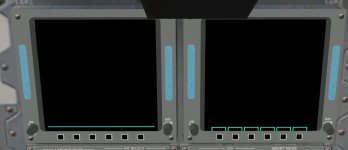
Have been working on redoing the MDU menu texture(label.dds). But in order to make this more accurate texture work, it seems a code update is necessary. I have attached a screenshot of the problem.

I can check in this updated texture if desired.
 

Attachments

  • MUD_menu_problem.jpg
    MUD_menu_problem.jpg
    91.5 KB · Views: 547
Yes. Also the menu region is a bit smaller as in the real thing.
 
Yes. Also the menu region is a bit smaller as in the real thing.
I know, but that's part of the problem with the new texture. I could move edge key boxes in the texture, but that leaves very little to no space for the MEDS Fault Line and Menu Line, both needs to fit between the edge key boxes and the upper horizontal line.

So the best option is to update the MDUs to actually work with this texture, and I have checked in the updated texture.
 
The VC mesh needs to be adjusted to position the new texture correctly. After this, I can do the menu drawing code.
 
That will be difficult, my 3D program won't load the whole VC anymore. I have to make changes piece meal, then put them into the .msh file by hand. Not fun!
 
That will be difficult, my 3D program won't load the whole VC anymore. I have to make changes piece meal, then put them into the .msh file by hand. Not fun!
Well, same here! Not even GMAX can handle it either.
 
If the mesh is that big, we should probably split it up into several meshes (FrontVC, AftVC, etc.). There isn't anyway to use the label textures without adjusting the mesh (for starters, the current label groups are too small).
 
If the mesh is that big, we should probably split it up into several meshes (FrontVC, AftVC, etc.).
Yes , good idea but neither Donamy or I can do it as or 3D modelling software dies on us! And it's real bad if GMAX dies handling it.
 
I really hate such problems. It is not like we don't have enough battles to fight for getting the Shuttle simulated. :chair:

Let's hope you can still get it under control again, we had come really far on the visual side already.
 
What exactly is the problem ? I have smaller parts of the VC that I use to work on things individually. Maybe I can fix it with the smaller meshes, and add it to the main one.

But the size is still a problem. What good will an addon be if no one can use it ?

Edit:

There is a way to divide the VC into front and rear, that wouldn't look ba at all.
If there's a way to code it?
 
Managed to get the VC mesh loaded into MeshWizard. Provide me with a list of the various sections and I think I could split up the VC mesh into the following order:

-Forward panels, including CDR and PLT side panels
-Overhead panels
-Center panels
-Aft flight deck panels and consoles
 
From a coding standpoint, having multiple VC meshes shouldn't be a problem. It shouldn't take long to edit the code to use the new meshes.
 
I could set up a front and rear VC, which should make working in AC3D easier.
 
Some good news from me: I managed to get the MDU labels(all of them, including the aft MDU) into GMAX and have fixed them. I have also resized them 0.015 m in length as they was as Urwumpe pointed out too small compared to the real MDUs.

I also intend to take a closer look on the whole aft MDU display problem and see if a reapplication of UVW texture coordinates will solve the problem seen on the aft MDU. Right now I'm about 65% certain it will.


-----Post Added-----


Oh a thing I forgot to add: If desired, I can also add this blue hue to the MDUs as seen in this and other MEDS photos: http://spaceflight.nasa.gov/gallery/images/shuttle/sts-101/hires/s99_01418.jpg


-----Post Added-----


I have now made the first test of the new redone menues on Orbiter and I can report that they look good and accurate! So, anyone up to actually make the edge key boxes display something other than being just blank empty boxes?
 
Oh a thing I forgot to add: If desired, I can also add this blue hue to the MDUs as seen in this and other MEDS photos: http://spaceflight.nasa.gov/gallery/images/shuttle/sts-101/hires/s99_01418.jpg


-----Post Added-----


I have now made the first test of the new redone menues on Orbiter and I can report that they look good and accurate! So, anyone up to actually make the edge key boxes display something other than being just blank empty boxes?

The blue hue would maybe make it look more realistic, but then, we should paint it blue only if powered. maybe we can overwrite the background color when painting.

For the boxes: Just need to finish the redrawing code for the MDUs. The chain of responsibility pattern already works for the ODS lights, the MDUs can redraw using the same pattern.
 
The blue hue would maybe make it look more realistic, but then, we should paint it blue only if powered. maybe we can overwrite the background color when painting.
I know that in the default DG you can adjust the brightness of the MFDs and HUD. My current theory is that it somehow alters the emmissve setting. Power off could set the emmissive setting to 0.

I'm currently making some last minute fixes to the aft MDU and CRT4 labels. Should have a working version pretty soon.
 
I know that in the default DG you can adjust the brightness of the MFDs and HUD. My current theory is that it somehow alters the emmissve setting. Power off could set the emmissive setting to 0.

I'm currently making some last minute fixes to the aft MDU and CRT4 labels. Should have a working version pretty soon.

We also had such adjustments in the Shuttle code for the brightness regulators.
 
We also had such adjustments in the Shuttle code for the brightness regulators.
Did we? I can't remember that we had them working.
 
Status
Not open for further replies.
Back
Top