New Release Universal Cars and Cargo for Orbiter (UCGO) released

Quick question and this is for dbeachy to answer . I am wondering if its possible to get the XR5 to have YCGO and UMMU 2.0 support as people can use the XR5 to move cargo from one place and can bring it to earth

XR series already have UMMU 2.0 support thanks to Dan's UMMU patch utility.
 
Please don't replace the stock ISS. I prefer to concentrate on flying, rather than constantly micromanaging things to keep crew from dying.
Then... er... don't download it? lol
 
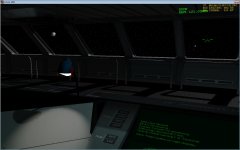
I really love the wide field of view cockpit, it's amazing.
Look at this view I got on my way to Mars, stunning.

It's Earth and the Moon.
I really wish we could walk around the cockpit.
 

Attachments

  • Orbiter Earth-Moon-System.jpg
    Orbiter Earth-Moon-System.jpg
    91.3 KB · Views: 87
Last edited:
Installation will either replace the stock Iss (available in almost all scenarios) or simply replace the UCGO "station Iss" (You'll have to add it by scenario editor)

For Ark:

I was meaning: you'll have the choice at install. ;)
(wasn't clear I agree)

Dan
 
Sweet, guess I'll have to wait until I get a SETA disk before I can install it though.
 
Hi All,
This UCGO Addon is excellent.
Question 1. If I am in the bus (or any vehicle) and I press "m" to add a person, is there any way of knowing if it will be a male or female before I type in the name?
Question 2. Can I change the gender after I made a new Person?
If the answers are available please point me to the correct document.
Thanks for the help.
Kevin

---------- Post added at 03:38 PM ---------- Previous post was at 02:59 PM ----------

OK, found my answers:)
sci-Female Black hair Tech-Female Blonde Hair.
Please use the tutorial missions he he he....:lol:
 
Yay... now that UMMU has gender, I can finally enact my space fantasies...

:rofl:
 
I'm having much fun, lifted some cargo to my Arrow in LEO with XR-5, now heading for the moon to build a base. Great work, Dan!

A UCGO XR-5 would be nice in future, currently I'm using 20-foot containers that I converted into UCGO "cars" with 4 cargo slots :P.

Here's my AIA_Logistics.cfg:

Code:
; === Configuration file for standard 20-ft XR Payload Cargo container ===
; Copyright 2007 Douglas Beachy
; [URL="http://www.dougsorbiterpage.com/"]http://www.dougsorbiterpage.com[/URL]
[COLOR=red]Module = UCGOCars[/COLOR]
ClassName = AIA_Logistics
MeshName = XRPayload\AIA_Logistics
Size = 3.867
[COLOR=red]Mass = 2400 ; empty mass [kg] : max recommended mass=12000[/COLOR]
MaxFuel = 0  ; max fuel mass [kg]
Isp = 0        ; fuel specific impulse [m/s]
MaxMainThrust = 0
MaxRetroThrust = 0
MaxHoverThrust = 0
MaxAttitudeThrust = 0
CameraOffset = 0.0 .0 0.0
CW = 0.194 0.189 0.470
LiftFactor = 0.0
CrossSections = 7.060448  7.060448  14.769404 
EnableFocus = true
TouchdownPoints = 0 -1.296 3.024  -1.217 -1.296 -3.024    1.217 -1.296 -3.024
[COLOR=red]CarMesheName = XRPayload\AIA_Logistics[/COLOR]
[COLOR=red]CargoSlotPos = 0 -1 1.6  ; Front left pos of first cargo slot X Y Z (see doc).[/COLOR]
[COLOR=red]CargoRowColumnNbr = 1 4   ; Number of slot row & column  (max 20 slots, see doc).[/COLOR]
[COLOR=red]CargoSlotInterval = 0.0  ; Interval between each slot in meters.[/COLOR]
[COLOR=red]CargoReleasePos   = 0 5  ; X Z pos at which cargo will be placed when released (see doc).[/COLOR]
[COLOR=red]CargoShowInCockpit= 0   ; 1=force cargo to appear also in cockpit view (only external by default).[/COLOR]
[COLOR=red]CargoGrappleDist  = 200   ; Grapple radius from center of cars. By default 15 meters.[/COLOR]
;----------------------------------------------------
; XR Payload custom parameters
;----------------------------------------------------
; must be set to 'true' for this vessel to be dockable in an XR-class payload bay.
XRPayloadEnabled = true
; cosmetic description; 127 chars MAX., but 40 chars or less recommended
Description = AIA Logistical Equipment
; Dimensions in meters: X (width) Y (height) Z(length).  This also determines how many standard payload slots are occupied.  
Dimensions = 2.43 2.59 6.09
; attachment point index (0-n) that should be used for grappling in the bay; default=0
AttachmentPointIndex = 0
; (OPTIONAL) Offset in meters from the center of the primary payload slot to the center of this payload's mass (X,Y,Z).
; If this is not set, the default is [0 0 0].  These coordinates are necessary so that the collision detection code can know the
; origin point (the "centerpoint") of the payload mass in order to determine how many slots this payload module will occupy.  
; If you adjust your attachment point coordinates to center this module in its primary payload slot, these coordinates 
; should be [0 0 0] (the default).  If your payload  is attached off-center in the slot along any axis, as will be the case 
; if your payload occupies more than one slot, you will need to adjust these coordinates accordingly.  
; For example, if your payload's center-of-mass is 0.3 meter below the centerpoint of its primary slot, this 
; value should be 0 -0.3 0.  As another example, if your payload is two slots long, one slot wide, and one slot high, 
; this value should  be set to 0 0 -3.048: the reason is that the center-of-mass of a 40-foot-long container is 3.048 meters 
; (1/2 slot) AFT of the ceterpoint of the primary slot (the forward of the two slots it occupies).
PrimarySlotCenterOfMassOffset = 0 0 0
; (OPTIONAL) If this is not specified, a default thumbnail is used.
; Path relative to Orbiter config directory (e.g., "C:\Orbiter\Config") to the bitmap thumbnail image for this payload.
; This is displayed on the payload panel when this cargo is selected.
; This should point to a 24-bit-color bitmap that is 154x77 pixels in size.
ThumbnailPath = Vessels\AIAlogistics.bmp
; (OPTIONAL): List of Orbiter vessel classnames for which an 'ExplicitAttachmentSlots' property is defined.
;VesselsWithExplicitAttachmentSlotsDefined = XR5Vanguard
; (OPTIONAL): These are optional parameters that only need to be defined for a given ship class if you have a 
; large or specially-shaped payload.  If no explicit attachment slots are defined, the ship will compute 
; which slots are valid for this payload based on its dimensions and the location of its attachment point.  
; If explicit attachment points *are* defined here they will override any calculations made by 
; the ship as to whether this object will fit in the bay when attached to a given slot.  However, 
; they do *not* override checks as to whether this object will fit alongside *other payload* in the 
; cargo bay.  Most payload objects will not need to define this value.
;
; Format is: <parent vessel classname>_ExplicitAttachmentSlots = # # # ...
;XR5Vanguard_ExplicitAttachmentSlots = 3 8 13 18 22 25 28 31 33 34 35 36  ; center slots on all three levels only for testing
;----------------------------------------------------
; === Attachment specs ===
; NOTE: a payload object's attachment point should be set for the CENTER of the bay slot into which it is 
; attached.  Each standard slot is exactly 2.4384 wide (X), 2.5908 high (Y), 6.096 long (Z).  Some XR-class
; ships, such as the XR5 Vanguard, have some slots that are wider as well.
; WARNING: attachment *direction* must be (0 1 0) and attachment *rotation* must be (0 0 1)!  The bay 
; collision detection code expects this.
BEGIN_ATTACHMENT
P 0 0 0  0 1 0  0 0 1  XRCARGO
END_ATTACHMENT

(You need to copy the folder "Meshes\XRPayload" to "Meshes\UniversalCars", or the mesh will be invisible)
 
I have a question about transfering crew from the Arrow to a docked DG IV.

When I try to transfer a crewmember from the Arrow to the docked DG it creates a vessel called "UMmuT(name of DG)" which floats in the docking tunnel. But I can't get into the DG or back into the Arrow. Is this normal behavior and if so how do I get the crewmember to transfer? Transfering from the DG to the Arrow is fine.

Thanks, great job Dan. :thumbup:
 
Try transferring them without time acceleration on, the vessel appearing is normal I think that is how the UMMU is transferred from one vessel to another
 
Never used time acceleration during the transfer but let me try it again and just sit and wait. The last couple of times, I tried to control the transfer vessel.

EDIT: No dice. Also, the DG airlock doors are open and there is other crewmembers on boad the DG
 
Last edited:
Is it possible to add a Nav beacon to a unpacked object and not a XRDP?
 
Last edited:
Greatest ship ever. Thanks, Dan!

But there are some problems:

- Tried to attach Universal RMS inside of the bay for docking assistance (should be a little more realistic, then just flying inside, and it probably could solve the prodlem of landing with the DGIV there;)) and got a CTD when switchig from Arrow to RMS or back.

- How to transfer payloads between DGIV and Arrow without UMMU help?
I found one way, but it works only from glider to mothership (and you have to be fast if transferrig auto-unpacking probes).

- Autoland works strange if landing target isn't on vessel's speed direction.
 
Last edited:
Alright I have been thinking of some ideas that some people who are programmers might make. how about this. someone makes a mining drill, it would take about 3 minutes to harvest and out comes a bit of metal. this metal gets bigger by a margain of 1/3 larger. the 3rd time would turn to a UCGO cargo with the word Metal. I am also thinking that people should customizes the way we transport minerals using the arrow by the usage of this such as ice, gold, lab equipment etc.
 
Transponder frequencies

I'm running into a few issues.
I have a moon base setup complete with a transponder landing beacon.
I left it since I figured I could just keep reusing it with every return trip.

Since the Arrow can't autoland with a ship in the bay, the XR2 I use must be undocked first.
However, when I look up the frequency for the landing beacon in objects info, it shows 121.00, which is the same frequency as the Arrow XPDR and the XR2 XPDR.
So after the XR2 is undocked, if I switch focus back to the Arrow and try to lock onto 121.00 in docking MFD, all it finds is the XR2 floating a few meters under the ship. It won't lock onto the landing beacon at my base.
Is there a way to change frequencies for transponders?

Also, the base I built on the moon isn't an official landing site so it won't show up when I try to choose a target in map or any other MFD.
I tried leaving a DGIV on site, but I can't select that as a target either apparently because it's not in flight.

How is everyone else finding the the base they built again without flying around and around waiting for the XPDR signal to pick up?
Is there a way to make the base I built an "official" landing site? Can I add a VOR beacon?
 
I'm running into a few issues.
I have a moon base setup complete with a transponder landing beacon.
I left it since I figured I could just keep reusing it with every return trip.

Since the Arrow can't autoland with a ship in the bay, the XR2 I use must be undocked first.
However, when I look up the frequency for the landing beacon in objects info, it shows 121.00, which is the same frequency as the Arrow XPDR and the XR2 XPDR.
So after the XR2 is undocked, if I switch focus back to the Arrow and try to lock onto 121.00 in docking MFD, all it finds is the XR2 floating a few meters under the ship. It won't lock onto the landing beacon at my base.
Is there a way to change frequencies for transponders?
You can change the XPDR frequency using the COM/NAV MFD.
 
Back
Top