Using Bases from AMSO in other scenarios

Submariner

Donator
Donator
Joined
Feb 15, 2010
Messages
151
Reaction score
24
Points
33
How can I use AMSO bases in other scenarios? I'd love to land a DGIV at Hadley and unpack some hotel modules next to the Rille. Just copying the Hadley folder and dropping it the config/moon/base folder didn't work. I'm guessing I need to make the meshes and textures available?
 
I think (though not totally sure) the base meshes are vessel based, so you'd have to put that vessel at the correct location on the moon to see the ground mesh.
 
Yes - I tried this, and found that they are vessels - you will have to copy the scenario entries from the AMSO scenarios.

I think they only appear at a certain mission stage though - they won't be in the launch scenarios.
 
You can also use mesh file and put it as a base object
 
Yes - I tried this, and found that they are vessels - you will have to copy the scenario entries from the AMSO scenarios.

I think they only appear at a certain mission stage though - they won't be in the launch scenarios.

No. Bases are bases. Period.

See here for the use of AMSO surface bases outside of AMSO scenarios:

[ame="http://www.orbithangar.com/searchid.php?ID=3232"]“Unofficial” LazyD Tribute[/ame]
 
Thank you all for your help. The key is definitely realizing that the landing sites are vessels, not part of the base itself.

I copy/pasted the AS-512 Landing Site from the scenario of Apollo 17 landed at Taurus Littrow into my scenario, and now the mountains and detailed surface meshes are there in all their beautiful glory! I've got a DGIV landed there now, and later I'm going to have my UMMUs set up a hotel module at the orange soil site. So basically, the Taurus Littrow BASE is just the location, with the boulders and the low res surface tile. The Landing Site VESSEL provides the details.


---------- Post added at 11:52 PM ---------- Previous post was at 10:39 PM ----------

I did the same thing with Procellarum for some screen shots, as it is sunlit right now in my scenario. Now I just need to add the spent descent stages, rovers and lab equipment, and I can send DGIV missions to revisit the Apollo landing sites!


procellarum1.jpg


procellarum2.jpg


---------- Post added 02-22-10 at 12:37 AM ---------- Previous post was 02-21-10 at 11:52 PM ----------

Just one more update:

I added the descent stage and lab equipment from Apollo 12, then landed right next to the descent stage. I used LANDMFD which would have put my DGIV right on top of the descent stage, but I moved it just slightly with Scenario Editor ahead of time. Try this: Set your DGIV to land at Procellarum using LandMFD, then change focus to the descent stage and watch the DGIV come in and land next to you. Awesome!

procellarum3.jpg


procellarum4.jpg
 
Last edited:
Hello, all! I'm having similar wants as well...
I've used Surface Base Wizard to use the Hadley Site Mesh with the Hadley surface base code.
Looks awesome going past the Huge Mountains, yet close to where the landing site shoud be, I get jagged "spikes".
Is there a cause for this, and is there a way to fix it?
 
Are you using Orulex as well? If so, you can use the World Studio and flatten out the area around the base. It's not too tough to do, it's all menu driven.
 
No, Orulex isn't even activated..... I used AMSO's provided meshes for the landing sites and copied them to the Hadley.cfg in my Moon/base folder.
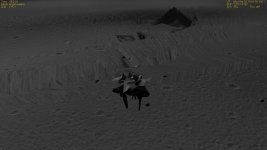
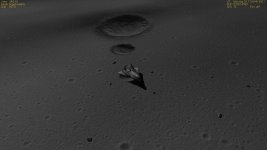
Here's a screen shot of an XR2 at the landing site....
The second one is what it SHOULD look like, using the vessel-to-scenario method....
(Same angle...just that the ship is rotated differently...)
 

Attachments

  • 10.03.18 20-14-46 XR2-01.jpg
    10.03.18 20-14-46 XR2-01.jpg
    100.9 KB · Views: 25
  • 10.03.18 22-27-10 XR2-01.jpg
    10.03.18 22-27-10 XR2-01.jpg
    113.5 KB · Views: 16
Last edited:
Back
Top