OrbitHangar
Addon Comments
- Joined
- Apr 9, 2008
- Messages
- 3,832
- Reaction score
- 18
- Points
- 0

Author: pennyblack
XR5 REPAINT KIT
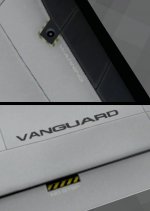
Contained in the Zip file is a 6 layer PSD file and should be compatable with other paint packages. Layers are numbered, so keep the numbers in correct sequence when you save it in PNG format otherwise you will lose the cabin windows.
Layers...
1 Black Overlay (Set to 100% opacity)
2 Frame Overlay (Set to 100% opacity)
3 White Outlines (Set at 65% opacity)
4 Bits (Set at 100% opacity)
5 Shades Layer (Set at 100% opacity)
6 Pitted metal layer, supplied for example. (Set at 50% opacity)
The 7th layer can be covered with any colour you wish or merged with pictures, but ensure you keep the layers 1 to 5 in position for best effects. You can experiment by adding more layers and changeing their opacity setting to get more effects on your skin.
Original credits go to Douglas E Beachy, Russell Hicks, Carmen A and Tom Fisher.
DOWNLOAD


 Good luck with it.