Space Shuttle Ultra 1.25 Revision B development

Checked in a DFI pallet that was used on the first five flights. Please do note that for STS-1 only the pallet was located in Bay 9 and was relocated to Bay 11 for missions STS-3 through STS-5. It was also carried on STS-8 in Bay 8 but with no visible wiring like on the Columbia missions.

STS1_DFI.jpg
 
Last edited:
Checked in a SWT mesh with associated textures.

---------- Post added at 06:57 PM ---------- Previous post was at 06:42 PM ----------

I can also confirm Donamy's bug report a while back about the GH2 venting after separation.
 
Also need to get the burnt ET texture back.
 
Checked in the code for the different ET types and to fix the ET venting.
 
Checked in the code for the different ET types and to fix the ET venting.
ET venting bug has been fixed. Another thing: Could you implement the Ha and Hp parameters in the OMS software?
 
ET venting bug has been fixed. Another thing: Could you implement the Ha and Hp parameters in the OMS software?
I can, but it won't handle nonspherical gravity well, so the values won't be particularly accurate.
 
I can, but it won't handle nonspherical gravity well, so the values won't be particularly accurate.
Well, I guess we just have to put a note about it and live with it.
 
I can, but it won't handle nonspherical gravity well, so the values won't be particularly accurate.

Give me some time to locate the lecture notes, then I can give you a fitting formula for the eccentricity correction.
 
I had a look at KOST ([ame="http://www.orbithangar.com/searchid.php?ID=3825"]KOST 0.75[/ame]) and it looks like it might also be helpful, especially when we get around to implementing the rendezvous targeting stuff.
 
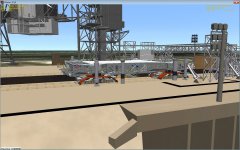
The pad offset in the Crawler code needs to be adjusted. Currently this prevents the MLP from being secured at the pad following a rollout.

Crawler_Pad_offset.jpg
I'm trying to fix this bug but can't find the code that controls the height when on the pad. Any tips on which lines I should edit?
 
The height is defined in CalcRampHeight (Crawler.h, line 267). It's currently set at 15.4, you can replace this number (it occurs twice) with the corrected height.
 
The height is defined in CalcRampHeight (Crawler.h, line 267). It's currently set at 15.4, you can replace this number (it occurs twice) with the corrected height.
Thanks. The problem with the height when level on the pad surface has now been fixed although there's still a similar problem when ascending/descending the pad ramp. Which line controls this?
 
The changes you made should fix the ramp as well. Is this problem with a different pad mesh from the current one? I tried the crawler with the new heights and it seems to sink into the pad.
 
The changes you made should fix the ramp as well. Is this problem with a different pad mesh from the current one? I tried the crawler with the new heights and it seems to sink into the pad.
Weired. It's the current one. This is how it looks for me:

Crawler_pad_ramp.jpg
 
Here's the Crawler at the top of the pad for me. The scenario file is below, if you want to try it.

Code:
BEGIN_DESC
Contains the latest simulation state.
END_DESC

BEGIN_ENVIRONMENT
  System Sol
  Date MJD 40417.6732090752
END_ENVIRONMENT

BEGIN_FOCUS
  Ship Crawler-Transporter
END_FOCUS

BEGIN_CAMERA
  TARGET Crawler-Transporter
  MODE Extern
  POS 1.95 67.66 -7.74
  TRACKMODE TargetRelative
  FOV 40.00
END_CAMERA

BEGIN_VC
END_VC

BEGIN_SHIPS
Crawler-Transporter:SSU_CT
  STATUS Orbiting Earth
  RPOS -523092.07 582071.20 6322777.90
  RVEL -406.134 13.810 -34.871
  AROT 95.05 -2.50 -175.29
  AFCMODE 7
  NAVFREQ 0 0
  VELOCITY 0.00
  STEERING_ACTUAL 0.000000 0.000000
  STEERING_COMMANDED 0.000000 0.000000
  JACK_HEIGHT 0.00
  TARGET_JACK_INDEX 0.00
  ANGLE 14.450000 14.450000
  VIEWPOS 0
  STANDALONE 0
  GROUND_POS 0.4993098668 -1.4068067693 6.2808952076
@SUBSYSTEM Engine
  TGT_VELOCITY 0.00
  ENGINE_POWER 0.00
  ENGINE_STATE 3
@ENDSUBSYSTEM		;Engine
  @PANEL FWD_CAB_LEFT
  "BRAKE" SET
  "FWD" SET
  @ENDPANEL 
  @PANEL FWD_CAB_CTR
  @ENDPANEL 
  @PANEL FWD_CAB_RIGHT
  "GreatCircle" SET
  @ENDPANEL 
  @PANEL REAR_CAB_LEFT
  "BRAKE" SET
  "REV" SET
  @ENDPANEL 
  @PANEL REAR_CAB_CTR
  @ENDPANEL 
  @PANEL REAR_CAB_RIGHT
  "GreatCircle" SET
  @ENDPANEL 
END
LC39A:SSU_Pad
  STATUS Landed Earth
  POS -80.6040720 28.6083850
  HEADING 270.00
  AFCMODE 7
  NAVFREQ 0 0
  ACCESS_ARM 1 1.0000
  GVA 1 1.0000
  VENTHOOD 0 0.0000
  FSS_OWP 0 0.0000
  RSS_OWP 0 0.0000
  RSS 1 1.0000
  FSS_GH2 0 0.0000
  FSS_IAA 0 0.0000
  GOX_SEQUENCE 0
  SHUTTLE 
END
END_SHIPS

BEGIN_ExtMFD
END

 

Attachments

  • Crawler.jpg
    Crawler.jpg
    418.2 KB · Views: 503
Here's the Crawler at the top of the pad for me. The scenario file is below, if you want to try it.
Tried it and the Crawler was parked nicely on the pad surface. Could you maybe remove the commented out save/load sections for HEIGHT? It should be 14.45 14.45.

---------- Post added at 12:52 AM ---------- Previous post was at 12:51 AM ----------

Here's my SSU_Crawler.dll for your debugging uses: http://dl.dropbox.com/u/24122088/SSU_Crawler.zip
 
Back
Top