spartanhoplite15
Member
- Joined
- Jun 13, 2013
- Messages
- 32
- Reaction score
- 0
- Points
- 6
Hello fellow Orbinauts,
Couple of days ago, I got the 'most wanted' autopilot for the Shuttle Fleet V4.8 to work, AutoFCS.
That's right, it DOES work for Orbiter 2010 P1.
There is just a simple workaround. Just follow these steps:
1)Install AutoFCS as normal using this site:
http://www.orbiterwiki.org/wiki/AutoFCS
2)Edit the entry in Orbiter.cfg
from
EchoAllParams=False
to
EchoAllParams=True
Now here is the tricky part. You MUST run Orbiter as Administrator. If you don't, AutoFCS won't work perfectly.
For your convenience, if you want orbiter to run as administrator when you open it everytime, do the following steps:
1)Right click the orbiter.exe in your main directory
2)Select "Properties"
3)Go to the "Compatibility" Tab
4)Check the checkbox that says:
"Run this program as Administrator"
NOTE: Running Orbiter as Administrator will reset everything. So make sure you enable the modules, set the video settings, etc.....
I have also tested AutoFCS and it worked flawlessly. I hope this helps you. .
.
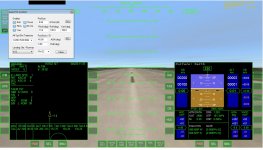
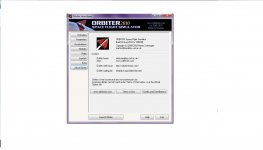
I have posted some pictures below that proves it is working.
Thanks in advance,
spartanhoplite15
Couple of days ago, I got the 'most wanted' autopilot for the Shuttle Fleet V4.8 to work, AutoFCS.
That's right, it DOES work for Orbiter 2010 P1.
There is just a simple workaround. Just follow these steps:
1)Install AutoFCS as normal using this site:
http://www.orbiterwiki.org/wiki/AutoFCS
2)Edit the entry in Orbiter.cfg
from
EchoAllParams=False
to
EchoAllParams=True
Now here is the tricky part. You MUST run Orbiter as Administrator. If you don't, AutoFCS won't work perfectly.
For your convenience, if you want orbiter to run as administrator when you open it everytime, do the following steps:
1)Right click the orbiter.exe in your main directory
2)Select "Properties"
3)Go to the "Compatibility" Tab
4)Check the checkbox that says:
"Run this program as Administrator"
NOTE: Running Orbiter as Administrator will reset everything. So make sure you enable the modules, set the video settings, etc.....
I have also tested AutoFCS and it worked flawlessly. I hope this helps you.
. I have posted some pictures below that proves it is working.
Thanks in advance,
spartanhoplite15