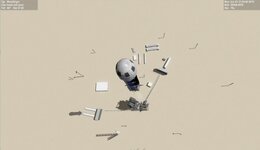
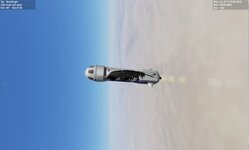
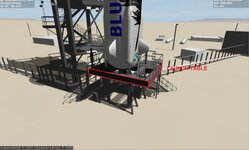
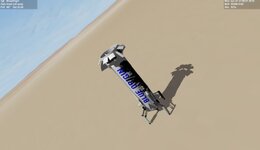
Request New Shepard vehicle and tower

So I am going to need help on the code.

What I want to do is check the thrust of the new sheppard and if thrust is applied then detach,.....


void BOLAUNCHPAD::clbkPreStep(double SimT, double SimDT, double MJD) {
OBJHANDLE hvessel = oapiGetVesselByName("BlueOrigin/NewShephard"); //or whatever it is
VESSEL3* v;
v = (VESSEL3*)oapiGetVesselInterface(hvessel);
if thrust is applied then dettach

}
 
Trying to build the the new Sheppard. @GLS I wonder if I use just the stage1 falcon code for her. add attaches for the pad and capsules?
I would Multistage but the ship has animations

Any ideas?
 
Trying to build the the new Sheppard. @GLS I wonder if I use just the stage1 falcon code for her. add attaches for the pad and capsules?
I would Multistage but the ship has animations

Any ideas?
I don't know the Falcon-9 code, but if that first stage has the landing logic there, then it would be a good place to start.
 
I don't know the Falcon-9 code, but if that first stage has the landing logic there, then it would be a good place to start.
@GLS I thought you did the Falcon-9

From the LPad
If still need something to look at the NewSheppard and if thrust is applied then detach
 
Last edited:
I got her to launch and fly good. I still need to add rudders,....

And get the pad to release her when the thrust is applied

not sure on this

void BOLAUNCHPAD::clbkPreStep(double SimT, double SimDT, double MJD) {
OBJHANDLE hvessel = oapiGetVesselByName("NewShephard"); //or whatever it is
VESSEL3* v;
v = (VESSEL3*)oapiGetVesselInterface(hvessel);

get thrust of newsheppard
if thrust >1 dettach

}
 

Attachments

  • BOROCKET1.jpg
    BOROCKET1.jpg
    25.3 KB · Views: 5
  • BOROCKET2.jpg
    BOROCKET2.jpg
    26.6 KB · Views: 5
if thrust >1 dettach
The thrust level will never be greater than 1.
Try something like this to hold for 3s with thrust above 95% and then release (no clue what the actual numbers are).
C++:
if (thrust > 0.95)
{
    thrustholdtime -= simdt;
    if (thrustholdtime <= 0.0)
    {
        DetachChild();
    }
}
else
{
    thrustholdtime = 3.0;
}

Also, don't use the function oapiGetVesselByName(), instead get the handle to the vessel attached to the pad attachment (I don't remember the function now...). It will only be there if it is attached, and only then should you run the code above. You can then name the New Shepard vessel whatever you want, without having to update the pad code.
 
I got her to launch and fly good. I still need to add rudders,....

And get the pad to release her when the thrust is applied

not sure on this

void BOLAUNCHPAD::clbkPreStep(double SimT, double SimDT, double MJD) {
OBJHANDLE hvessel = oapiGetVesselByName("NewShephard"); //or whatever it is
VESSEL3* v;
v = (VESSEL3*)oapiGetVesselInterface(hvessel);

get thrust of newsheppard
if thrust >1 dettach

}
I love it!
 
Going to have to think this thru. On the rocket is attached to the lauchtable. The launchtable is attached to the pad. So I need to get the rocket attached to the launchtable not the pad.

VESSEL3* v;
OBJHANDLE hvessel = GetAttachmentStatus(PAD);

thrust = (v->GetThrusterLevel(hvessel));


sprintf(oapiDebugString(), "tHRUST %0.4f thrustholdtime %0.4f", thrust,thrustholdtime);


if (thrust > 0.95)
{
thrustholdtime -= simdt;
if (thrustholdtime <= 0.0)
{
DetachChild(PAD);
}
}
else
{
thrustholdtime = 3.0;
}


What if I make the LAunchtable set its thrust according to the Rocket?
 
So I made the launch table a dll vessel.
I have this:
void BOLAUNCHPAD::clbkPreStep(double SimT, double SimDT, double MJD) {
//OBJHANDLE hvessel = oapiGetVesselByName("BlueOrigin/NewShephard"); //or whatever it is
VESSEL3* v;
OBJHANDLE hvessel = GetAttachmentStatus(PAD);

thrust = (v->GetThrusterLevel(hvessel));


sprintf(oapiDebugString(), "rockettHRUST %0.4f thrustholdtime %0.4f", thrust,thrustholdtime);


if (thrust > 0.95)
{
thrustholdtime -= simdt;
if (thrustholdtime <= 0.0)
{
SetThrusterLevel((th_main), thrust);
}
}
else
{
thrustholdtime = 3.0;
}


}
So I see it. set the vessel attached to PAD. and get its thrust and make the launchtable thrust match.. Then the launchtable has thrust so release the rocket
 
So this is how it is set up:
BlueOrigin:newsheppard
STATUS Landed Earth
POS -104.7571330 31.4229640
HEADING 360.00
ALT 12.215
AROT 153.599 13.182 -5.588
ATTACHED 0:0,BlueOrigin/Launch_table
AFCMODE 7
PRPLEVEL 0:0.611882
NAVFREQ 0 0
LEGS 0 0.0000
APST 0 0 0 0 0 0 0 0.0000 0 0
LPRM NULL
END
BlueOrigin/Launch_table:BOlaunchTable
STATUS Landed Earth
POS -104.7571330 31.4229640
HEADING 360.00
ALT 3.746
AROT 59.222 -6.734 -12.643
ATTACHED 0:0,BOLaunchPad
AFCMODE 7
PRPLEVEL 0:1.000000
NAVFREQ 0 0
END
BOLaunchPad:BOLAUNCHPAD
CREW 0 0.0000
O2GANTRY 0 0.0000
UMBRETARCT 0 0.0000
HIDEUMB 0 0.0000
GEARHATCH 0 0.0000
STATUS Landed Earth
POS -104.7571330 31.4229630
HEADING 180.00
ALT 0.006
AROT -120.597 7.636 -167.335
AFCMODE 7
NAVFREQ 0 0
END

rocket is attached to launch table. Launch table is attached to Launch pad
So the rocket needs to released from the table. The table will remains attached to the pad. and if rocket is release then do pad animation
 

Attachments

  • BOROCKET3.jpg
    BOROCKET3.jpg
    69.5 KB · Views: 9
Been working on the rocket. So I need to tell the Launchpad to release rocket if the rocket thrust is above 0.
the code with the debug never changes the thrust and the thrustholdtime is 3
 
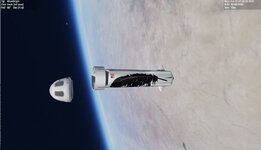
This is what I have so far. to launch focus on the newsheppard and use CTRL + to apply thrust. then switch to the launchtable and press J and she goes up.

Ideally if the new sheppard thrust is applied she is detached and the animation of the launch pad needs to be applied

Key for the NS J release the capsule, g gear, 1 speed brake and 0 fins

The NS is based off the Falcon 9 1st stage. So there is still things to fix/remove.

I am sure there are things to adjust,.....

We need a tile for the base,.... but not sure on how to do it.

Just saying @Donamy and others did the meshes,....

I basically converted to dll from sc3,.....

The capsule is still sc3. no changes yet
 

Attachments

  • BOLAND1.jpg
    BOLAND1.jpg
    28.2 KB · Views: 1
  • BOLAUNCH1.jpg
    BOLAUNCH1.jpg
    45.4 KB · Views: 1
  • BOTEST1.1.zip
    BOTEST1.1.zip
    9.8 MB · Views: 8
Just did a quick test before work. The scenario loads fine in basic orbiter, but crashes when using the D3D9 client of Orbiter 2016. Log file attached. I'll play around with it more when I get home.
 

Attachments

Just did a quick test before work. The scenario loads fine in basic orbiter, but crashes when using the D3D9 client of Orbiter 2016. Log file attached. I'll play around with it more when I get home.
Thanks. In d3d9 you need to make sure the cfg for sc3/4 are in the modules/ server folder.
Orbiter2016\Modules\Server\Config\spacecraft
 
Ok, will check that out this evening.

Some quick thoughts:
  1. Models are amazing!
  2. I wonder if it's possible to add some kind of retro thrust to the booster when the capsule separates. The capsule separates 10 or so seconds after MECO on an actual flight. When I press "J" the capsule does separate from the booster, but it just kind of slides off the top and starts a tumble. I'm thinking if there was a pulse or small burn to push the capsule away from the booster a little when pressing J, it might behave a little better. Thoughts?
  3. I can stop the capsule tumble with "Kill Rot" when inside the capsule. Would it be possible to separate booster/capsule when in the capsule view? I'm thinking this way, I can switch to capsule view, press "kill rot" and then J to separate the capsule from the booster, and prevent the capsule from tumbling.
  4. I stayed with the capsule view on my quick test flight. I didn't see any parachutes - tried J, but nothing happened there. Not sure if they're implemented yet, but figured I'd mention it.
 
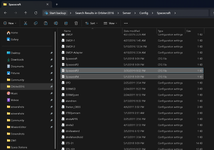
Thanks. In d3d9 you need to make sure the cfg for sc3/4 are in the modules/ server folder.
Orbiter2016\Modules\Server\Config\spacecraft
1752756375562.png1752756400954.png

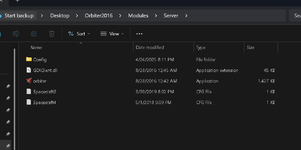
Spacecraft 3 and 4 are in the server/config/spacecraft folder already. I copied them to the server folder (second picture), but the scenario still crashes in D3D9.
 
Back
Top