New Release OGLAClient 100608 (Second Tuesday edition)

Ok, do you have 197.13 drivers per chance? (Start->Run->type dxdiag->enter->Display tab)
Not a clue and no idea how to check.

One of the Nvidia driver versions was buggy, resulting in broken OpenGL apps.
Try reinstalling newer, and if fails, older drivers.
I'll have to wait for my parents to get home before majorly messing with my computer, but will do.
 
Not a clue and no idea how to check.

The post above showed you how to at least check which version you're running.

Go to start menu.
Choose "run" option and in the box which opens type in "dxdiag" (without the " marks).
Hit enter or press OK
DXdiag should open up.
Choose the tab along the top which says "Display".
Driver version should be listed there.
 
The post above showed you how to at least check which version you're running.

Go to start menu.
Choose "run" option and in the box which opens type in "dxdiag" (without the " marks).
Hit enter or press OK
DXdiag should open up.
Choose the tab along the top which says "Display".
Driver version should be listed there.
Actually to get the official NVIDIA driver version, you have go into the NVIDIA Control Panel and the from the Help menu select System information.

I had to downgrade to version 196.21 for OGLA to work.
 
Actually to get the official NVIDIA driver version, you have go into the NVIDIA Control Panel and the from the Help menu select System information.

I had to downgrade to version 196.21 for OGLA to work.
It won't let me in the control panel. Somthin's messed up. I guess i'll just update my graphics card later.
 
Last edited:
Well, just download the 196.21 drivers from the NVIDIA download page and install them. Should fix any corrupted drivers.

I'm not sure downgrading is necessarily the answer, the newest version is 197.45, which I'm currently using, and OGLA support is reported accurately.

Also, yes, you're quite right and I totally forgot about the Nvidia panel. To get there, right-click the desktop and choose Nvidia Control Panel from the menu, then choose the "System Information" down at bottom left. Then we should be able to find out what you're actually running before we start talking about replacing drivers blind.
 
monologue on drivers:

I've found that the ATI Legacy drivers have been progressively been getting worse and worse, and the latest one causes my graphics to hang (yes, JUST the graphics, sound still works). I've had to downgrade the drivers to get anything to work. unfortunately, this means that OGLA is incompatable with my 6~ year old card.

now, back on topic:

I've used OGLA on another computer and found it wonderful, keep up the good work artlav!

oh, and not to be picky or anything, but you got the 6 and the 8 swapped round in the last update post.
 
Last edited:
Ok, weird glitch. The standard OGLA demonstration scenario works fine, but when I tried the Atlantis sunrise launch scenario, I don't know how to describe it. Unless I'm zoomed out and looking at Earth as a whole, it lags up and creates this strange spikey pattern. I'm not sure if I can get a screenshot.
 
oh, and not to be picky or anything, but you got the 6 and the 8 swapped round in the last update post.
Oops.

Ok, weird glitch. The standard OGLA demonstration scenario works fine, but when I tried the Atlantis sunrise launch scenario, I don't know how to describe it. Unless I'm zoomed out and looking at Earth as a whole, it lags up and creates this strange spikey pattern. I'm not sure if I can get a screenshot.
Ctrl+V should take a screenshot in OGLA.
What graphic options do you have enabled?
Disabling which of them solves the issue?
Does the mess match up with anything in the common problems section of the manual?
 
Of course, now that I go to take a screenshot, it works. It's almost like the computer is making fun of me.
 
DaveS;177184Link to download page for the 196.21 drivers: [URL said:
http://www.nvidia.co.uk/object/win7_winvista_32bit_196.21_whql_uk.html[/URL]
Thanks OGLA works smoothly now.
 
Attempted the weird machine scenario with default graphics settings in the bis edition, and the problem persists.

OGLA.log reports:
Code:
09/06/2010-1:49:07 AM:[INIT      ]:OGLA v100608 (GLGR)
09/06/2010-1:49:27 AM:[INIT      ]:GPU supports OpenGL 1.2
09/06/2010-1:49:27 AM:[INIT      ]:GPU supports OpenGL 1.4
09/06/2010-1:49:27 AM:[INIT      ]:GPU supports OpenGL 2.0
09/06/2010-1:49:27 AM:[INIT      ]:glgruva=1, usevbo=1, vboav=1, glgr_stensh_aupd=0, gvsync=0, gl_comp_sup=1, gl_shm4=0
09/06/2010-1:49:28 AM:[OGLADBG   ]:OGLA 100608 Debug.
Vessel program 0:
No errors.
No errors.
No errors.
Vessel program 1:
No errors.
No errors.
No errors.
Vessel program 2:
No errors.
No errors.
No errors.
Vessel program 3:
No errors.
No errors.
No errors.
Vessel program 4:
No errors.
No errors.
No errors.
Planet program 0:
No errors.
No errors.
No errors.
Planet program 1:
No errors.
No errors.
No errors.
Planet program 2:
No errors.
No errors.
No errors.
Planet program 3:
No errors.
No errors.
No errors.
Planet program 4:
No errors.
No errors.
No errors.
Planet program 5:
No errors.
No errors.
No errors.
Planet program 6:
No errors.
No errors.
No errors.
Planet program 7:
No errors.
No errors.
No errors.
Planet program 8:
No errors.
No errors.
No errors.
Planet program 9:
No errors.
No errors.
No errors.
Haze program 0:
No errors.
No errors.
No errors.
Ring program:
No errors.
No errors.
Fragment shader uses varying gl_Color but vertex shader does not write to it.
Haze program 0:
No errors.
No errors.
No errors.
Ring program:
No errors.
No errors.
Fragment shader uses varying gl_Color but vertex shader does not write to it.
09/06/2010-1:49:35 AM:[PLNTR     ]:Loading Textures/Saturn_ring.tex OK
09/06/2010-1:49:35 AM:[PLNTR     ]:Loading Textures/Uranus_ring.tex OK
09/06/2010-1:49:36 AM:[PLNT      ]:Loading Textures/Earth.tex OK
09/06/2010-1:49:36 AM:[PLNT      ]:Loading Textures/Earth_cloud.tex OK
09/06/2010-1:49:37 AM:[PLNT      ]:Loading Textures/Earth_lmask.tex OK
09/06/2010-1:49:37 AM:[PLNT      ]:Loading Textures/Moon.tex OK
09/06/2010-1:51:32 AM:[INIT      ]:OGLA v100608 (GLGR)

Also, I noticed earlier you said I had a Radeon card. It's not; it's an Intel Series 4 Express chipset family.

EDIT: Okay, I was mistaken. Vessels no longer appear totally black in all circumstances. They are lit up when illuminated by the Sun. Unfortunately, lighting is now ambient, IE the vessel becomes lit from all sides. Shading does not happen.
 
Last edited:
This version helps. However I noticed several issues in the artifact scn. I diddnt see it at first then after time accelerating the view went weird with the cloud layer rendering all over the place and earth just blue. It was a weird experience.

ATI issue rearing its head again perhaps?
 
Also, I noticed earlier you said I had a Radeon card. It's not; it's an Intel Series 4 Express chipset family.
That's important, suggesting an entirely different line of investigation - Intel chips have their quirks.

Then, what about multilight?
If you shine DG's landing light (ON if gears out) on otherwise-dark ISS would it be lit?
Please try both at night side and day side.
Ambient you described also reminds me of earthlight feature - is this on/off?

However I noticed several issues in the artifact scn. I diddnt see it at first then after time accelerating the view went weird with the cloud layer rendering all over the place and earth just blue. It was a weird experience.

ATI issue rearing its head again perhaps?
Maybe, maybe not. I can't tell without a screenshot.
Is it dependent on any graphic settings?
 
I've noticed a few issues myself. THough for some reason I can't get a screen shot of whats happening. Causes my OLGA Orbiter to that instant

How ever thats not my main issues.

One I figured out the 93 second issue I was having. Though still it crashes at random. I'm pretty sure it has to do with my ATI card more than anything.

However I noticed something that really worries me and that is what it does to my CPU.

I've noticed that when I start it up it runs my cares at almost(if not fully) uses both my cores. And if it crashes it my cores continue to use all recources.

I'm using a AMD Core 2 duo 3.21 The only way to slow the cores use to is to restart my PC.
 
However I noticed something that really worries me and that is what it does to my CPU.
If i understood you correctly, you seem to experience this problem:
http://www.orbiter-forum.com/project.php?issueid=391

The solution is to terminate the stray process from task manager or set shutdown options as described there.

Then, what about the OGLA crashes - any consistent location/features relationship?
 
Dragonfly scenarios always cause a crash at loading. Selecting ShuttlePB cause a crash too, but after a few seconds, so i can see vessel is displayed, and displayed correctly.
Also, ShutttleA cockpit looks horrible (texture problems and so on).
 
Dragonfly scenarios always cause a crash at loading.
Dragonfly uses OpenGL to display it's horizon ball, which short-circuits with OGLA.
Here is a fix, the horizon ball disabled:
http://orbides.1gb.ru/orbf/dragonfly_ogla.zip

Selecting ShuttlePB cause a crash too, but after a few seconds, so i can see vessel is displayed, and displayed correctly.
Also, ShutttleA cockpit looks horrible (texture problems and so on).
Можно увидеть ogla.log от первого и скриншот второго?
 
Можно увидеть ogla.log от первого и скриншот второго?

Насчет кокпита Шаттла А - наверное это, все-таки, тени так легли, из-за чего он кажется еще примитивнее, чем был.
ShuttlePB чуть позже сделаю, сейчас словил вылет на вроде как пропатченой версии XR2.
ogla.log набит сообщениями вида
Code:
09.06.2010-18:45:52:[OGLCTEX   ]:Error: Error in txget
При этом посттоянно вылезал рандомный глюк с приборными панелями - они выглядели как черные прямоугольники, поверх которых нарисованы МФД и кнопки. При многократном переключении между панелями (главная/низ/оверхед) глюк пропадал, но кончилось это дело вылетом.

Еще накопал в ogla.log:
Code:
09.06.2010-18:35:13:[getheihmap]:Notice: File "heightmaps\Earth-lv12-870-188-21-15.hei" not found or not loadable.
09.06.2010-18:35:13:[getheihmap]:Notice: File "heightmaps\earth-lv13-429-340-9-8.hei" not found or not loadable.
09.06.2010-18:35:13:[getcmap   ]:Notice: File "textures\Earth-lv13-483-104-11-9.bmp" not found or not loadable.
09.06.2010-18:35:13:[getcmap   ]:Notice: File "textures\earth-lv8-119-94-3-3.bmp" not found or not loadable.
С инсталляцией орбитера у меня все в порядке...

UPD:
Глюк с ShuttlePB под Second Tuesday edition не воспроизводится.
 
Last edited:
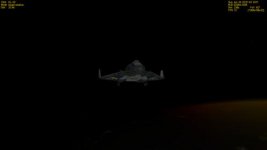
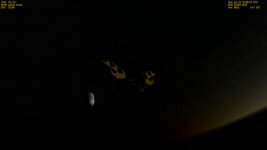
When Earthlight is on, vessels glow ambiently in daylight, and are pitch black at night. When it is off, all objects that you didn't texture (IE default Orbiter objects and the parts of the deltaglider without flames) are pitch-black no matter what.

First attachment is with Earthlight on, second is with it off.
 

Attachments

  • screenshot-100609_02-07-26-657.jpg
    screenshot-100609_02-07-26-657.jpg
    3.4 KB · Views: 68
  • screenshot-100609_13-35-55-086.jpg
    screenshot-100609_13-35-55-086.jpg
    3.4 KB · Views: 63
Back
Top