There are also good cross platform game engines, which implement similar features as Orbiters graphics functions supply (in terms of user interfaces).
Maybe jarmonik means it will save trouble in porting existing MFD plugins, because in windows you already have a working GDI engine.
About the menu issue:
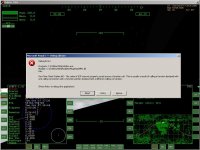
I was thinking into finding the function address in the Orbiter executable somehow, and then use that address as a hard-coded function pointer in the add-on. AFAIK windows doesn't use position independent code, so I think the address must always be the same, as long as you use the same version of the executable. If you don't use exactly the same version, this trick will most probably crash Orbiter. I think this can be avoided by checking the contents at that address first.
While my trick is a lot more dirty than yours, and probably more difficult too, it will create a more consistent user interface. Now I only need to find a good debugger that will tell me which instructions are touched and which are not. And it would be helpful if Martin gave me the exact function prototype of the function that triggers the menu.
Maybe the dialog option is a better way...
-----Posted Added-----
I have some progress on the menus!!!
It seems there are three functions that trigger the menu:
0x00431050
3 32-bit arguments
Select any celestial body
used by REF button in Align, Map, Orbit and Transfer MFD
0x00431190
4 32-bit arguments
Select a vessel or celestial body around a reference body
used by TGT button in Align, Orbit, Sync and Transfer MFD
0x4994d0
6 32-bit arguments
Select spaceports on, or vessels or moons around reference body
Select docking ports on vessels
Used by TGT button in Docking and Map MFD
This is easier than I thought! It really helps that Orbiter.exe isn't encrypted like those copy protection systems, but it would have been better if it had debugging info
 . Now I can set breakpoints to peek some typical argument values and guess their meaning. I already know one of them is the menu title, and I guess one of them is a function pointer.
I'm amazed by the things you can find out by reading an exe file:
- the source code was located in C:\conspiracy\take_over_the_world\orbiter\source
- each built in MFD has its own source file
- all object files are linked in alphabetical order
- You can edit the loading screen, as it's just a resource bitmap, but you're not allowed to, according to the built-in license information
I wonder what dr. Schweiger thinks when he reads this :lol: