Sorry, you lost me there... :lol:
You can run Orbiter Galaxy in OpenGL or in DirectX9, you can set that in the config. D3D9 isn't supposed to crash orbiter, and it's about the first time I heard that it did.
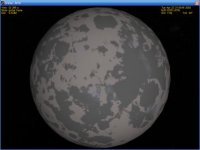
Orbiter Galaxy is run in whatever engine you specify in the config, so if your config is set to direct3d, that's where it runs. If that produces no black textures, but when running in OpenGL it does, then that means that the cause for the black texture bug is a context conflict between the two openGL threads running (Galaxy Map and texture generator). Nothing surprising there, the ultimate question, though, would be: why only on some planets? if there's a context war going on, ALL of the freaking planets should be black! Artlav, is it possible that some GPU's can handle some planets, but not others, and throw them back selectivly at the CPU?
Anyways, I won't go too much into wrapping my head around troubleshooting at the moment, I'm still deciding on wheather or not to continue. If I continue, these issues will be a primary concern and I'll take them on there.
The only thing I would really like to see currently is your config. If it's set to direct3d, I'm a little smarter, if it's set to openGL, I have no Idea what's going on...
Edit: never mind, I just noted that the latest version doesn't support engine selection anymore. I can vaguely remember it being too much trouble for its worth. So yes, if you have 6.1 installed (which you should), it runs in DirectX9. So that covers that...
I also made some tests on my own (looks like I'm getting drawn in all by myself again... arrrrgh!), and am dead certain that some textures are still procesed on the CPU... So the black texture bug could at least in some cases have been due to context problems. If I'm lucky, all of them.
Columbia42, would you mind posting a screenshot of a rocky, terrestrial or martian planet? I need to verify something...