Orbiter or user mesh display problem?

Black dog

New member
Joined
Jun 12, 2008
Messages
45
Reaction score
0
Points
0
I originally posted this under "Addon support and bugs" but I think maybe that was the wrong category forum :sorry:, and have had no replies

Help needed please...

I am having a problem with a mesh I am creating in Anim8or, adjusting in Meshwizard and viewing in Orbiter.
So far I have the ship body as one group, and an exhaust nozzle as another group. I would like to keep them as separate groups, and want to mirror the nozzle to create a multiple nozzle group.
The problem is, that I can position the nozzle so it looks in the right place in Anim8or, and I can position the nozzle so that it looks in the right place in Meshwizard, but in Orbiter it appears under the ground or some other weird place. The body of the ship is in the right place in Orbiter.
I've tried creating the nozzle in Anim8or in the same project as the body, I've tried making it separately from the body and pasting it into the mesh file as a separate group, and variations on the theme.
Am I missing something simple here?:blink:
Thanks in advance to anybody who replies.

I have now tried using GMAX, Wings3D and Zmodeler and found the same end result:censored:, if I model 2 simple shapes & line them up one behind the other, in Orbiter they are spaced well apart along the Y axis and somewhat off-line from one another on the X axis.

Is there anybody out there who knows whether I'm going wrong or if it is a software or hardware thing?

Again,

Thanks in advance to anybody who replies.:cheers:
 
are you definitaley sure that the alignement is correct in Meshwizard? I had similiar problems, and it was majorly due to the fact that 3ds2msh does very strange things to some meshes. So I suspect the trouble happened during conversion, but then it would be visible if you load the .msh file into Meshwizard (in one of the 3 views anyways).
 
Hi jedidia

Yeah, it's very weird, because I check all 3 views in Meshwizard and it looks OK. n0mad23 replied to my original post today, and suggested I try the "centre on ground" option in Anim8or, so I'm going to give that a try and if it doesn't work, then post some pictures. I'll post them here too, or if it works, I'll post here to let you know (and anybody else that might need to know in future).

Thanks very much for taking the time to reply,:cheers: and I like your signature, especially under the circumstances. :)
 
shows up correctly in Meshwizard but not in Orbiter... Hell, I sure wonder what could cause such a phenomenon! :blink:
 
After reading this exchange, I'm even more sure it's an "origin" problem. But for sure, a photo would help.

In your original post (sorry I didn't respond sooner, but I've been nomadic and limited to internet access), it was this that gave me the clue:
The problem is, that I can position the nozzle so it looks in the right place in Anim8or, and I can position the nozzle so that it looks in the right place in Meshwizard, but in Orbiter it appears under the ground or some other weird place. The body of the ship is in the right place in Orbiter.
 
Try creating the sepperate groups in Anim8or and export as 3ds file.
Convert 3ds to Orbiter mesh and edit seperate group orientations in Mesh wizard.
Final step, copy paste groups into singe mesh and edit final mesh in Mesh Wizard.
That should get you where you need to go.
It will also allow you to save the sepperate groups for use in other projects.
 
Hi gentlemen

Thanks for the suggestions and the help!:speakcool:

I haven't had a chance to try n0mad's suggestion yet. I will try both n0mad's and tgep's suggestions tonight after I get home from work and get my kids off to bed (I live in Western Australia GMT +8.00hrs) and post the results. If I don't have success I will also post screenshots etc.

As a quick bit of further info, if I change the mesh file and list the nozzle first and the body second in the mesh file, then the nozzle appears above the ground and the body is under.

I will definitely post pics if I still have a problem, from Anim8or, Meshwizard (love your work ar81) and Orbiter. I am only creating a dummy mesh at present out of a wedge shape and a bell shape as a tester, so please don't think this is my idea for an addon. ;)

Thanks so much to you all for your help.:cheers: I really want to move on from just doing deltaglider repaints. I will post again to this thread as soon as possible after I try out the suggestions this evening. To n0mad, I will post here and let the other thread go now that I know you found this one.

Thanks again to everybody.
 
It's always exciting seeing someone else get the developer bug. I can't wait to see if you get this problem worked out.

Meanwhile, back to my own texturing project challenges.
 
Hi everyone

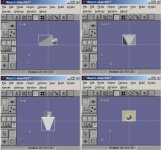
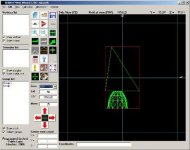
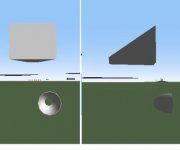
Tried to get it right, didn't work. keep getting logged off before finishing my posts. 2.09am local time & I have to be up @6am. Thanks very much 2 you both for your suggestions. More please anybody? 3 little pics & logfile attached.
 

Attachments

  • testlog.txt
    testlog.txt
    2.4 KB · Views: 7
  • An8.JPG
    An8.JPG
    25.8 KB · Views: 25
  • MWiz.JPG
    MWiz.JPG
    23.7 KB · Views: 22
  • Orb.JPG
    Orb.JPG
    8.4 KB · Views: 21
Just quickly, more info - when I was actually trying to put a ship together, I used a separate group for each of six nozzles (the idea being to then merge groups), and about 2 would be in the right place. if I tried to remove or move the other nozzles to fix it, the good ones would move and then maybe 1 or 2 of the others I had tried to fix would be in the right places...
 
Well that's weird. Mesh Wizard is not too flexible when it is about typos in a mesh, so I would discard a typo that would cause a CTD. If you ran Mesh Wizard, I can tell that you have US regional settings.
Lighting of the mesh seems fine so problems with normals are discarded.
The bounding box shows me that it is not a problem of misplaced vertices somewhere.

Mesh Wizard sees the mesh just like Orbiter sees upon load, and even Orbiter accepts typos that are unacceptable by Mesh Wizard. So I would discard problems with your .msh file.

If you used a DLL or INI file I can think of an "animation" problem. What I mean is that a group could have been translated by accident if you added some code that you should not add to the .cpp or ini file.
 
Blackdog,

This is weird. Please post your .cfg and .ini file(s) and let's have a look at these as well. I'm tempted to shoot you my email address and have you send me the Anim8or file as I go crazy behind such mysteries.
 
AN8 files use quaternions that are 4D vectors to represent translation and rotation of groups. Orbiter .msh format does not have that. It uses absolute values, so I would discard .msh file as the source of the problem. This is why I suspect an animation problem.
 
Greetings!
I got home and modified the "borrowed" INI file that I have been messing with and removed the animation entries, and of course, the problem is solved.:woohoo:
Frankly, I feel a somewhat foolish having made demands on everybody's time over something that should have been obvious. :sorry: Please make allowances for the fact that I am a newbie. I completely forgot about the connection between the INI file animation entries and the mesh groups because I was all wrapped up in playing with mesh programs.
I have learnt some valuable lessons from this, and I hope to use the old grey matter a bit more effectively in future.
Anyhow, apart from the embarrassment :blush:, I am very grateful indeed to everybody, and impressed with your willingness to give the benefit of your knowledge and experience to help a stranger out.
n0mad23, thank you in particular for your comment "It's always exciting seeing someone else get the developer bug. I can't wait to see if you get this problem worked out."
What great words of encouragement! Hopefully, before too long I'll be posting my first addon.
jedidia, tgep, ar81 & n0mad23, thank you all and I wish you all every success in whatever you set out to achieve.:cheers::speakcool::thankyou:
 
I do not see it as a foolish issue.

In all the threads asking for help, this is the first time I came up with such an issue.
You triggered Murphy's law. When something is designed to fail, it will fail sooner or later. It had to happen some day.

If I did not know how rigid Mesh Wizard is, I would have been worried.
Thanks to that I can say that Mesh Wizard sees meshes as Orbiter sees them.
Some typos are ignored by Orbiter, while they crash MW.
MW does not like manually edited meshes with typos...

Some time ago n0mad23 brought me an interesting issue that forced me to create a special beta that forced me to rework many pieces of MW code. MW was made as practice while I was still too much of a newbie programmer. It is not that I am an expert now, but I am a bit less newbie.
 
Ar81 called it! Hurrah for getting the problem resolved Blackdog. Hopefully you're feeling more satisfaction than embarrassment, as these things happen. You wouldn't believe how many times I've cringed when I've finally figured out (or had some helpful advice that led me the right direction) some of the mistakes I've made in modeling.

And like Ar81, I'm still learning! But that's half the fun. Thankfully there are lots of helpful people frequenting this forum, and a lot of them really know their stuff.

I've got the addon bug, and I encourage you to entertain the impulse should this bug have already bitten you. The sense of satisfaction you get when you see your work in simulated orbit is fantastic. It's equally so when you realize there are others out there who appreciate the effort you've put into your creation.

And those of us who've built something(s) usually even have more appreciation for the projects others undertake.
 
And if you can play well with others, collaboration can be incredibly rewarding as well!

I'm having a total blast working with Tblaxland on the ZTC-Ltd. tether-sling project. I'd recommend this approach to others contemplating "epic" projects as well.
 
Back
Top