RCS and DAP development

ITEM 14 should be set to 5 for the P and Y values to be used.

Yes, and to five for the RPM, I just went through the RNDZ checklist to know the settings at RPM. (Config for RBAR (20B))

Still, the checklist says ITEM 15 +145.0 EXEC twice.
 
The DPS Dictionary states that the P and Y values can only be changed when ITEM 14 is set to 5. Also, the STS-126 RNDZ checkllist does not seem to mention setting UNIV PTG ITEM 14 anywhere.
 
The DPS Dictionary states that the P and Y values can only be changed when ITEM 14 is set to 5. Also, the STS-126 RNDZ checkllist does not seem to mention setting UNIV PTG ITEM 14 anywhere.

Page 4-20. At least on STS-120, the one where I have printed flight data files.
 
Missed that section. I was looking at the checklists, and not the rendezvous timeline.:blush:
 
Still trying to master RPM.

Anyone know what " -Z ADI PITCH > 100 " means ?
 
Still trying to do the RPM on AUTO. I fly the shuttle through 3/4 of the manuever to
> 10 deg -Z ADI. ITEM 15 + 270 EXEC , ITEM 19 EXEC, but when I press AUTO the rotation changes direction and starts pitching down, instead of continuing on to finish the manuever. Does anyone else get this problem ?
 
Sounds like you're setting the DAP to AUTO too early. The autopilot tries to minimize the angle through which the shuttle rotates to reach the target attitude.


-----Post Added-----


Try entering ITEM 21 before the second ITEM 19. SSU seems to behave oddly if ITEM 19 is entered while a maneuver is in progress. I'm taking a look at this bug.
 
Have a DAP and MM201 question here: How do I make MM201 target a specific LVLH attitude for the DAP to maintain in AUTO mode? By standard it seems to have an inertial frame of reference instead of LVLH frame of reference.
 
ITEM 18 will target an inertial attitude (using the P, Y, R entries). ITEM 19 will target a LVLH attitude (using the P, Y, OM) entries.
 
Flew a beautiful TORVA and docking, right on the numbers, with the DAP flying the pitch rate. Although, using ITEM 19 + 179 EXEC, doesn't stop the rotation. I had to press LVLH on the DAP to stop at the correct vector. Otherwise it was a blast. :P
 

Attachments

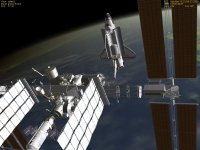
  • birdseye.jpg
    birdseye.jpg
    128 KB · Views: 674
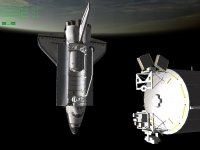
  • 60ft.jpg
    60ft.jpg
    82.8 KB · Views: 634
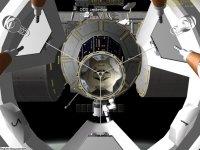
  • docking.jpg
    docking.jpg
    126.9 KB · Views: 582
ITEM 19+179 EXEC isn't supposed to stop the rotation. You need to enter ITEM 15+179 EXEC to change the target attitude, then ITEM 19 EXEC.
 
I'm sorry, that was a typo. I did enter ITEM 15 + 179 EXEC, then ITEM 19 EXEC. Same result.
 
I'm sorry, that was a typo. I did enter ITEM 15 + 179 EXEC, then ITEM 19 EXEC. Same result.

In the real-big-thing, you switch the DAP to VERN to continue the rotation after initiating it. After about 280° rotation, you switch it to A/AUTO again, so it stops the rotation at the final attitude.
 
It doesn't stop when I press AUTO, so I press LVLH and that stopped it.

I will try it again.


-----Post Added-----


Wait a sec, I think you are confusing the TORVA to RPM. The ITEM 15 + 179 EXEC, is supposed to stop the TORVA fter a 90 deg rotation.


-----Post Added-----


After further review, maybe ITEM 19 EXEC only starts the manuever. Is it you have to terminate the manuever manually ?
 
Just to check the obvious; you do have item 14 ("Body Vect") set for "5" right?


-----Post Added-----


Just to amplify a little; STS-126 RNDZ FDF, page 4-20, block 20B: "Config for RBAR", BODY VECT +5...
 
Yes, body vector 5
 
Donamy: I think your problems were due to the bug I posted about on Sunday (ITEM 19 only worked after ITEM 21 was entered). It should be fixed now.
 
Thanks SC, I'll try it as soon as I can get the .dll from DaveS.


-----Post Added-----


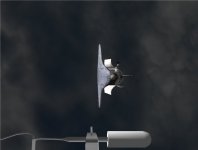
RPM worked like a charm !!!
 
Here's a screen shot.
 

Attachments

  • RPM.jpg
    RPM.jpg
    23.5 KB · Views: 665
Some 10 years later..... :uhh:

So I'm doing some "background work" for the RCS (which will likely extend to the OMS as they are somewhat connected), and eventually it will lead to changes, and new stuff, in the DAPs, so it seems appropriate to dig this thread up.
So my plan for this is to reuse some code from Urwumpe's unfinished RealRCS©, but in a much simpler way: the Atlantis class just creates the thrusters (anonymously) and prop resources, and that's it. All the plumbing is done in a RCS subsystem class, and the "logical groups" somewhere in the GPC. No point in having logic to create and destroy thrusters at this or that point of the flight, as they are (possibly) needed for 99% of the flight.
One thing I noticed is that we'll need to be smart about thruster force and/or levels: due to the nozzle shape they don't all have the same resulting force, but they all use the same prop per firing.

Also, to avoid future problems with prop resources, they will be rearranged according to the list defined sometime ago, thus also putting that one to bed.

 
Back
Top