SSU Development Thread (3.0 to 4.0)

I would direct this question to the players who NEED the manual. :)

Yes, but the rest of the team could/should also contribute.... please don't put me in charge of the manual, as I can't write enough to fill it up. :uhh:
Anyway, for users who don't have SVN here's the latest version of the manual SSU Manual
 
Yes, but the rest of the team could/should also contribute.... please don't put me in charge of the manual, as I can't write enough to fill it up. :uhh:
Anyway, for users who don't have SVN here's the latest version of the manual SSU Manual

Didn't we have a volunteer to maintain the manual....? :huh:
 
I did the first several versions, but kind of dropped out of the scene for a while. Partly because I didn't have a computer that could run SSU at more than 3 FPS and partly because I got a new job flying airplanes for 40+ hours a week. I would re-volunteer but I'm pretty behind the ball as far as the recent development is concerned... :uhh: (been checking in every once and a while though)

Good news is I got a new computer. I looked into getting Orbiter working again but was confused by this weird 2010 version..... ;)
 
Last edited:
I did the first several versions, but kind of dropped out of the scene for a while. Partly because I didn't have a computer that could run SSU at more than 3 FPS and partly because I got a new job flying airplanes for 40+ hours a week. I would re-volunteer but I'm pretty behind the ball as far as the recent development is concerned... :uhh: (been checking in every once and a while though)

Good news is I got a new computer. I looked into getting Orbiter working again but was confused by this weird 2010 version..... ;)

Feel free to move back into your old office. :cheers:
 
Only if it comes with a parking space and a government expense account! :cheers:

Let me get the latest version of SSU and orbiter up and running on the new box (maybe even get SVN functional) And I'll take a look at what we have going on.
 
Only if it comes with a parking space and a government expense account!

I can't even get that for me. :lol:

---------- Post added 05-05-16 at 03:19 AM ---------- Previous post was 05-04-16 at 08:12 PM ----------

I just removed a lot of old crap, so if something doesn't work, please complain.

---------- Post added at 09:25 PM ---------- Previous post was at 03:19 AM ----------

Here's a tough cookie to crack. I was tracking the source of the wrong mass being displayed in the MNVR displays, and noticed that:
a) the mass value (WT in the OMSBurnSoftware block) read from the scenario file seems to never be used, as it is overwritten in OnMajorModeChange() when it is called at the beginning of the simulation;
b) the value used is always the result of GetMass();
c) GetMass() returns the now famous low value, which I noticed was 1000Kg above the current prop mass;
d) check what GetEmptyMass() returns and surprise surprise.... 1000Kg;
e) check how/where/why are we setting 1000Kg as empty mass, and find that we are not setting any empty mass before that OnMajorModeChange() call, so Orbiter probably defaults to 1000Kg;
f) empty mass is only set in the first clbkPostStep();

There was a loophole in the mass/c.g. logic on the first time step for the OV-alone configuration. The current logic is limited by Orbiter not providing correct values for the c.g. of payloads in the first time step... I don't know if this is fixed (or fixable) in the 2016 version. And because of this, the payload mass isn't used, and this seems to have introduced the loophole where we all fell.
For now I made a small change so the payload mass is always used, still leaving the faulty c.g. out for the first time step. I'm pretty sure this generates a (small) c.g. error in the first time step.... what it does I'm not sure.
This still leaves the redundant WT scenario file parameter....

 
I don't mean to slow down work in the Centaur bellows, but I need 3 talkback groups added to Panel A1U so I can finish the radar stuff and move to Orbiter 2016. Yes, I could do the talkback the old way (paint the texture), there's little point in that as the new way is faster and saves work for the VC update.
 
I don't mean to slow down work in the Centaur bellows, but I need 3 talkback groups added to Panel A1U so I can finish the radar stuff and move to Orbiter 2016. Yes, I could do the talkback the old way (paint the texture), there's little point in that as the new way is faster and saves work for the VC update.
I checked in an update to the VC that has the three Ku band TBs added.
 
I checked in an update to the VC that has the three Ku band TBs added.

You forgot to increment the group count... fix on the way.

---------- Post added at 02:02 AM ---------- Previous post was at 12:49 AM ----------

Don't know what is going on, but I can't get the groups to show anything. I corrected the normals (I think), changed the texture to use the correct talkback.dds, and matched the material with the other talkback groups that work (panel R13L). Even disabled the A1 shadow group. Both in MOGE and D3D9, nothing shows in there... but if I open the mesh in blender, the correct textures show there (default should be barberpole like the MMU TBs in R13L) Any tricks I should know?
Anyway, I updated the mesh with the current state of things.
 
You forgot to increment the group count... fix on the way.

---------- Post added at 02:02 AM ---------- Previous post was at 12:49 AM ----------

Don't know what is going on, but I can't get the groups to show anything. I corrected the normals (I think), changed the texture to use the correct talkback.dds, and matched the material with the other talkback groups that work (panel R13L). Even disabled the A1 shadow group. Both in MOGE and D3D9, nothing shows in there... but if I open the mesh in blender, the correct textures show there (default should be barberpole like the MMU TBs in R13L) Any tricks I should know?
Anyway, I updated the mesh with the current state of things.
This should now be fixed. They show up fine here at least.
 
This should now be fixed. They show up fine here at least.

Problem fixed! Not only do they show up now, but my "internal tests" show them working as expected.
Thanks!

---------- Post added at 02:29 AM ---------- Previous post was at 02:27 AM ----------

What about the A1 shadow, should it remain hidden, be removed or re-enabled?
 
Problem fixed! Not only do they show up now, but my "internal tests" show them working as expected.
Thanks!

---------- Post added at 02:29 AM ---------- Previous post was at 02:27 AM ----------

What about the A1 shadow, should it remain hidden, be removed or re-enabled?
Here it is enabled. I believe we've had this discussion before, with the decision to keep it.
 
Here it is enabled. I believe we've had this discussion before, with the decision to keep it.

Here still has the FLAG 2. Removed it and tested... and the talkback groups don't show (MOGE and D3D9). :facepalm:
Unless you have another trick up your sleeve, it looks like the shadow is out.
 
Here still has the FLAG 2. Removed it and tested... and the talkback groups don't show (MOGE and D3D9). :facepalm:
Unless you have another trick up your sleeve, it looks like the shadow is out.
You're correct on this. Then disabled by use of FLAG 2 it is.
 
The shadow has to be placed last in the mesh.
 
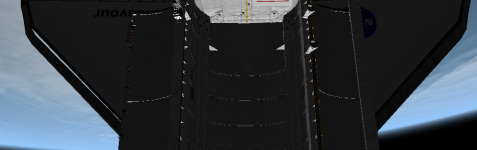
I was finishing the radar and noticed that I better get that working to get to the ISS, or else the crew dies because of the hole in the right wing.....
 

Attachments

  • ohboy.png
    ohboy.png
    273.9 KB · Views: 487
I was finishing the radar and noticed that I better get that working to get to the ISS, or else the crew dies because of the hole in the right wing.....
I thought I had fixed that. Obviously not. I'll take a look at it.

---------- Post added at 03:14 PM ---------- Previous post was at 03:09 PM ----------

I have checked in a hopeful fix for the starboard wing gap. Let me know if it doesn't.
 
The radar is up. To use it go to AUTO TRACK mode, manually slew the antenna +/- in the direction of the target, hit the search switch and watch the antenna do the spiral search. When a target is found, the track TB goes gray and the antenna should follow it. The whole process is simplified (both physics and software), otherwise with my love for EM waves and antennas this would only be finished next decade.
The rates needles are "jumpy"... it needs more data points to smooth the average rate calculation. It's not hard but I'm not in the mood for that now. :S
No check for the orbiter being in the line of sight is done yet, so the antenna will happily track something behind the orbiter.
 
The radar is up. To use it go to AUTO TRACK mode, manually slew the antenna +/- in the direction of the target, hit the search switch and watch the antenna do the spiral search. When a target is found, the track TB goes gray and the antenna should follow it. The whole process is simplified (both physics and software), otherwise with my love for EM waves and antennas this would only be finished next decade.
The rates needles are "jumpy"... it needs more data points to smooth the average rate calculation. It's not hard but I'm not in the mood for that now. :S
No check for the orbiter being in the line of sight is done yet, so the antenna will happily track something behind the orbiter.

I know that problem... somewhere I have a paper on the Shuttle Ku band radar PRF and its effect on the doppler-velocity/range-problem.
 
Back
Top