SSU Development thread (4.0 to 5.0) [DEVELOPMENT HALTED DUE TIME REQUIREMENTS!]

Status
Not open for further replies.
I just downloaded it again from sf "SSU_v4.2r2570.zip"

Same thing, whole A1u panel is greyed out / un avaliable with the testing scenario / rendezvous

Mike
It isn't grayed out, that's just a shading effect. There's no such thing as "grayed out" panels in the VC. The Ku band system switches do work.

---------- Post added at 08:21 PM ---------- Previous post was at 08:15 PM ----------

Here's a video I recorded showing the Ku band radar acquisition and some maneuvering using the A1 LEDs and Xpntr:

[ame="https://www.youtube.com/watch?v=CSLo-Ed5MBM"]Space Shuttle Ultra Ku band radar demonstration - YouTube[/ame]
 
My fault, it seems like the ISS Radar Test isn't included in the SSU V4.0 release package. Here it is. Just copy&paste it into NotePad and save it as ISS Radar Test.scn in the Space Shuttle Ultra\Testing scenarios\ subfolder.

Correction: my fault! I didn't add that one to the release file list... :facepalm: It's fixed now.
 
It isn't grayed out, that's just a shading effect. There's no such thing as "grayed out" panels in the VC. The Ku band system switches do work.

---------- Post added at 08:21 PM ---------- Previous post was at 08:15 PM ----------

Here's a video I recorded showing the Ku band radar acquisition and some maneuvering using the A1 LEDs and Xpntr:

Space Shuttle Ultra Ku band radar demonstration - YouTube

Ok, (mostly) my mistake.

I don't know if the Orbiter API / your mod would allow it, but it would be great if the cursor / switch could change color / be highlighted, when :
a) The mouse is in the "hot spot" and
b) The button / switch is actually functional.

I either wasn't zoomed in close enough / or didn't have the mouse on the "hot" spot.

And / OR ??? Do the panels / switches get activated / live from the "@xxxx" directives in the scenario file ?

Are those @xxx lines documented anywhere ? (Maybe in the source zip I downloaded ? (I haven't opened it yet).

Mike
 
And / OR ??? Do the panels / switches get activated / live from the "@xxxx" directives in the scenario file ?

Are those @xxx lines documented anywhere ? (Maybe in the source zip I downloaded ? (I haven't opened it yet).

Mike

Yes, these define the panel and subsystem parameters, including switch positions.

and no, they are rather poorly documented right now. I'll try to find a solution soon.
 
There is also a note in the latest rendezvous test scenario, to use the SPEC 34 TGT command.

Is that something separate from the KU band radar operations ?

I only found a small "blurb" about SPEC 34 in the Crew Ops Manual.
 
There is also a note in the latest rendezvous test scenario, to use the SPEC 34 TGT command.

Is that something separate from the KU band radar operations ?

I only found a small "blurb" about SPEC 34 in the Crew Ops Manual.

If it is about MEDS displays, you can always consult the DPS Dictionary for additional information.
 
Try the "AltGr + arrow" to lean from the current position. IMO that gives adequate reach to all the working panels.

What key(s) are you referring to with "AltGr"?

Do you mean the RIGHT Alt key + arrow, or the combination of Ctrl + Alt + arrow?

I'm not sure if I am using the correct key combination for the lean that you are referring to.

Thanks,
Ilmars
 
It isn't grayed out, that's just a shading effect. There's no such thing as "grayed out" panels in the VC. The Ku band system switches do work.

---------- Post added at 08:21 PM ---------- Previous post was at 08:15 PM ----------

Here's a video I recorded showing the Ku band radar acquisition and some maneuvering using the A1 LEDs and Xpntr:

Space Shuttle Ultra Ku band radar demonstration - YouTube

Thanks.

Btw, what software are you using to create videos from within Orbiter ?

Back on topic, well .. somewhat related :

1) Is the Undocking button supposed to be working ?

I've powered on the Docking system, clicked that "unprot" thing I mentioned earlier, "popped" the cover for the Undocking buttons, pressed it .. nada happens.

*** Would that functionality be affected by the fact I "artificially" docked the SST (using the custom mfd / scenario editor) ? I was going to test a "real" dock maneouver, followed by another attempt at undocking, but haven't done that yet.

2) Is the RMS "release" / ("ungrapple") working ?

Pressing the "start release" button, is not releasing the Leonardo from the test scenario.

Does the RMS need to be in a particular mode ("dial") for release?

I looked in the Crew Ops manual, nothing specific is there, is there a dedicated RMS manual

thx

Mike

---------- Post added at 11:09 AM ---------- Previous post was at 11:08 AM ----------

This one should be on the Russian half of the ODS panel.

Duh, I see it now.

I thought you were being sarcastic about "russian panel", till I read the docs, did some research :)
 
Btw, what software are you using to create videos from within Orbiter ?
Nothing but NVIDIA Shadowplay which is part of GeForce Experience which supports all of the modern NVIDIA GPUs. It allows both still and motion screencaptures of anything that is rendered by the GPU.

1) Is the Undocking button supposed to be working ?
No. As I wrote, the APDS is purely for show. You can extend/retract the APDS docking ring but it doesn't do anything useful.

2) Is the RMS "release" / ("ungrapple") working ?
Yes. Ctrl-Enter to initiate the grapple sequence and Ctrl-Backspace to ungrapple. The END EFFECTOR MODE switch on A8U must be in the AUTO position first.
 
No, he really means the "Alt Gr" key. It takes the place of the right Alt key in most keyboard layouts.

https://en.wikipedia.org/wiki/AltGr_key

Thanks for the info.

Interestingly, I've never encountered this key on any keyboard I have, though they are all over 5 years old, and North American. Maybe the newer ones have it.

In any event, do I get the same lean function with with Ctrl + Alt + arrow, if I do not have the AltGr key? The wiki seems to say that.

My keymap config shows "CockpitCamLeanLeft = LEFT CTRL ALT". I assume that is what is being referred to. SSU uses the same kemap.cfg file as the rest of Orbiter, and doesn't override the lean functionallity with another internal key mapping, right?
 
if I do not have the AltGr key
Actually, simply try the "Right Alt" if you have US international keyboard. Here, very few (international QWERTY) keyboard manufacturers print AltGr on that key, or at least those which layouts I choose (I choose a long backspace, a big enter, backslash/pipe next to shift under enter), yet when I read somewhere that I need to press AltGr, I simply press the right Alt, which doesn't have anything more printed on it, and it works as instructed.
 
Actually, simply try the "Right Alt" if you have US international keyboard. Here, very few (international QWERTY) keyboard manufacturers print AltGr on that key, or at least those which layouts I choose (I choose a long backspace, a big enter, backslash/pipe next to shift under enter), yet when I read somewhere that I need to press AltGr, I simply press the right Alt, which doesn't have anything more printed on it, and it works as instructed.

Thanks, I'll try that again as soon as I get a chance. I thought I tried it before and the Right Alt seemed to have the same effect as the Left Alt (moves the view around), but I will check again.

The Ctrl + Alt + arrow combination does seem to do a lean, but I was wondering if it was the same lean effect as what the other people are getting with AltGr. My guess is that it probably is.
 
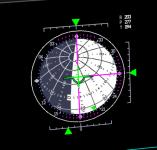
New (and +/- final) ADI ball for D3D9.
attachment.php

I had to make a Matlab script to calculate the points and do the UV mapping and write the mesh file (the normals were calculated in Shipedit). I had to add 3 extra "lines" of points to fix the mapping issues: one connecting the poles, so the ends of the texture matched well, and one around each pole, very close to them so the poles came out smooth. Only a few details are still missing in the texture.
Now we only need an IMU to drive it... :shifty:
 

Attachments

  • new_adi.PNG
    new_adi.PNG
    66.9 KB · Views: 589
Now we only need an IMU to drive it... :shifty:

I could get you an old one, but sadly I lack the necessary data for the later one....
 
... and for our next trick:
attachment.php


I also finished the D3D9 ADI texture, so the graphics side of that is done.
 

Attachments

  • blue.PNG
    blue.PNG
    248.6 KB · Views: 631
(continuation from here)
I've separated the EDO pallet mesh from the STS-107 payload mesh (separating groups is easy to do "by hand"), and did all the mission parameter stuff, and was thinking about how to add the mass of the EDO pallet.... why not do the PRSD system with all the tanks and options between 3, 4 or 5 tank sets? We'll need that eventually for the fuel cells and etc... :shrug:
The mass would be static throughout the mission, but that's not a step back from what we have now, which is nothing. :shifty:
 
(continuation from here)
I've separated the EDO pallet mesh from the STS-107 payload mesh (separating groups is easy to do "by hand"), and did all the mission parameter stuff, and was thinking about how to add the mass of the EDO pallet.... why not do the PRSD system with all the tanks and options between 3, 4 or 5 tank sets? We'll need that eventually for the fuel cells and etc... :shrug:
The mass would be static throughout the mission, but that's not a step back from what we have now, which is nothing. :shifty:

Exactly that. Also the different IMUs have huge differences in mass, just like the different GPCs. I think this should be accounted as well.

I think we should slowly prepare for changing subsystems during runtime... I just have no good idea about a subsystem lifecycle there yet.
 
Last edited:
Speaking of the EDO pallet, should we add the option of adding a second one for OV-105? She was scarred for it and even had the appropriate AFD panbel (A11) for controlling those tanks.
 
To anyone who wants a little project: find all the versions of panel R1. We have one in the vc mesh and the SCOM has another. Everything is the same on both versions, except the "diagram" on the top-right side of the panel.

---------- Post added at 06:33 PM ---------- Previous post was at 06:28 PM ----------

Speaking of the EDO pallet, should we add the option of adding a second one for OV-105? She was scarred for it and even had the appropriate AFD panbel (A11) for controlling those tanks.

I thought about it and IMO for now one is enough. I'd like to get some ground covered in the PRSD arena to then decide for good how will the different tank configurations be chosen.

I have a question for you about the EDO pallet: was anything removed from the aft bulkhead when the pallet was used? Some things in there are "poking" out the pallet mesh and that got me thinking...
 
Status
Not open for further replies.
Back
Top