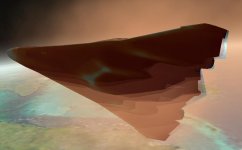
XR2 Public Release Candidate Testing

actually, it's got some orulex data in there too... and when i remove that it makes a mess too...

mars is boring without orulex though.

*edit* Fixed, had an extra 'end' after deleting the orulex block. *

yep, that one works with or without artlavs cool addons.
 

Attachments

actually, it's got some orulex data in there too... and when i remove that it makes a mess too...

mars is boring without orulex though.

*edit* Fixed, had an extra 'end' after deleting the orulex block. *
Well, that explains the chunky bits. :sick:
 
Steve, flew from the VC for a bit as you requested, and have some comments and questions. I'll send them by email.
 
I've done a fair bit of VC flying testing a bunch of atmospheric things around the Cape. My only complaint is that the HUD seems a little... squished?

I wil edit this post after with a screencap, I'm at the office, and can't get a screen cap until it quiets down a bit.

Clean install with only Orbiter and UMMU + OrbiterSound.

Other than that, it can be completely flown via VC and it handles awesome. I am not having the problem with the uncoordinated turns, I don't think, but I'll test it again to be sure.

_O.K._
 
The HUD needs work, it's not so much squashed as it's distorted. It's caused by the UV mapping on the glass... we'll take another stab at that fear not. just try and ignore it for now, it works, after a fashion.
 
Does anyone know why the HUD is reversed on the co-pilot's side? It must be because 3dsmax is mirroring the geometry. But what is it in the HUD glass material makes the text and graphics reversed? UV maps?

BTW, I implemented gear compression yesterday evening (finished at about 4:45 AM this morning -- ouch!) It will be in Beta-1b, which should be ready later this week. Currently the gear compresses 0.4 meter although I can easily tune that. In addition to looking uber-cool during takeoffs and landings (particularly at Brighton Beach), it also moved the aft rotation points forward a little bit more, which further improves rotation performance. Based on where the ship's actual center-of-gravity is, I really think the aft gear is in the right place.
 
Gear Compression? Hot.

Coolhand, thanks for the HUD info... it's still perfectly usable. Been running it around KSC practicing approaches and the like... damn it handles nice in the atmosphere.

Doug, I like the new specs on the RCS. It handles great in orbit.

Cheers boys.

_O.K._
 
dont worry about it Doug. its cos the UV's are flipped, it'll be fixed with the new hud geometry. Sorry bud, i thought i'd mentioned it already. oops.
 
So, going back to my re-entry heating thing, I have a couple screengrabs of what I"m talking about.

The bottom side is beautiful. Fantastic... the top looks kinda dodgy; I'm thinking it might be because it's so hot in one section, and immediately drops off right after the mesh. Not sure.


Don't mean to sound critical here, it's amazing that this is even coded in. I'm just throwing my 2 cents.

Also, during the same re-entry I stumbled onto a transparency error. I have a screen cap of this as well.

[EDIT] Thanks to DaveS and Coolhand on getting me fixed up with the screengrabs. :)

Cheers guys.

_O.K._
 

Attachments

  • reentry heating.JPG
    reentry heating.JPG
    23.4 KB · Views: 71
  • reentry heating 2.JPG
    reentry heating 2.JPG
    22.1 KB · Views: 61
  • reentry heating 3.JPG
    reentry heating 3.JPG
    34.7 KB · Views: 59
there's some limitations in orbiters engine that affects the opacity/alpha map, it doesn't like showing multiple layers of transparency so it's not quite all i'd want, don't know if there's much i can do about though... I'm going to have a go with the DDs alpha modes, currently its just using 1bit alpha, i've yet to experiment with the others. increased bit depth for the alpha will help the top look more like how i wanted, so it fades out better, not sure if it will work though. Anyone want to recommend an alpha mode that looks better than 1bit and works?
 
:shout: ARGGGGGGHHH

That look brilliant, again, I can't wait to fly her
 
As for the last screenshot, with the extra transparency jutting outside. I've been able to reproduce it, thus ruling out a nasty video glitch in that orbiter session.

It only occurs when the heating-profile is enabled. <~1000C hull temp I don't see it.

Not sure if this is what you were talking about, if so, I apologize.

Even the top-side isn't terrible, just needs a little more coolhand lovin' :rofl:

But yeah. This is such an awesome ship to fly. Wheeeeeeee!
 
because of the 1 bit alpha mode the texture is displayed in a way which is nothing like how i actually painted it. i see the bit of geometry that is poking through the heating mesh i'll see if i can fix that.. and i might tidy up the aft since the effect really isn't working in the sim.

just carrying out a couple of tests and 4:4:4:4 ARGB - which i gues gives 4 bits for the Alpha seems to work pretty well. It actually fades rather than suddenly ending
 
Anyone want to recommend an alpha mode that looks better than 1bit and works?

DDS DXT5 works fine for me. The alpha is 256 grayscale.
 
From what I can see in those screenshots, it looks like the heatshield effect is not luminescent, care to fix that?
 
It's perfectly visible at night, however in the code it only ever gets to 50% opacity, i think it should go higher than that personally. My painting was really based on that it becomes totally opaque in places at full strength so it's come off a little weaker than i'd like. Personally i think it should go to %100 then i can tweak it better in the painting, certainly the hotspots should be totally opaque.
 
Can you have both a opacity alpha and dynamic opacity at the same time?
 
what do you mean by dynamic? you mean the whole thing can fade in and out depending on the hull temps, regardless of what the material alpha is doing? IF so then yes, because doug has written some clever code which does exactly that... He can control the opacity of the mesh itself through code.
 
OK. It looks like it works. I've just tried changing the dds into a DXT5, and the mesh changes the dynamic opacity perfectly.

And that was indeed what I meant by "dynamic opacity" :)

I can post some screenies after work, if you want.
 
Back
Top